I was on the 512 GB disk OS, running AOMEI. Disk 1 had C:, D:, E:, partitions, disk 2, F: (primary, active OS, XP, w/ */boot/bcd), G: (W7, dual-boot, secondary OS), H: (logical partition), showing in the GUI. Pretty simple from there on out, F: -> Unallocated, G: -> Unallocated, respectively. H: left intact to keep the data. So, that's 2 steps. Then, I scheduled creating F: partition, then G:, and finally to remove F: again to turn into unallocated space (I did it this way because first creating G: and then turning F: into a partition at the end would make letters appear out of order). 5 steps by now, I get unallocated space for the migration, for which AOMEI would later ask me to choose a letter, and all common sense advised me to pick F: for this. AOMEI reboots into PE resizes partition to be: Unallocated space, G:, H: left intact. AOMEI proceeds to migrate the OS, and does it with the previously mentioned quirk that makes it have the wrong letters and boot incorrectly.
What I noticed later running MiniTool on the 1024 GB disk is that the original 512 GB disk would have its C: partition marked as "*", which makes me believe I was supposed to choose "none" as the drive letter, but this is pure guesswork on my part. Either AOMEI is a sorry excuse for partitioning software or I wasn't given the right information.
I was completely dejected by that point, and since I did whatever housekeeping I could on the partition with the data, I decided to just run MiniTool migration since that was what I did during the last successful migration. As a final insult, MiniTool 12.3 informed me OS migration ceased to be a free feature, and that I had to pay, so I just pirated Partition Wizard 9.1. Scumbags. I ended up losing some of the data I wanted to sort out later because of all this horsecrap.
Overall, I'm utterly disappointed. I didn't expect another gruelling troubleshooting ordeal with ambiguous bits of information being thrown my way when trying to find any specifics on the subject. I wish Barman58 had provided a solution to what was seemingly a simple problem instead of some nonsense about pen drives, but I understand that not everyone can be a wish granting djinnie at the exactly right time.
I appreciate the program I couldn't find any directions to being pointed to when googling. Too late by now, but maybe somebody else will have it easier in the future.
I guess the major takeaway from this experience is to never take backups lightly. It's not worth the stress when you find yourself having your data at risk and following random advice on the internet is not exactly reliable. Could have gone better, but at least it's done and dusted by now. Whatever. God do I f*cking hate computer systems and electronics in general.
Oh and I'd like to emphasize again that I did boot into W7 disk mode since I had previously installed W7 from HDD, and it would let me dual-boot like that if I wished so. I did
bootrec.exe
bootrec.exe /fixmbr
bootrec.exe /fixboot
bootrec.exe /scanos (would say 0 installations found at first)
bootrec.exe /rebuildbcd
And afterwards
bcdedit /export C:\bcdbackup
attrib c:\boot\bcd -h -r -s
ren c:\boot\bcd bcd.old
bootrec /rebuildbcd (this detected OS)
This resulted in not fixing anything. So then I did:
1. Rename folders to *.old in C:\Windows\System32\config (Booting into W7 setup disk files displayed the partitions as C: D: E

SAM
SECURITY
SOFTWARE
DEFAULT
SYSTEM
Copied them again from C:\Windows\System32\Config\Regback back to *\Config
Reboot
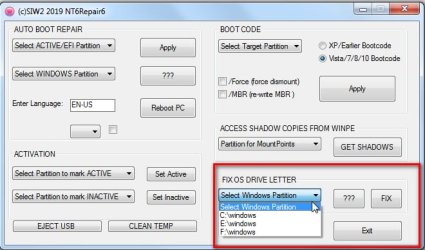
And this fixed nothing, so I'm sure if this "nt6repair9x86.zip" would have help