watch tv without tuner card?

yop824

New member
Local time
8:23 PM
Messages
31
The title says it all, is this possible? I dont mean record n stuff, I got hypercam for dat. Just watch TV. Or I will settle for on demand. Thx in advance :)
 

My Computer My Computer

At a glance

Windows 7 Ultimate Build 71001.4 GHZ512 mb RAMGeforce2 400 MX, 64 MB VRAM
OS
Windows 7 Ultimate Build 7100
CPU
1.4 GHZ
Memory
512 mb RAM
Graphics Card(s)
Geforce2 400 MX, 64 MB VRAM
Screen Resolution
1024x780
Hard Drives
1: A 37 gig
Mouse
Logitec
Other Info
My gaming performance sux on win 7 :(
well... you can watch tv on bbc i player, itv.com live t.v on there tvu player i use and there are alot of tv channels on there also.
 

My Computer My Computer

At a glance

windows 7 RTMQ6600 @ 3.98GB GEIL BLACK DRAGONGTX 260-216
OS
windows 7 RTM
CPU
Q6600 @ 3.9
Motherboard
IP 35-E
Memory
8GB GEIL BLACK DRAGON
Graphics Card(s)
GTX 260-216
Monitor(s) Displays
SAMSUNG T240
Screen Resolution
1920X1200
Hard Drives
2X 500GB
PSU
COOLERMASTER 750 WATT
Case
HAF 932
Cooling
SYTHE MINE
Keyboard
TRUST WIRELESS KEYBOARD
Internet Speed
8 MEG
I'm not sure if this is what you mean, but I have a Dell Ultra-Sharp 2407WP Monitor- which accepts Component Cable input. I have a WinTV-HVR-1250 and I can’t remember the last time I used it. With the component input I can record data from the Digital TV Cable Box into my TV card and save/encode the data as I choose. But if I simply want to watch TV, I can open up a PIP (Picture in Picture) choose my source (through menu option) and do all my viewing that way. In this case I'm using the component signal from the Digital Box piped into my monitor.
The monitor also accepts S-video and Composite input. The newer Monitor accepts HDMI. So yes in my case I can watch TV without a TV card.
 

My Computer My Computer

At a glance

Microsoft Windows 7 Home Premium 64-BitIntel(R) Core(TM)2 Duo CPU E6850 @ 3.00GHz4GB DDR2 SDRAM at 800MHz512MB NVIDIA GeForce 8800 GT Driver Version= ...
Computer Manufacturer/Model Number
Dell XPS STUDIO 420
OS
Microsoft Windows 7 Home Premium 64-Bit
CPU
Intel(R) Core(TM)2 Duo CPU E6850 @ 3.00GHz
Motherboard
Intel® X38 (Bearlake) with 800/1066/1333 MHz FSB
Memory
4GB DDR2 SDRAM at 800MHz
Graphics Card(s)
512MB NVIDIA GeForce 8800 GT Driver Version= 8.15.11.8585
Sound Card
SigmaTel High Definition Audio CODEC (for 64-bit Windows)
Monitor(s) Displays
24 inch UltraSharpand 2407WFP Widescreen Digital FPM
Screen Resolution
1920x1200
Hard Drives
750GB Serial ATA 2 Hard Drive 7200RPM
PSU
425 W available on select configurations
Case
Mini-tower, high-gloss black front bezel, XPS logo on side p
Cooling
6-slot BTX motherboard and chassis design
Keyboard
Dell USB Enhanced Multimedia Keyboard with USB Hub
Mouse
Logitech USB MX510 Optical Mouse
Internet Speed
13.55 Mb/s
TunerFreeMCE
 

My Computer My Computer

At a glance

Windows 7 RTM x86/x64Yonah/e6600 O.C. to 3.4GHz2GB/4GBATI/EVGA NVIDIA 8800
Computer Manufacturer/Model Number
Dell 6400/My own build
OS
Windows 7 RTM x86/x64
CPU
Yonah/e6600 O.C. to 3.4GHz
Motherboard
Dell/EVGA
Memory
2GB/4GB
Graphics Card(s)
ATI/EVGA NVIDIA 8800
Sound Card
RealTek/Auzentech X-Meridian
Monitor(s) Displays
Built-in/65" Mitsubishi HDTV
Screen Resolution
1280x1800/1920x1280
Hard Drives
80GB Toshiba/Several
PSU
Dell Laptop/CoolerMaster
Case
Laptop/CoolerMaster Cosmos
Cooling
Air/Water
Keyboard
Standard/Media Center Kbd
Mouse
Touchpad/Bluetooth
Internet Speed
20MBPS

My Computer My Computer

At a glance

Windows 7 Ultimate x64AMD Sempron Dual Core3GBNVIDIA GeForce 6150SE nForce 430
Computer Manufacturer/Model Number
Compaq Desktop
OS
Windows 7 Ultimate x64
CPU
AMD Sempron Dual Core
Memory
3GB
Graphics Card(s)
NVIDIA GeForce 6150SE nForce 430
Screen Resolution
1024x768
Hard Drives
150GB Sata
how does tuner-mce work ??? im installing it now ive installed it how do i get it to work ??? i need some help plzzzzz
 

My Computer My Computer

At a glance

windows 7 RTMQ6600 @ 3.98GB GEIL BLACK DRAGONGTX 260-216
OS
windows 7 RTM
CPU
Q6600 @ 3.9
Motherboard
IP 35-E
Memory
8GB GEIL BLACK DRAGON
Graphics Card(s)
GTX 260-216
Monitor(s) Displays
SAMSUNG T240
Screen Resolution
1920X1200
Hard Drives
2X 500GB
PSU
COOLERMASTER 750 WATT
Case
HAF 932
Cooling
SYTHE MINE
Keyboard
TRUST WIRELESS KEYBOARD
Internet Speed
8 MEG
Install it, allow it to build the cache and start it from 7MC

There isn't much more than that.

Make sure your desktop resolution is the same as the Media Center's resolution.
 

My Computer My Computer

At a glance

Windows 7 RTM x86/x64Yonah/e6600 O.C. to 3.4GHz2GB/4GBATI/EVGA NVIDIA 8800
Computer Manufacturer/Model Number
Dell 6400/My own build
OS
Windows 7 RTM x86/x64
CPU
Yonah/e6600 O.C. to 3.4GHz
Motherboard
Dell/EVGA
Memory
2GB/4GB
Graphics Card(s)
ATI/EVGA NVIDIA 8800
Sound Card
RealTek/Auzentech X-Meridian
Monitor(s) Displays
Built-in/65" Mitsubishi HDTV
Screen Resolution
1280x1800/1920x1280
Hard Drives
80GB Toshiba/Several
PSU
Dell Laptop/CoolerMaster
Case
Laptop/CoolerMaster Cosmos
Cooling
Air/Water
Keyboard
Standard/Media Center Kbd
Mouse
Touchpad/Bluetooth
Internet Speed
20MBPS
how does tuner-mce work ??? im installing it now ive installed it how do i get it to work ??? i need some help plzzzzz

You'll find it in the 'Extras' library.

Also, anyone that's using it can you try BBC3 (two pints of lager) as it asks to confirm your age but the resolution is so sh1te that it's actually off-screen. Anyone else experiencing this?
 

My Computer My Computer

At a glance

Windows 7 Ultimate x64AMD Sempron Dual Core3GBNVIDIA GeForce 6150SE nForce 430
Computer Manufacturer/Model Number
Compaq Desktop
OS
Windows 7 Ultimate x64
CPU
AMD Sempron Dual Core
Memory
3GB
Graphics Card(s)
NVIDIA GeForce 6150SE nForce 430
Screen Resolution
1024x768
Hard Drives
150GB Sata
You have to set your Media Center resolition to the same as it is on the desktop
 

My Computer My Computer

At a glance

Windows 7 RTM x86/x64Yonah/e6600 O.C. to 3.4GHz2GB/4GBATI/EVGA NVIDIA 8800
Computer Manufacturer/Model Number
Dell 6400/My own build
OS
Windows 7 RTM x86/x64
CPU
Yonah/e6600 O.C. to 3.4GHz
Motherboard
Dell/EVGA
Memory
2GB/4GB
Graphics Card(s)
ATI/EVGA NVIDIA 8800
Sound Card
RealTek/Auzentech X-Meridian
Monitor(s) Displays
Built-in/65" Mitsubishi HDTV
Screen Resolution
1280x1800/1920x1280
Hard Drives
80GB Toshiba/Several
PSU
Dell Laptop/CoolerMaster
Case
Laptop/CoolerMaster Cosmos
Cooling
Air/Water
Keyboard
Standard/Media Center Kbd
Mouse
Touchpad/Bluetooth
Internet Speed
20MBPS
how do you set your resolution in media center ? its really cool thnx alot for this will try 3 pints lager mate
 

My Computer My Computer

At a glance

windows 7 RTMQ6600 @ 3.98GB GEIL BLACK DRAGONGTX 260-216
OS
windows 7 RTM
CPU
Q6600 @ 3.9
Motherboard
IP 35-E
Memory
8GB GEIL BLACK DRAGON
Graphics Card(s)
GTX 260-216
Monitor(s) Displays
SAMSUNG T240
Screen Resolution
1920X1200
Hard Drives
2X 500GB
PSU
COOLERMASTER 750 WATT
Case
HAF 932
Cooling
SYTHE MINE
Keyboard
TRUST WIRELESS KEYBOARD
Internet Speed
8 MEG
asks me for password and user i type one in nothing happens just asks me the same thing again on 2 pints lager its locked parental control wtf!!! help anyone ?
 

My Computer My Computer

At a glance

windows 7 RTMQ6600 @ 3.98GB GEIL BLACK DRAGONGTX 260-216
OS
windows 7 RTM
CPU
Q6600 @ 3.9
Motherboard
IP 35-E
Memory
8GB GEIL BLACK DRAGON
Graphics Card(s)
GTX 260-216
Monitor(s) Displays
SAMSUNG T240
Screen Resolution
1920X1200
Hard Drives
2X 500GB
PSU
COOLERMASTER 750 WATT
Case
HAF 932
Cooling
SYTHE MINE
Keyboard
TRUST WIRELESS KEYBOARD
Internet Speed
8 MEG
Go into "Configure your TV or Monitor" and select "Monitor" instead of TV..
Then select the resolution your desktop is at.
 

My Computer My Computer

At a glance

Windows 7 RTM x86/x64Yonah/e6600 O.C. to 3.4GHz2GB/4GBATI/EVGA NVIDIA 8800
Computer Manufacturer/Model Number
Dell 6400/My own build
OS
Windows 7 RTM x86/x64
CPU
Yonah/e6600 O.C. to 3.4GHz
Motherboard
Dell/EVGA
Memory
2GB/4GB
Graphics Card(s)
ATI/EVGA NVIDIA 8800
Sound Card
RealTek/Auzentech X-Meridian
Monitor(s) Displays
Built-in/65" Mitsubishi HDTV
Screen Resolution
1280x1800/1920x1280
Hard Drives
80GB Toshiba/Several
PSU
Dell Laptop/CoolerMaster
Case
Laptop/CoolerMaster Cosmos
Cooling
Air/Water
Keyboard
Standard/Media Center Kbd
Mouse
Touchpad/Bluetooth
Internet Speed
20MBPS
i cant seem to be able to play 2 pints at all parental lock i put user name and pass in and it dosnt accept it ? what am i doing wrong ? the parental lock is head doing :(
 

My Computer My Computer

At a glance

windows 7 RTMQ6600 @ 3.98GB GEIL BLACK DRAGONGTX 260-216
OS
windows 7 RTM
CPU
Q6600 @ 3.9
Motherboard
IP 35-E
Memory
8GB GEIL BLACK DRAGON
Graphics Card(s)
GTX 260-216
Monitor(s) Displays
SAMSUNG T240
Screen Resolution
1920X1200
Hard Drives
2X 500GB
PSU
COOLERMASTER 750 WATT
Case
HAF 932
Cooling
SYTHE MINE
Keyboard
TRUST WIRELESS KEYBOARD
Internet Speed
8 MEG
i configured it but it dont make any difference the problem i have is that i click on 3 pints of lager and then tick 16 and over then i should click ok but i cant seem to see ok to click then it just freezes up weird!!!
 

My Computer My Computer

At a glance

windows 7 RTMQ6600 @ 3.98GB GEIL BLACK DRAGONGTX 260-216
OS
windows 7 RTM
CPU
Q6600 @ 3.9
Motherboard
IP 35-E
Memory
8GB GEIL BLACK DRAGON
Graphics Card(s)
GTX 260-216
Monitor(s) Displays
SAMSUNG T240
Screen Resolution
1920X1200
Hard Drives
2X 500GB
PSU
COOLERMASTER 750 WATT
Case
HAF 932
Cooling
SYTHE MINE
Keyboard
TRUST WIRELESS KEYBOARD
Internet Speed
8 MEG
Go into "Configure your TV or Monitor" and select "Monitor" instead of TV..
Then select the resolution your desktop is at.

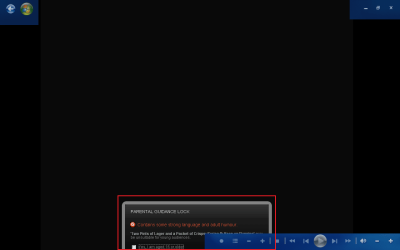
Monitor is configure correctly, but when playing anything that has a 16+ rating i cannot select 'OK' or 'Apply' (See Pic)
Untitled.png

As you can see, not even a scroll option :mad:
 

My Computer My Computer

At a glance

Windows 7 Ultimate x64AMD Sempron Dual Core3GBNVIDIA GeForce 6150SE nForce 430
Computer Manufacturer/Model Number
Compaq Desktop
OS
Windows 7 Ultimate x64
CPU
AMD Sempron Dual Core
Memory
3GB
Graphics Card(s)
NVIDIA GeForce 6150SE nForce 430
Screen Resolution
1024x768
Hard Drives
150GB Sata
Monitor is configure correctly, but when playing anything that has a 16+ rating i cannot select 'OK' or 'Apply' (See Pic)
View attachment 15444

As you can see, not even a scroll option :mad:
i have the same problem mate and also tryed useing five on demand and same thing wants to register which ive done and still get same problem cannot preview page guidelines its crazy :mad: to many bugs
 

My Computer My Computer

At a glance

windows 7 RTMQ6600 @ 3.98GB GEIL BLACK DRAGONGTX 260-216
OS
windows 7 RTM
CPU
Q6600 @ 3.9
Motherboard
IP 35-E
Memory
8GB GEIL BLACK DRAGON
Graphics Card(s)
GTX 260-216
Monitor(s) Displays
SAMSUNG T240
Screen Resolution
1920X1200
Hard Drives
2X 500GB
PSU
COOLERMASTER 750 WATT
Case
HAF 932
Cooling
SYTHE MINE
Keyboard
TRUST WIRELESS KEYBOARD
Internet Speed
8 MEG
See thier site. There are no known bugs that I know of.

I have been using that software bug-free for a long time now. Whatever the problem is, it's with your configuration, not the software.
 

My Computer My Computer

At a glance

Windows 7 RTM x86/x64Yonah/e6600 O.C. to 3.4GHz2GB/4GBATI/EVGA NVIDIA 8800
Computer Manufacturer/Model Number
Dell 6400/My own build
OS
Windows 7 RTM x86/x64
CPU
Yonah/e6600 O.C. to 3.4GHz
Motherboard
Dell/EVGA
Memory
2GB/4GB
Graphics Card(s)
ATI/EVGA NVIDIA 8800
Sound Card
RealTek/Auzentech X-Meridian
Monitor(s) Displays
Built-in/65" Mitsubishi HDTV
Screen Resolution
1280x1800/1920x1280
Hard Drives
80GB Toshiba/Several
PSU
Dell Laptop/CoolerMaster
Case
Laptop/CoolerMaster Cosmos
Cooling
Air/Water
Keyboard
Standard/Media Center Kbd
Mouse
Touchpad/Bluetooth
Internet Speed
20MBPS
Orbital Shark, I doubt that the desktop resolution is the same on your desktop that it is in MC, that is the only reason that this would happen.
 

My Computer My Computer

At a glance

Windows 7 RTM x86/x64Yonah/e6600 O.C. to 3.4GHz2GB/4GBATI/EVGA NVIDIA 8800
Computer Manufacturer/Model Number
Dell 6400/My own build
OS
Windows 7 RTM x86/x64
CPU
Yonah/e6600 O.C. to 3.4GHz
Motherboard
Dell/EVGA
Memory
2GB/4GB
Graphics Card(s)
ATI/EVGA NVIDIA 8800
Sound Card
RealTek/Auzentech X-Meridian
Monitor(s) Displays
Built-in/65" Mitsubishi HDTV
Screen Resolution
1280x1800/1920x1280
Hard Drives
80GB Toshiba/Several
PSU
Dell Laptop/CoolerMaster
Case
Laptop/CoolerMaster Cosmos
Cooling
Air/Water
Keyboard
Standard/Media Center Kbd
Mouse
Touchpad/Bluetooth
Internet Speed
20MBPS
But there's nothing in 7MC that allows for resolution change/settings :confused:

Only monitor calibration
 

My Computer My Computer

At a glance

Windows 7 Ultimate x64AMD Sempron Dual Core3GBNVIDIA GeForce 6150SE nForce 430
Computer Manufacturer/Model Number
Compaq Desktop
OS
Windows 7 Ultimate x64
CPU
AMD Sempron Dual Core
Memory
3GB
Graphics Card(s)
NVIDIA GeForce 6150SE nForce 430
Screen Resolution
1024x768
Hard Drives
150GB Sata
Back
Top