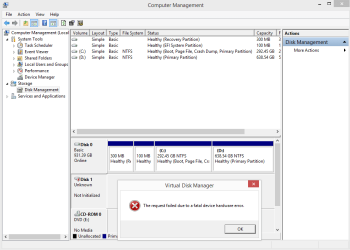
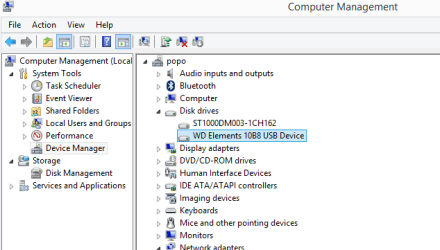
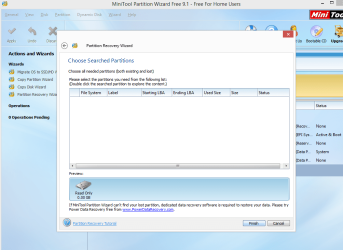
I acceidentally dropped my external hard drive and i need my data badly. I want to consult a data recovery technician but costs a lot of money so i want to troubleshoot first if i can. Once i plug the external i can hear a heartbeat sound but eventually stops.
Please advise on how to troubleshoot or recover my data before i send this for replacement since its still under warranty. My files in the external is more important than my external.
Sorry to say this: There is absolutely no possibility of a DIY recovery on a physically damaged HDD.
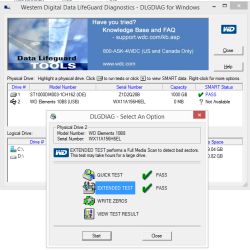
Choose your Western Digital elements type, download and run the WD DatalifeGuard diagnostics for Windows on it. If it doesn't give any results, physical damage is confirmed. WD Support / Downloads / WD Elements
hmmm............ I forgot to tell you something. How much time did it take to run the Quick Test and Extended Test? If it all ended in a jiffy within seconds giving a PASS, that result is invalid. It tested 0 MB to give you that result.
You can't write zeros since your drive is not working.It may say it completed in seconds writing 0s to 0MB.
Generally if you write zeros, all data will be lost irrecoverably. So don't try that until you decide upon whether or not you will seek professional recovery.
Yes, you have to seek professional data recovery. Even they wouldn't assure you a successful data recovery. It all depends on the extent of damage which can be assessed only by opening and examining it in a "clean room".More will depend upon their expertise and facilities they have.The better, the costlier.
You may contact WD Data Recovery Partners and discuss the matter. Telephonic consultation is free.
But it is true that a hardware issue is nearly impossible to troubleshoot. Even more, if the disk surface has been scratched even a little, any other testing method could result in damaging it even further.
Jumanji has already posted the link to WD's official Data Recovery partners, they are the ones who have most knowledge on recovering WD drives and data off of them.
Also, the WD DLG test is clearly not passed as it gives a Not Available mark on the SMART values of the WD external. Anything else is as Jumanji explained, reading 0MB.
If you'd like here are the links to the WD Warranty services: