Weather Gadget: Cannot connect to service.

After searching several forums for the solution to the weather gadget not working problem I found this post by Kot86 on another forum.

Here is how to fix this issue:


Go to "C:\Users\USERNAME\AppData\Local\Microsoft\Windows Live\Services\Cache"
Open "Config.xml" by right clicking the file and selecting Edit. (It will probably open in Notepad.)
Go to File | Save (in Notepad) without making any changes. After 10-20 seconds restart the gadget!

I have six computers with Windows 7 but only two had this problem. Using this procedure corrected the problem on both of them.


I do not believe updates (up to date as of Feb 13, 2015) have anything to do with the gadget not functioning properly, nor has Microsoft purposely disabled the gadget.

Edit: Now that I posted this I find a similar post just 6 hours ago which says essentially the same thing.

Perfect! Worked for me.
 

My Computer My Computer

At a glance

Windows 7 Ultimate x64Core i7-2600K @3.8Ghz32GB (4x8GB) Corsair PC3-107002x Radeon 290 w/ Arctic Cooling IV
Computer type
PC/Desktop
Computer Manufacturer/Model Number
custom
OS
Windows 7 Ultimate x64
CPU
Core i7-2600K @3.8Ghz
Motherboard
ASRock P67 Extreme4
Memory
32GB (4x8GB) Corsair PC3-10700
Graphics Card(s)
2x Radeon 290 w/ Arctic Cooling IV
Hard Drives
2x Samsung 830 SSD RAID 0
2x Seagate 1TB 7200 RAID 0
Antivirus
Avast, SuperAntiSpyware
Browser
Chrome
The default Windows 7 weather gadget has always worked for me since I've had Windows 7. I did a reinstall a few weeks ago because of annoying problems. Since then the weather gadget can't find service. I've tried London UK and United Kingdom and it can't find it which is a bit stupid.

I've just installed MSNWeather and it finds my location. I have another Weather Meter v1.7 and that finds my location through the UK post code and that's always worked. Most Wanted Windows Desktop Gadgets - Windows 8, Windows 7 and Windows Vista
 

My Computer My Computer

At a glance

Windows 7 Professional 32bit SP1, Windows 10 ...Intel Pentium B970 @ 2.30GHz, DELL DELL Intel...8GBNVIDIA GeForce MX230 (Dell)
Computer type
Laptop
Computer Manufacturer/Model Number
Samsung won't charge Now Dell Inspiron 17 3793
OS
Windows 7 Professional 32bit SP1, Windows 10 Home 64-bit at the moment
CPU
Intel Pentium B970 @ 2.30GHz, DELL DELL Intel 3793 Core i5 1
Motherboard
DELL 0C9WH2
Memory
8GB
Graphics Card(s)
NVIDIA GeForce MX230 (Dell)
Sound Card
Realtek High Definition Audio
Monitor(s) Displays
17.3" HD+ LED Display
Screen Resolution
1920x1040
Hard Drives
99GB (RAID SHIT SSD), Seagate 1TB SATA III DATA

Seagate ST1000LM048-2E7172 (SATA III)
Mouse
USB remote
Antivirus
Avast Free Antivirus 20.10.2442
Browser
Internet Explorer 11, FireFox
Other Info
DELL shit Its the worst laptop design ever made the laptop battery is inbuilt who the hell makes a laptop battery inbuilt DELL shit does, can't wait until the 1TB HDD is replaced and RAID shit is removed
After searching several forums for the solution to the weather gadget not working problem I found this post by Kot86 on another forum.

Here is how to fix this issue:


Go to "C:\Users\USERNAME\AppData\Local\Microsoft\Windows Live\Services\Cache"
Open "Config.xml" by right clicking the file and selecting Edit. (It will probably open in Notepad.)
Go to File | Save (in Notepad) without making any changes. After 10-20 seconds restart the gadget!

I have six computers with Windows 7 but only two had this problem. Using this procedure corrected the problem on both of them.


I do not believe updates (up to date as of Feb 13, 2015) have anything to do with the gadget not functioning properly, nor has Microsoft purposely disabled the gadget.

Edit: Now that I posted this I find a similar post just 6 hours ago which says essentially the same thing.


thanks, now it is working perfectly...:D
 

My Computer My Computer

At a glance

windows 7 home
Computer type
PC/Desktop
OS
windows 7 home
Touched! a file based time-date stamp work around

The problem seems to have something to do with the time-date stamp of the Weather gadgets "config.xml" file.
This batch file updates that time-date stamp from almost any location on the Windows C:\ drive.
Copy and paste the text below into a new text file and then change the file extension from .txt to .bat
Run it whenever the Weather gadget crashes then wait a few minutes and or choose zip code again.
Seems to work every time on many Win7 computers

rem Touched! - Fixes Weather Gadget by updating "config.xml" file time-date stamp
cd\
cd %userprofile%\AppData\Local\Microsoft\Windows Live\Services\Cache\
COPY /B config.xml +,,
pause
 

My Computer My Computer

At a glance

Windows 7 Ultimate x64
Computer type
PC/Desktop
OS
Windows 7 Ultimate x64
Go to "C:\Users\USERNAME\AppData\Local\Microsoft\Windows Live\Services\Cache"
Open "Config.xml" by right clicking the file and selecting Edit. (It will probably open in Notepad.)
Go to File | Save (in Notepad) without making any changes. After 10-20 seconds restart the gadget!

I have no Config.xml at all in \cache. That folder is empty!
 

My Computer My Computer

At a glance

Windows 7 UltimateIntel Core 2 Quad [email protected]OCZ 6400, 4 GB (2X2)Nvidia Geforce 260GTX
OS
Windows 7 Ultimate
CPU
Intel Core 2 Quad [email protected]
Motherboard
Asus P5Q Deluxe
Memory
OCZ 6400, 4 GB (2X2)
Graphics Card(s)
Nvidia Geforce 260GTX
Sound Card
ESI Juli@
Monitor(s) Displays
Benq 241-W 24"+Belinea 2485 S1W 24" portrait mode (pivoted)
Hard Drives
1. Western Digital Raptor, 150 GB
2. Samsung 250 GB
3. Samsung 500 GB
4. Samsung 750 GB
PSU
Corsair, 520W
Case
Antec P182
Cooling
Thermalright Ultra 120 Extreme
View attachment 350492
This is MSN weather gadget....un modified....just zipped to upload here.
Just open zip file, double click and install. Keep the file in a safe place so you don't lose it.
This works in every pc I have put it on.
This is only the MSN weather gadget, it does not fix the currency gadget.
This is working on my Windows 7 hp x64.
Should work for all versions though, both 32 and 64 bit.

I installed MSN weather gadget when the original wouldn't work.

Its worked great ever since. Before I shut down my laptop last night the weather gadget showed getting data.

I start my laptop up today and it still says getting data and it doesn't show anything. Has anyone else have a problem with MSN gadget?
 

My Computer My Computer

At a glance

Windows 7 Professional 32bit SP1, Windows 10 ...Intel Pentium B970 @ 2.30GHz, DELL DELL Intel...8GBNVIDIA GeForce MX230 (Dell)
Computer type
Laptop
Computer Manufacturer/Model Number
Samsung won't charge Now Dell Inspiron 17 3793
OS
Windows 7 Professional 32bit SP1, Windows 10 Home 64-bit at the moment
CPU
Intel Pentium B970 @ 2.30GHz, DELL DELL Intel 3793 Core i5 1
Motherboard
DELL 0C9WH2
Memory
8GB
Graphics Card(s)
NVIDIA GeForce MX230 (Dell)
Sound Card
Realtek High Definition Audio
Monitor(s) Displays
17.3" HD+ LED Display
Screen Resolution
1920x1040
Hard Drives
99GB (RAID SHIT SSD), Seagate 1TB SATA III DATA

Seagate ST1000LM048-2E7172 (SATA III)
Mouse
USB remote
Antivirus
Avast Free Antivirus 20.10.2442
Browser
Internet Explorer 11, FireFox
Other Info
DELL shit Its the worst laptop design ever made the laptop battery is inbuilt who the hell makes a laptop battery inbuilt DELL shit does, can't wait until the 1TB HDD is replaced and RAID shit is removed
Stock Win7 MSN Weather Gadget Automate Task Fix

Hi! I', know I'm late to the party but I finally took some time to figure out an automated fix for the stock Win 7 Weather Gadget that works like a charm. I hope it is helpful to someone else who would like to use and automate the Weather Gadget as it was one of the most useful for me.

I'm assuming you know the basics and your way around Windows Explorer for browsing your documents, music, videos and other folders you've created for storage. Please excuse slightly messy instruction for installation..

It's a simple .CMD file and my Exported task, your import procedure. After installed and verified functioning again use the closest geographic zipcode to set you local weather location. (Google a zipcode map for your local area)

There are 3 files in the package:
MSN Weather Gadget File Touch.cmd - File Touch batchfile Must reside in Cache folder
MSN Weather Gadget File Touch.xml - Task to be imported. Not mandatory, but organized
Config.xml - Weather Gadget schedule file that gets touched. Must reside in Cache folder

Prerequisites:

You need Folders Options for hidden and system folder/files display turned on. Switch them back afterwards if desired (recommended).

Windows Explorer must be in Details folder/file viewing mode (as it should always be anyway IMHO).

The Cache folder must be created if not already under Services folder (see path below).

The 3 files in the package MUST reside in the default Cache folder
C:\Users\<your logon name without the brackets>\AppData\Local\Microsoft\Windows Live\Services\Cache
or
Every %USERPROFILE%\AppData\Local\Microsoft\Windows Live\Services\Cache folder if more than one user is logging into the computer since I believe all Scheduled Tasks run for all users on the system and the .cmd file and the Task script points to the
%USERPROFILE%\AppData\Local\Microsoft\Windows Live\Services\Cache folder making use of the variable %USERPROFILE%
(You can extract the 3 files to the Cache folder and I found it handy to send a Cache folder Shortcut to the desktop to monitor during install and testing.)

Import the Task Script into Task Scheduler in a Task Scheduler folder of your choice. I created a My Tasks folder in Task Scheduler and imported the Task there. The only Task option you must edit is the Security options>When running the task, use the following user account: Select the Change User or Group button and browse in Advanced>Find Now to the currently logged in User acct. Additionally, if need be in the Triggers>Daily Trigger. Leave everything else as is.

The Weather Gadget must be in your list of available default shipped Win7 Gadgets and running on the sidebar.

I pulled up a Windows Explorer window showing the Cache folder files and watched the modified date & time of the Config.xml Weather Gadget scheduler file when I ran the Task from the Schedule window to verify the file touch and date/time update as well as the Gadget responding. The Weather Gadget started on the next poll. You could shut it down and re-add and it should check immediately.

That's it.
 

Attachments

Last edited:

My Computer My Computer

At a glance

Win7 32 & 64bit vers.P4 3.8ghz to Intel Core 2 DuoUpto 8GBATI Radeon HD 3450's
Computer type
PC/Desktop
Computer Manufacturer/Model Number
Dell, Asus,HP, MSI.
OS
Win7 32 & 64bit vers.
CPU
P4 3.8ghz to Intel Core 2 Duo
Motherboard
MSI, Asus.
Memory
Upto 8GB
Graphics Card(s)
ATI Radeon HD 3450's
Hard Drives
Seagate's, WD's, Hitachi's, Samsung's, SanDisk SSD's, etc.
Antivirus
SEP
Browser
IE, Chrome, FireFox
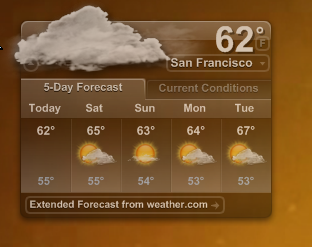
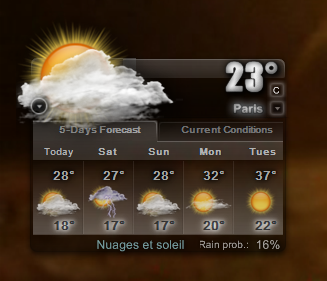
there's a way better weather app than the windows gadget, 2 actually.

The first one being the RIP yahoo widgets with it's built in/deployed with, weather widget
Snap151.png

Snap152.png


or you could use xwidget with the weather widget I've designed
Snap153.png

Snap154.png
 

My Computer My Computer

At a glance

7ven ultimate
OS
7ven ultimate
I was having problems too, but that MSN weather gadget worked. Thank you.
 

My Computer My Computer

At a glance

64
Computer type
PC/Desktop
OS
64
Hi! I', know I'm late to the party but I finally took some time to figure out an automated fix for the stock Win 7 Weather Gadget that works like a charm. I hope it is helpful to someone else who would like to use and automate the Weather Gadget as it was one of the most useful for me.

I'm assuming you know the basics and your way around Windows Explorer for browsing your documents, music, videos and other folders you've created for storage. Please excuse slightly messy instruction for installation..

It's a simple .CMD file and my Exported task, your import procedure. After installed and verified functioning again use the closest geographic zipcode to set you local weather location. (Google a zipcode map for your local area)

There are 3 files in the package:
MSN Weather Gadget File Touch.cmd - File Touch batchfile Must reside in Cache folder
MSN Weather Gadget File Touch.xml - Task to be imported. Not mandatory, but organized
Config.xml - Weather Gadget schedule file that gets touched. Must reside in Cache folder

Prerequisites:

You need Folders Options for hidden and system folder/files display turned on. Switch them back afterwards if desired (recommended).

Windows Explorer must be in Details folder/file viewing mode (as it should always be anyway IMHO).

The Cache folder must be created if not already under Services folder (see path below).

The 3 files in the package MUST reside in the default Cache folder
C:\Users\<your logon name without the brackets>\AppData\Local\Microsoft\Windows Live\Services\Cache
or
Every %USERPROFILE%\AppData\Local\Microsoft\Windows Live\Services\Cache folder if more than one user is logging into the computer since I believe all Scheduled Tasks run for all users on the system and the .cmd file and the Task script points to the
%USERPROFILE%\AppData\Local\Microsoft\Windows Live\Services\Cache folder making use of the variable %USERPROFILE%
(You can extract the 3 files to the Cache folder and I found it handy to send a Cache folder Shortcut to the desktop to monitor during install and testing.)

Import the Task Script into Task Scheduler in a Task Scheduler folder of your choice. I created a My Tasks folder in Task Scheduler and imported the Task there. The only Task option you must edit is the Security options>When running the task, use the following user account: Select the Change User or Group button and browse in Advanced>Find Now to the currently logged in User acct. Additionally, if need be in the Triggers>Daily Trigger. Leave everything else as is.

The Weather Gadget must be in your list of available default shipped Win7 Gadgets and running on the sidebar.

I pulled up a Windows Explorer window showing the Cache folder files and watched the modified date & time of the Config.xml Weather Gadget scheduler file when I ran the Task from the Schedule window to verify the file touch and date/time update as well as the Gadget responding. The Weather Gadget started on the next poll. You could shut it down and re-add and it should check immediately.

That's it.
I don't have a Services folder under Windows Live. What do I do?
 

My Computers My Computers

  • At a glance

    Windows 7 Home Premium 64 bit
    OS
    Windows 7 Home Premium 64 bit
  • Computer type
    PC/Desktop
Back
Top