JavaScript is disabled. For a better experience, please enable JavaScript in your browser before proceeding.
You are using an out of date browser. It may not display this or other websites correctly.
You should upgrade or use an
alternative browser .
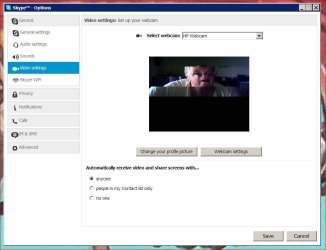
Web cam using Skype give bad picture
Not sure if this is the right place to ask this question but here it is.
Video Screen Capture of Skype Problem.JPG
61.7 KB
· Views: 0
Computer type Laptop Computer Manufacturer/Model Number Hewlett-Packard HP Pavilion dv9700 Notebook PC Rev 1 OS windows 7 professional CPU 2.60 gigahertz Intel Core2 Duo 64 kilobyte primary memory ca Motherboard Board: Quanta 30CB 79.2E Bus Clock: 800 megahertz BIOS: Hewl Memory 4096 Megabytes Usable Installed Memory Graphics Card(s) NVIDIA GeForce 8600M GS [Display adapter] Hard Drives Two internal 320 gb hard drives & External Segate 1 tb drive
Electron Wrangler
Guru
Gold Member
VIP
It's just likely that either you or the person you're talking to has a low bandwidth connection. Does the audio break up when the video is like that?
Computer type PC/Desktop Computer Manufacturer/Model Number Mellon Labs (custom build) OS Win 7 Pro x64/Win 10 Pro x64 dual boot CPU AMD FX 8350 Vishera @ 4200 Motherboard ASUS M5A97 R2.0 Memory 16 GB Mushkin Blackline DDR3-2400 @ 1866 (9-10-10-10-31) Graphics Card(s) XFX Radeon R9 280 Double D Black Edition Sound Card Realtek HD Audio on MB. Sounds great. Monitor(s) Displays Acer 24", Acer 22" Screen Resolution 3840 x 1080 Hard Drives 1 x Mushkin Chronos 120 GB SSD (Win 10) PSU Corsair TX-750 Case CoolerMaster HAF 912+ Cooling Coolermaster Seidon 240M Liquid AIO. 6 case fans Keyboard Logitech G710+ Mouse Logitech G500s Internet Speed Much better since I got fiber, but still way overpriced. Antivirus MSE, Malware Bytes for scanning Browser Firefox Other Info Corsair VOID USB headphones.
New member
Thread Starter
Thanks for replying but I don't think that is the problem. I check the bandwidth using Skype and it says my system is medium strength which should be okay for video. And no, the sound is fine and the person I am talking too can see me fine so it is only on my end that the video is not working correctly.
Computer type Laptop Computer Manufacturer/Model Number Hewlett-Packard HP Pavilion dv9700 Notebook PC Rev 1 OS windows 7 professional CPU 2.60 gigahertz Intel Core2 Duo 64 kilobyte primary memory ca Motherboard Board: Quanta 30CB 79.2E Bus Clock: 800 megahertz BIOS: Hewl Memory 4096 Megabytes Usable Installed Memory Graphics Card(s) NVIDIA GeForce 8600M GS [Display adapter] Hard Drives Two internal 320 gb hard drives & External Segate 1 tb drive
Electron Wrangler
Guru
Gold Member
VIP
Sorry I couldn't be more help, but that's all I can think of.
Computer type PC/Desktop Computer Manufacturer/Model Number Mellon Labs (custom build) OS Win 7 Pro x64/Win 10 Pro x64 dual boot CPU AMD FX 8350 Vishera @ 4200 Motherboard ASUS M5A97 R2.0 Memory 16 GB Mushkin Blackline DDR3-2400 @ 1866 (9-10-10-10-31) Graphics Card(s) XFX Radeon R9 280 Double D Black Edition Sound Card Realtek HD Audio on MB. Sounds great. Monitor(s) Displays Acer 24", Acer 22" Screen Resolution 3840 x 1080 Hard Drives 1 x Mushkin Chronos 120 GB SSD (Win 10) PSU Corsair TX-750 Case CoolerMaster HAF 912+ Cooling Coolermaster Seidon 240M Liquid AIO. 6 case fans Keyboard Logitech G710+ Mouse Logitech G500s Internet Speed Much better since I got fiber, but still way overpriced. Antivirus MSE, Malware Bytes for scanning Browser Firefox Other Info Corsair VOID USB headphones.