JavaScript is disabled. For a better experience, please enable JavaScript in your browser before proceeding.
You are using an out of date browser. It may not display this or other websites correctly.
You should upgrade or use an
alternative browser .
Solved Webpage content doesn't display properly
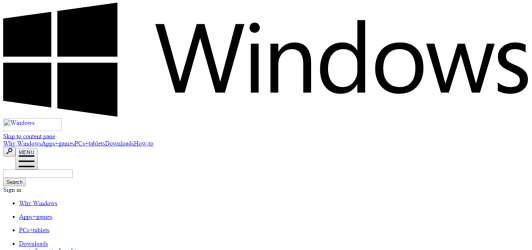
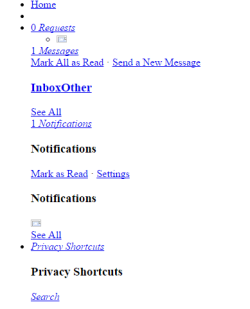
The Page links or images align to the left with missing text of my Chrome window.
This happens with select websites only; surprisingly Facebook, Steam and Microsoft are some.
Incognito Window with all the extensions disabled does not solve the problem.
Computer Manufacturer/Model Number Lenovo Y560 OS Windows 7 Home Premium x64 CPU Intel Core i5 Motherboard M460 @ 2.53GHz Memory 4 GB Graphics Card(s) ATI Mobility Radeon HD 5370
R.I.P.
Guru
Gold Member
VIP
How do things look with IE11.
Computer type PC/Desktop Computer Manufacturer/Model Number Skylake Special #666 OS Windows 10 Pro x64 CPU Intel Core i7 6700K Motherboard Asus Sabertooth Z170 Mark 1 Memory GSkill TridentZ RGB 16GB 3600 16-16-16-36 Graphics Card(s) EVGA GTX 980 Ti SC x2 Sound Card Realtek High Definition Monitor(s) Displays AOC G2460PG Screen Resolution 1920 x 1080 144Hz Hard Drives Samsung 860 Pro 256GB, Seagate Barracuda 4TB x2 PSU EVGA 1000 P2, EVGA White Custom Braided Cables Case Corsair Vengeance C70 Gunmetal Black Cooling Corsair H100i v2, Corsair ML120 x2, Thermal Grizzly Kryonaut Keyboard Logitech G910 Orion Spectrum Mouse Logitech G700s Internet Speed Verizon Fios Quantum Gateway 75/75 Antivirus Windows Defender, Malwarebytes Free 3.8.3 Browser Chrome Other Info Corsair SP120 x4, LG Blu-ray Drive, Durabrand HT-395 100 Watt Dolby Digital Amp, Corsair H2100 Wireless 7.1 Headset
New member
Member
VIP
Thread Starter
Wow. Just fixed it.
Computer Manufacturer/Model Number Lenovo Y560 OS Windows 7 Home Premium x64 CPU Intel Core i5 Motherboard M460 @ 2.53GHz Memory 4 GB Graphics Card(s) ATI Mobility Radeon HD 5370
R.I.P.
Guru
Gold Member
VIP
You must have messed with the settings to create the original problem
The only thing I ever change is the home page and the theme, and of course add the Bookmarks bar
Computer type PC/Desktop Computer Manufacturer/Model Number Skylake Special #666 OS Windows 10 Pro x64 CPU Intel Core i7 6700K Motherboard Asus Sabertooth Z170 Mark 1 Memory GSkill TridentZ RGB 16GB 3600 16-16-16-36 Graphics Card(s) EVGA GTX 980 Ti SC x2 Sound Card Realtek High Definition Monitor(s) Displays AOC G2460PG Screen Resolution 1920 x 1080 144Hz Hard Drives Samsung 860 Pro 256GB, Seagate Barracuda 4TB x2 PSU EVGA 1000 P2, EVGA White Custom Braided Cables Case Corsair Vengeance C70 Gunmetal Black Cooling Corsair H100i v2, Corsair ML120 x2, Thermal Grizzly Kryonaut Keyboard Logitech G910 Orion Spectrum Mouse Logitech G700s Internet Speed Verizon Fios Quantum Gateway 75/75 Antivirus Windows Defender, Malwarebytes Free 3.8.3 Browser Chrome Other Info Corsair SP120 x4, LG Blu-ray Drive, Durabrand HT-395 100 Watt Dolby Digital Amp, Corsair H2100 Wireless 7.1 Headset
New member
Member
VIP
Thread Starter
But I didn't do anything like that
Computer Manufacturer/Model Number Lenovo Y560 OS Windows 7 Home Premium x64 CPU Intel Core i5 Motherboard M460 @ 2.53GHz Memory 4 GB Graphics Card(s) ATI Mobility Radeon HD 5370