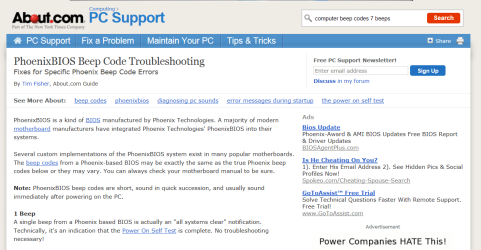
So i recently bought a radeon 6670 GPu and it worked fine for 3 or 4 days straight, then when i turned off the computer it stoped working.. Then later day i was trying to fix it but the monitor keeps sayin that it has no signal DVI port Nor HDMI port.. So next day i turned off the computer multiple times and it worked ( also when i boot i hear 7 beeps,i have a Pheonix motherboard something like that) So it worked Fine UNTIL i turned it off and turned it on IT STOPpED WORKING!!! im so mad,
I bought a new MONITOR today and it still has the problem NO DVI/HDMI SIGNAL
Well i plugged everything correctly i firmly pushed the GPU into the PCI e slot
i changed the bios to pci e , so i tried everything... iknow at some point i well restart my computer and the GPU well work AND IM NOT GOING TO TURN OFF THE COMPUTER THIS TIME!
Try running the pc without the video card plugged in and plug the monitor on to the on board graphics on the motherboard and see if the same problem persist.Think it might be the card failing but I want to make sure it's not something else so try running it without the video card plugged into the motherboard. Tell me your results and we will go on from there.
EDIT:No not totaly true,amd video cards are good,you might of just got a bad one that was faulty.
My Computer
At a glance
Windows 10 64bitAMD Phenom II X4 925 (Deneb)(2.8GHz) OC 3.4GHzCorsair Vengeance DDR3 4GBX2 (8192MB)XFX HD 6870 1GB (OC)- 940MHz core, mem 1150MHz
Computer type
PC/Desktop
Computer Manufacturer/Model Number
custom build
OS
Windows 10 64bit
CPU
AMD Phenom II X4 925 (Deneb)(2.8GHz) OC 3.4GHz
Motherboard
M5A78L-MLX Plus
Memory
Corsair Vengeance DDR3 4GBX2 (8192MB)
Graphics Card(s)
XFX HD 6870 1GB (OC)- 940MHz core, mem 1150MHz
Monitor(s) Displays
Vizio 26' 1920x1080 / Acer 1336x768
Screen Resolution
1920x1080 60Hz /1336x768
Hard Drives
Kingston Digital 60GB SSDNow V300/500gb HDD Western Digital 7200rpm (/WD 160GB HDD 7200rpm
If you get beep codes when it's not displaying then post how many beeps and how long or short they are and how many times the mobo beeps.Try solarshines idea,I suggest try his method before thinking of returning if you still got warranty and/or replacing the video card.
My Computer
At a glance
Windows 10 64bitAMD Phenom II X4 925 (Deneb)(2.8GHz) OC 3.4GHzCorsair Vengeance DDR3 4GBX2 (8192MB)XFX HD 6870 1GB (OC)- 940MHz core, mem 1150MHz
Computer type
PC/Desktop
Computer Manufacturer/Model Number
custom build
OS
Windows 10 64bit
CPU
AMD Phenom II X4 925 (Deneb)(2.8GHz) OC 3.4GHz
Motherboard
M5A78L-MLX Plus
Memory
Corsair Vengeance DDR3 4GBX2 (8192MB)
Graphics Card(s)
XFX HD 6870 1GB (OC)- 940MHz core, mem 1150MHz
Monitor(s) Displays
Vizio 26' 1920x1080 / Acer 1336x768
Screen Resolution
1920x1080 60Hz /1336x768
Hard Drives
Kingston Digital 60GB SSDNow V300/500gb HDD Western Digital 7200rpm (/WD 160GB HDD 7200rpm
Reading more into his Beep code issue it is likely linked to your Bios
maybe you need an Update but from what I can tell most of the Beep codes are either Ram or Bios related and since you are able to boot up but no display maybe linked to a bios issue withthe hardware

 and turned it on IT STOPpED WORKING!!!