Western Digital Hd doesnt get recognised on my computer..URGENT HELP

funkychick7

New member
Local time
11:21 PM
Messages
21
Urgent Help Required Please

i have two different external hard drives (Seagate & Western Digital), and two computers. Both computers are window 7 64bit
and i think the Western Digital one is 1tb :confused:

Problem:
When i try to plug the WD HD into the computer, it doesnt get recognized, it doesnt show up on my computer. It doesnt come up on the device manager either.

What ive tried:
I tried to use different usbs with no luck, different chargers with no luck, different usb ports with no luck and also tried it on both computers with no luck.

HOWEVER, the light on the hard drive that indicates that the WD HD is on, comes on.


I know there is nothing wrong with the usbs or the usb ports because these work with my Seagate HD.


is there anything i can do to make this work as i need the files on it urgently and dont want to format it. ( not that its even showing up to give me the format option :( )
 

My Computer My Computer

At a glance

windows 7 64 bit home premium
OS
windows 7 64 bit home premium
Hi,

This sounds like the USB circuitry/port/cable connection inside the external hard drive to the computer is faulty.

Your data and drive is fine, I've seen this many a time.
Problem is, the only way I know how to remedy this is either to get another enclosure with USB connection or remove the HDD from the enclosure and install it into a tower.

Someone else may have a better solution, but if the external drive is not recognised in any computer,
then it is faulty External USB circuitry/cable.

cheers

Dave
 

My Computer My Computer

At a glance

Windows 7 Professional 64bitAMD Athlon (tm) X2 5200+ Dual Core 2712 Mhz4GBNividia GeForce 8600 GTS- DIED 25/7/2013 R.I.P
Computer type
PC/Desktop
OS
Windows 7 Professional 64bit
CPU
AMD Athlon (tm) X2 5200+ Dual Core 2712 Mhz
Motherboard
Asus
Memory
4GB
Graphics Card(s)
Nividia GeForce 8600 GTS- DIED 25/7/2013 R.I.P
Sound Card
None
Monitor(s) Displays
22" Yuraku LCD (Dont ask)
Screen Resolution
1280x960
Hard Drives
2TB WD Caviar green
PSU
Windy up type
Case
Scout cm Storm
Cooling
Hair dryer on full cool power ;-)
Keyboard
QWERTY
Mouse
Microsoft Special
Internet Speed
BT Infinity 9.38Mb/s Wheeeeeeeeeeeeeeee!!
Antivirus
MSE
Browser
Internet Explore 10 and Chrome
Other Info
Don't shout...I've got a Hangover!
Thankyou Dave, i will try to buy a new case and see if it works... hopefully it will
 

My Computer My Computer

At a glance

windows 7 64 bit home premium
OS
windows 7 64 bit home premium
I would check the external HDD to see how easy it is to take apart,
as usually they are not easy to come apart depending on make and model.
The manufacturers don't want to make it that easy. ;)

There are many enclosures available with USB connection from Amazon / ebay / local computer store.
Just swap the drive over to the new enclosure, plug USB in and your drive should appear.

Let us know how you get on.

cheers

Dave
 

My Computer My Computer

At a glance

Windows 7 Professional 64bitAMD Athlon (tm) X2 5200+ Dual Core 2712 Mhz4GBNividia GeForce 8600 GTS- DIED 25/7/2013 R.I.P
Computer type
PC/Desktop
OS
Windows 7 Professional 64bit
CPU
AMD Athlon (tm) X2 5200+ Dual Core 2712 Mhz
Motherboard
Asus
Memory
4GB
Graphics Card(s)
Nividia GeForce 8600 GTS- DIED 25/7/2013 R.I.P
Sound Card
None
Monitor(s) Displays
22" Yuraku LCD (Dont ask)
Screen Resolution
1280x960
Hard Drives
2TB WD Caviar green
PSU
Windy up type
Case
Scout cm Storm
Cooling
Hair dryer on full cool power ;-)
Keyboard
QWERTY
Mouse
Microsoft Special
Internet Speed
BT Infinity 9.38Mb/s Wheeeeeeeeeeeeeeee!!
Antivirus
MSE
Browser
Internet Explore 10 and Chrome
Other Info
Don't shout...I've got a Hangover!
Hi funkychick7,

Try a shorter USB cable. I have seen many users who had reported that a shorter cable resolved the problem.
 

My Computer My Computer

At a glance

Windows 7 Home Premium 32 bit
OS
Windows 7 Home Premium 32 bit
Thankkyou Jumanji and Dave for the advice

Just a quick update, i managed to buy the same hard drive from ebay, and i removed the usb port part and took the same usb part off the new hard drive and screw it back on the old hard drive and this did the trick..... And thought of trying out the old usb port with the new hard drive to see if it worked and to my suprise it did (so basically i just swapped the usb part in each hard drive)
So im guessing maybe the usb part became loose?


But now i have a new problem ��

(Dont know if i should start a new thread)

But, the first couple of times the hard drive was detected and the autoplay dialog box came up, but today the hard drive gets detected but i get no autoplay and on my computer it comes up as an local disk, and when i click on this, it asks me to format the hard drive which i cannot afford to do �� i was halfway of transfering over to a new hard drive

Anyone please help
 

My Computer My Computer

At a glance

windows 7 64 bit home premium
OS
windows 7 64 bit home premium
Plug in only the problem external drive into the computer and post a screenshot of how it looks in Windows Disk Management.
 

My Computer My Computer

At a glance

Windows 7 Home Premium 32 bit
OS
Windows 7 Home Premium 32 bit
screenshot
 

Attachments

  • Capture2.PNG
    Capture2.PNG
    34.3 KB · Views: 13

My Computer My Computer

At a glance

windows 7 64 bit home premium
OS
windows 7 64 bit home premium
ive tried changing the letter of the drive but no luck:(
 

My Computer My Computer

At a glance

windows 7 64 bit home premium
OS
windows 7 64 bit home premium
OK. The drive K which I presume is your external drive shows as RAW.

Now download and install MiniTool Partition Wizard Home Edition 8 from Free download Magic Partition Manager Software, partition magic alternative, free partition magic, partition magic Windows 7 and server partition software - Partition Wizard Online

Then trot along to the topic Recovery with Partition Wizard: SanDisk Cruzer Blade 16GB ( here it will be your external drive) in http://www.sevenforums.com/software...ive-turned-raw-partition-wizard-testdisk.html and see whether it brings luck to you. :)

( Pulling out an external drive without using Safely Remove, can turn the external drive RAW. Always use Safely remove to safely remove.:))
 

My Computer My Computer

At a glance

Windows 7 Home Premium 32 bit
OS
Windows 7 Home Premium 32 bit
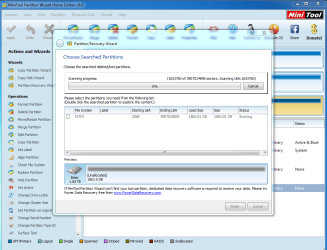
ok so quick update, im trying out the partition wizard and its taking forever to scan, its now been two whole days.. am i doing it right?... its a 2tb drive is that why its taking forever?
 

Attachments

  • partition wizard.PNG
    partition wizard.PNG
    60.2 KB · Views: 6

My Computer My Computer

At a glance

windows 7 64 bit home premium
OS
windows 7 64 bit home premium
Did you activate the quick scan? If a quick scan takes too much time then cancel it. Try it one more time but wait for only an hour or two. If it takes longer again cancel.

In that case, I would think that your only option is take the HDD out and try it in another new case. But that would void any warranty if it is still under warranty.
 

My Computer My Computer

At a glance

Windows 7 Home Premium 32 bit
OS
Windows 7 Home Premium 32 bit
OK, jumanji again.

I forgot to mention something.

Sometimes a corrupt MBR can also make the HDD RAW.

So try Rebuild MBR in Partition Wizard ( Select your ext. HDD and not your system drive.)

13-09-2013 17-05-52.jpg
 

My Computer My Computer

At a glance

Windows 7 Home Premium 32 bit
OS
Windows 7 Home Premium 32 bit
Sorry for a silly question but what is the difference between a full scan and a quick scan?.. Will everything get picked up on the quick scan?.. I had activated the fill scan :-/
 

My Computer My Computer

At a glance

windows 7 64 bit home premium
OS
windows 7 64 bit home premium
Usually a quick scan is done first. If Quick scan fails to resolve the partition table issue, then a full scan is done.

You can try a quick scan now and see what happens(just to experiment). But do not wait for more than two hours. Cancel it and as stated in my previous post, do a MBR rebuild.

Some people have reported success of Partition Recovery with EaseUs Partition Master. You may try that too. Free Partition Magic alternative. Best Free Partition Manager Freeware for Windows 2000/XP/Vista/7/8 32 bit & 64 bit - EaseUS Partition Master Free Edition.
 

My Computer My Computer

At a glance

Windows 7 Home Premium 32 bit
OS
Windows 7 Home Premium 32 bit
Thankyou Jumanji for the responses.. I am going to try the mbr rebuild as the quick scan also is taking forever.. Will let you know how the rebuild goes.. If that dont work then i will try the other softwares you have mentioned
 

My Computer My Computer

At a glance

windows 7 64 bit home premium
OS
windows 7 64 bit home premium
Ok so the rebuild has been done successfully, what would i do next??.. (Sorry for pestering you jumaniji)
 

My Computer My Computer

At a glance

windows 7 64 bit home premium
OS
windows 7 64 bit home premium

My Computer My Computer

At a glance

Windows 7 Home Premium 32 bit
OS
Windows 7 Home Premium 32 bit
thankyou for the ideas..will try the ma nd let you know...
 

My Computer My Computer

At a glance

windows 7 64 bit home premium
OS
windows 7 64 bit home premium
:cry::cry:
nothing seems to be working, i get nothing after trying several softwares for several hours.
tried testdisk but when i choose the drive, and press enter to proceed, it doesnt go to the next page :(

isnt there any softwares that will allow me to recover one folder instaed of the whole drive?

thinking of formatting it then trying to recover that way :(:(:(:(:(
 

My Computer My Computer

At a glance

windows 7 64 bit home premium
OS
windows 7 64 bit home premium
Back
Top