What are these?

Static

New member
Power User
Local time
2:29 PM
Messages
173
This just started turning up very recently. I am doing a fresh re-install very soon as my Windows 7 pro gets here in the mail tomorrow.

But I am curious. What are these random strings of garbage? The file folders contain usually 2 .VDM files named equally as random. They do almost look like CD keys tho. What does the lock on the icon mean as well?

Capture.JPG

It's most likely a program? or is this from Win7 itself? I've deleted 2 or 3 before but now they are multiplying. I've ran MSE and Malwarebytes a few times and they say nothing out of place at the moment.
 

My Computer

OS
Windows 7 RC - 7100 64bit
CPU
AMD Athlon(tm) 64 x2 4800+ 2.50Ghz Dual Core
Motherboard
Hewlett Packard
Memory
4 gig Kingston DDR2
Graphics Card(s)
XFX Nvidia GeForce GTS 250
Sound Card
na
Monitor(s) Displays
22" Samsung LCD Syncmaster
Screen Resolution
1680x1050
Hard Drives
300gig Western Digital
PSU
BFG Tech 550watt
Case
Crap stock Dell
Cooling
Side panel open on case, and a box fan blowing in.
Keyboard
G15
Mouse
G9
Internet Speed
Bike Messenger
I think they might have something to do with the windows updates. They create temp style folders before they install themselfs if you reboot the machine do they go away??
 

My Computer

Computer Manufacturer/Model Number
Custom Build
OS
Windows 7 Ultimate x64 SP1
CPU
AMD Phenom II 1090 3.2 six core
Motherboard
MSI 890FXA-GD65
Memory
16 gig DDR3
Graphics Card(s)
MSI R6950 2gig
Sound Card
on board
Monitor(s) Displays
Acer 23inch led
Screen Resolution
1900x1080 widescreen
Hard Drives
Seagate 1tb SATA6
2x 1tb HITACHI Deskstar
PSU
CORSAIR Enthusiast Series TX750 V2 750W
Case
CoolMaster HAF 922
Cooling
Box AMD Heatsink/Fan
Internet Speed
Cable 12Mbps/3Mbps
VDM file information -=> Here
 

My Computer

Computer type
PC/Desktop
Computer Manufacturer/Model Number
LENOVO K450 @3.0GHZ
OS
64-bit Windows 8.1 Pro
CPU
Core(TM) i5 CPU 4330 Haswell @ 3.20GHz
Motherboard
LENOVO
Memory
12.00 GB
Graphics Card(s)
Intel(R) HD Graphics
Sound Card
Intel HD integtrated
Monitor(s) Displays
HP 25' ISP Monitor
Screen Resolution
1900/1020
Hard Drives
(1) ST1000DM003-1CH162 (2) Generic STORAGE DEVICE USB Device (3) Generic STORAGE DEVICE USB Device
Internet Speed
100mb down/10mb up
Those are tempt files from Windows Update.

After you updated your system and restarted your comp.you should check your
drive with the most free space and if you do find them they are safe to delete.
 

My Computer

Computer type
PC/Desktop
Computer Manufacturer/Model Number
Custom
OS
Windows 7 SP1 x64
CPU
Intel E8400 3.0 GHz
Motherboard
Gigabyte EP45-DS3R
Memory
4x1 Trascend DDR2 800 Mhz
Graphics Card(s)
Gainward 8800GT 512 Mb
Sound Card
Realtek HD Audio 889A
Monitor(s) Displays
LG L204WS
Screen Resolution
1680x1050
Hard Drives
Intel 520 Series 120Gb SSD (System)
Western Digital 6400AAKS 640Gb (Data)
PSU
Cooler Master 650W
Case
Cooler Master Centurion 532
Cooling
2x 12 cm fans
Keyboard
Logitech Wave
Mouse
Logitech G5
Internet Speed
10 Mbit Cable Flat
Antivirus
NOD32 Smart Security
Browser
Google Chrome
Maybe it's just my own lack of knowledge or what not, but I can't see or learn anything from your link Tews.

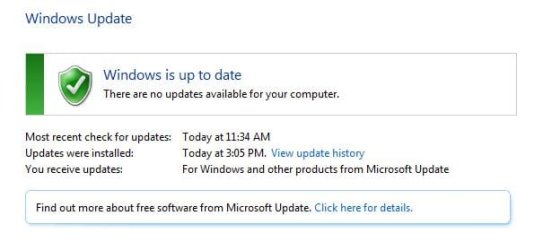
And I restarted, Checked for updates, installed updates and done everything i can think of including optional ones.

Capture.JPG

Yet still those 4 folders remain. Does that mean I can delete them now? Should I? Is there a way to find out to which programs/updates they belong to?
 

My Computer

OS
Windows 7 RC - 7100 64bit
CPU
AMD Athlon(tm) 64 x2 4800+ 2.50Ghz Dual Core
Motherboard
Hewlett Packard
Memory
4 gig Kingston DDR2
Graphics Card(s)
XFX Nvidia GeForce GTS 250
Sound Card
na
Monitor(s) Displays
22" Samsung LCD Syncmaster
Screen Resolution
1680x1050
Hard Drives
300gig Western Digital
PSU
BFG Tech 550watt
Case
Crap stock Dell
Cooling
Side panel open on case, and a box fan blowing in.
Keyboard
G15
Mouse
G9
Internet Speed
Bike Messenger
Those are tempt files from Windows Update.

After you updated your system and restarted your comp.you should check your
drive with the most free space and if you do find them they are safe to delete.


What does this mean? I only have one C: Drive and only one partition on my single Harddrive.
 

My Computer

OS
Windows 7 RC - 7100 64bit
CPU
AMD Athlon(tm) 64 x2 4800+ 2.50Ghz Dual Core
Motherboard
Hewlett Packard
Memory
4 gig Kingston DDR2
Graphics Card(s)
XFX Nvidia GeForce GTS 250
Sound Card
na
Monitor(s) Displays
22" Samsung LCD Syncmaster
Screen Resolution
1680x1050
Hard Drives
300gig Western Digital
PSU
BFG Tech 550watt
Case
Crap stock Dell
Cooling
Side panel open on case, and a box fan blowing in.
Keyboard
G15
Mouse
G9
Internet Speed
Bike Messenger
You can delete them once you have restarted the machine if windows is using them then it will not allow the delete
 

My Computer

Computer Manufacturer/Model Number
Custom Build
OS
Windows 7 Ultimate x64 SP1
CPU
AMD Phenom II 1090 3.2 six core
Motherboard
MSI 890FXA-GD65
Memory
16 gig DDR3
Graphics Card(s)
MSI R6950 2gig
Sound Card
on board
Monitor(s) Displays
Acer 23inch led
Screen Resolution
1900x1080 widescreen
Hard Drives
Seagate 1tb SATA6
2x 1tb HITACHI Deskstar
PSU
CORSAIR Enthusiast Series TX750 V2 750W
Case
CoolMaster HAF 922
Cooling
Box AMD Heatsink/Fan
Internet Speed
Cable 12Mbps/3Mbps
To follow up. I did everything twice over once again. Updated everything I knew. Restarted. Then this time I ran CCleaner, System Defrag, and Disc Cleanup. None got rid of the files.

So I just deleted them. And they deleted fine. I'll restart later and see if they return.
 

My Computer

OS
Windows 7 RC - 7100 64bit
CPU
AMD Athlon(tm) 64 x2 4800+ 2.50Ghz Dual Core
Motherboard
Hewlett Packard
Memory
4 gig Kingston DDR2
Graphics Card(s)
XFX Nvidia GeForce GTS 250
Sound Card
na
Monitor(s) Displays
22" Samsung LCD Syncmaster
Screen Resolution
1680x1050
Hard Drives
300gig Western Digital
PSU
BFG Tech 550watt
Case
Crap stock Dell
Cooling
Side panel open on case, and a box fan blowing in.
Keyboard
G15
Mouse
G9
Internet Speed
Bike Messenger
It is like MS Office 2003, it creates a MSOCache folder on your partition so you dont have to get your cd's out to reinstall/uninstall features when you need to. Like previously stated you can delete them once your computer has updated your pc and rebooted.
 

My Computer

OS
7 Ultimate 64x
By the way, if it comes down to it, you can delete that Nvidia folder, its just the video driver installer, can free up a bit of space if needed, but if you format on a regular basis, might be a good idea to grab a copy before you delete.
 

My Computer

Computer Manufacturer/Model Number
Custom Build
OS
W7 RTM Ultimate x64
CPU
Intel Q8400 @ 2.66GHZ
Motherboard
Gigabyte GA-EG45M-UD2H
Memory
4GB DDR2-800
Graphics Card(s)
Gainward GTS 450 GLH 1GB Edition
Sound Card
Integrated 8 Channel
Monitor(s) Displays
AOC 23.6 Inch Widescreen LCD
Screen Resolution
1920x1080
Hard Drives
Seagate 500GB Internal
Western Digital 1TB Internal

Hitachi 1TB External
PSU
Apevia Java Power 500W
Case
Cooler Master HAF 922 Black
Cooling
Stock Intel CPU Fan
Keyboard
HP SK-2960 Multimedia Keyboard
Mouse
Logitech M350 Wireless Gaming Mouse
Internet Speed
1.5MB
By the way, if it comes down to it, you can delete that Nvidia folder, its just the video driver installer, can free up a bit of space if needed, but if you format on a regular basis, might be a good idea to grab a copy before you delete.


lol I've got few hundred gigs available. No space problems.

Thanks tho, I didn't know I could delete that. If I ever reformat, I just re-download it anyways to get the newest versions.

What about the PerfLogs one?
 

My Computer

OS
Windows 7 RC - 7100 64bit
CPU
AMD Athlon(tm) 64 x2 4800+ 2.50Ghz Dual Core
Motherboard
Hewlett Packard
Memory
4 gig Kingston DDR2
Graphics Card(s)
XFX Nvidia GeForce GTS 250
Sound Card
na
Monitor(s) Displays
22" Samsung LCD Syncmaster
Screen Resolution
1680x1050
Hard Drives
300gig Western Digital
PSU
BFG Tech 550watt
Case
Crap stock Dell
Cooling
Side panel open on case, and a box fan blowing in.
Keyboard
G15
Mouse
G9
Internet Speed
Bike Messenger
By the way, if it comes down to it, you can delete that Nvidia folder, its just the video driver installer, can free up a bit of space if needed, but if you format on a regular basis, might be a good idea to grab a copy before you delete.


lol I've got few hundred gigs available. No space problems.

Thanks tho, I didn't know I could delete that. If I ever reformat, I just re-download it anyways to get the newest versions.

What about the PerfLogs one?
I am not sure what it is for...but a while back I said "Hell why not" and got rid of it...

No issues since

Actually now that I think of it I believe I got the folder when I updated the chipset from intel...
 

My Computer

Computer Manufacturer/Model Number
Compal JFT02 (Custom Build Laptop)
OS
Windows 7 Home Premium x64 - Mac OS X 10.6.4 x64
CPU
Intel Core 2 Duo T9300 2.5 GHz
Motherboard
JFT02
Memory
4GB Kingston DDR2-800
Graphics Card(s)
NVIDIA Geforce 8600M GT (512MB Model)
Sound Card
Realtek HD Audio
Monitor(s) Displays
WUXGA Standard Laptop Display
Screen Resolution
1680*1050
Hard Drives
Toshiba 320GB 5400RPM Laptop HD
PSU
Standard Laptop Power Supply
Case
Standard Laptop Case
Cooling
Standard Laptop Cooling
Keyboard
Standard Laptop 105 Key-Keyboard
Mouse
Synaptics Touchpad
Internet Speed
Verizion Online DSL 3360/864 kbs (dl/up)
By the way, if it comes down to it, you can delete that Nvidia folder, its just the video driver installer, can free up a bit of space if needed, but if you format on a regular basis, might be a good idea to grab a copy before you delete.


lol I've got few hundred gigs available. No space problems.

Thanks tho, I didn't know I could delete that. If I ever reformat, I just re-download it anyways to get the newest versions.

What about the PerfLogs one?
I am not sure what it is for...but a while back I said "Hell why not" and got rid of it...

No issues since

Actually now that I think of it I believe I got the folder when I updated the chipset from intel...

You would be correct, i also got mine from Intel chipset update.
 

My Computer

Computer Manufacturer/Model Number
Custom Build
OS
W7 RTM Ultimate x64
CPU
Intel Q8400 @ 2.66GHZ
Motherboard
Gigabyte GA-EG45M-UD2H
Memory
4GB DDR2-800
Graphics Card(s)
Gainward GTS 450 GLH 1GB Edition
Sound Card
Integrated 8 Channel
Monitor(s) Displays
AOC 23.6 Inch Widescreen LCD
Screen Resolution
1920x1080
Hard Drives
Seagate 500GB Internal
Western Digital 1TB Internal

Hitachi 1TB External
PSU
Apevia Java Power 500W
Case
Cooler Master HAF 922 Black
Cooling
Stock Intel CPU Fan
Keyboard
HP SK-2960 Multimedia Keyboard
Mouse
Logitech M350 Wireless Gaming Mouse
Internet Speed
1.5MB
Excellent. Soon as I get this Brand new full version of WIN7 Pro I received in the mail yesterday up and running completely, I'll go back and delete those to keep it squeaky clean.
 

My Computer

OS
Windows 7 RC - 7100 64bit
CPU
AMD Athlon(tm) 64 x2 4800+ 2.50Ghz Dual Core
Motherboard
Hewlett Packard
Memory
4 gig Kingston DDR2
Graphics Card(s)
XFX Nvidia GeForce GTS 250
Sound Card
na
Monitor(s) Displays
22" Samsung LCD Syncmaster
Screen Resolution
1680x1050
Hard Drives
300gig Western Digital
PSU
BFG Tech 550watt
Case
Crap stock Dell
Cooling
Side panel open on case, and a box fan blowing in.
Keyboard
G15
Mouse
G9
Internet Speed
Bike Messenger
Back
Top