What does the "Chunk" do? Difference between the progress bars?

SnackCabinet

Banned
Local time
1:08 AM
Messages
139
Location
Indiana
What does the "Chunk" do? Difference between the progress bars?

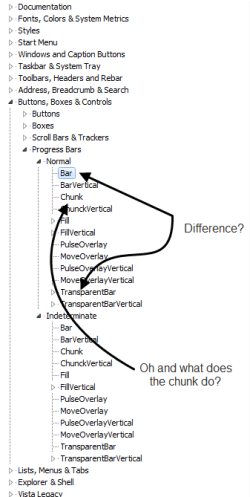
When editing the progress bar, I was wandering what the "Chunk" image was. All it does is look like a little sliver of the "Fill" bar. I also was wandering what the difference between the "Bar" and "Transparent Bar" was.

See picture for a example.
 

Attachments

  • 10-24-2012 1-37-15 PM.png
    10-24-2012 1-37-15 PM.png
    10.7 KB · Views: 9

My Computer

Computer Manufacturer/Model Number
Acer / PEW76(B)
OS
Microsoft Windows 7 Home Premium 64-bit SP1
CPU
AMD K10 (45nm Technology)
Motherboard
Acer JE51_DN (Socket S1G4)
Memory
4.00 GB Dual-Channel DDR3 @ 536MHz (7-7-7-20)
Graphics Card(s)
ATI Mobility Radeon HD 4200 Series (Acer Incorporated [ALI])
Sound Card
AMD High Definition Audio Device
Monitor(s) Displays
Generic PnP Monitor on ATI Mobility Radeon HD 4200 Series
Screen Resolution
Dual Monitor: 1366x768 / 1440 x 900
Hard Drives
298GB TOSHIBA MK3275GSX SATA Disk Device (SATA)
PSU
6-Cell Li-ion Battery
Chuck Is the back ground for most application Progress Bar.

the "Bar" and "Transparent Bar"
Are usually the backgrounds for the the Progress Bar.
copy background & Windows update progress bar background.
Buttons, Boxes & Controls > Progress Bars > Normal > TransparentBar

drive background.
Buttons, Boxes & Controls > Progress Bars > Normal > TransparentBar > <2>
The easiest way to find out what things do is to color each image in a different color and test and see what shows up and what doesn't.

Jerry
 

My Computer

Computer type
Laptop
Computer Manufacturer/Model Number
Sager NP9170
OS
Win 7 Pro x64 / Win 10 Pro
CPU
Intel(R) Core(TM) i7-3630QM CPU @ 2.40GHz
Motherboard
CLEVO P170EM
Memory
12 GB
Graphics Card(s)
(1) Intel(R) HD Graphics 4000 (2) NVIDIA GeForce GTX 675M
Sound Card
(1) Realtek High Definition Audio (2) Intel(R) Display Aud
Monitor(s) Displays
17.3
Screen Resolution
1920x1080
Hard Drives
(1) Samsung 860 EVO 500GB(OS) (1) Samsung 860 EVO 500GB(Data)
Keyboard
Backlite
Antivirus
MSE, Malwarebytes Pro
Browser
Firefox
Other Info
DESKTOP: Custom-built.
OS: Win 10 Pro x64.
CASE: Rosewill R5.
CPU: Intel I5 4670K CPU @ 3.40GHz.
CPU COOLER: Cool Master Hyper 212 EVO.
MOTHERBOARD: Asus Z87-A.
MEMORY: Kingston HyperX 2x4 GB.
GPU: Nvidia Geforce 650 TI.
PSU: Corsair TX750.
DRIVES: (1) Samsung 840 120 GB SSD (2) Western Digital blue 500 GB 7200 RPM.
But how would I know what to run or what to look at if I don't know what it does?
 

My Computer

Computer Manufacturer/Model Number
Acer / PEW76(B)
OS
Microsoft Windows 7 Home Premium 64-bit SP1
CPU
AMD K10 (45nm Technology)
Motherboard
Acer JE51_DN (Socket S1G4)
Memory
4.00 GB Dual-Channel DDR3 @ 536MHz (7-7-7-20)
Graphics Card(s)
ATI Mobility Radeon HD 4200 Series (Acer Incorporated [ALI])
Sound Card
AMD High Definition Audio Device
Monitor(s) Displays
Generic PnP Monitor on ATI Mobility Radeon HD 4200 Series
Screen Resolution
Dual Monitor: 1366x768 / 1440 x 900
Hard Drives
298GB TOSHIBA MK3275GSX SATA Disk Device (SATA)
PSU
6-Cell Li-ion Battery
Back
Top