What should my network settings be?

rickluc

New member
Member
VIP
Local time
9:33 AM
Messages
121
I'm running Windows 7 on HP Pavillion. I'm having trouble with family user account side of computer showing devices and printers window with items in it, just a blank screen. See attachment. My administration side of accounts shows the items in window. I created a new user account call Test and it shows items in the devices and printers window.
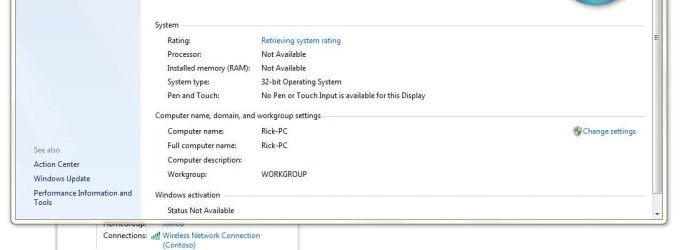
The computer is the only one in this home. What group settings should be, workgroup or homegroup? What should the following settings be for Workgroup and/or Homegroup? Thanks
 

Attachments

  • Capture Blank device and printer window.JPG
    Capture Blank device and printer window.JPG
    36.4 KB · Views: 0
  • Capture Homegroup.JPG
    Capture Homegroup.JPG
    54.6 KB · Views: 0
  • Capture workgroup.JPG
    Capture workgroup.JPG
    39.7 KB · Views: 0
  • Capture click on SamsungBluerayPlayer.JPG
    Capture click on SamsungBluerayPlayer.JPG
    59.8 KB · Views: 0

My Computer

OS
Windows 7 Home Premium 32 bit
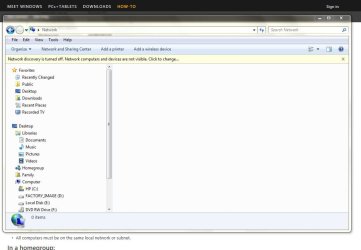
Hi. As per last image, you have a notification "Network Discovery is turned Off" - Click on that and turn on network Discovery. This way, other devices in your network will be visible to your PC.
Control Panel > network and Internet > Network and Sharing Center > Advanced sharing settings > turn on network discovery
 

My Computer

Computer type
PC/Desktop
OS
Windows 7 Enterprise 64bit
Hi. As per last image, you have a notification "Network Discovery is turned Off" - Click on that and turn on network Discovery. This way, other devices in your network will be visible to your PC.
Control Panel > network and Internet > Network and Sharing Center > Advanced sharing settings > turn on network discovery
So am I on a network? Thanks
 

My Computer

OS
Windows 7 Home Premium 32 bit
What do you mean "Am I on a network"? Per screenshot, you belong to a 'Homegroup', this network should be protected by a password. I would suggest to change from Homegroup to Workgroup.
But, in any way, you should be able to turn on network discovery to be able to see devices on your network.
 

My Computer

Computer type
PC/Desktop
OS
Windows 7 Enterprise 64bit
Back
Top