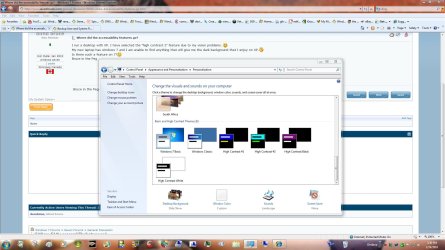
I run a desktop with XP. I have selected the "high contrast 2" feature due to my vision problems.
My new laptop has windows 7 and I am unable to find anything that will give me the dark background that I enjoy on XP.
Is there such a feature on 7?
Bruce in the Peg
The jpegs from derekimo and all other pages I want to read, have a white background. The glare prevents me from seeing any printing on those pages. I finally got the desktop background a less glaring color but all the pages have the white background.
?????
The jpegs from derekimo and all other pages I want to read, have a white background. The glare prevents me from seeing any printing on those pages. I finally got the desktop background a less glaring color but all the pages have the white background.
?????
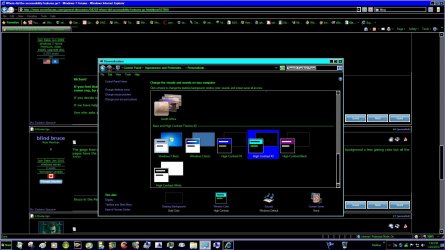
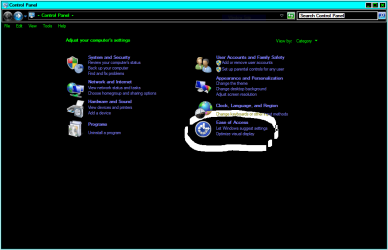
You guys sure know your stuff. The alt/l shift / print screen did the trick!!!
Now I can see what I am doing and try to learn this new system.
Many thanks,
Bruce
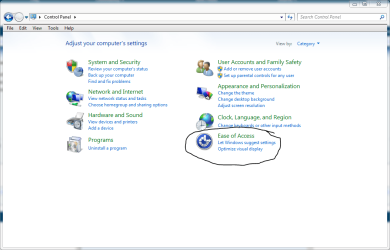
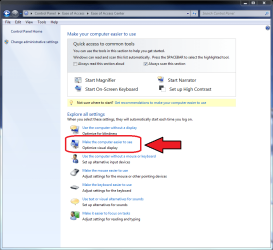
Bruce, I think everything you need is found in Ease of Access Center. Click Start > All Programs > Accessories > Ease of Access > Ease of Access Center (or Control Panel > Ease of Access > Ease of Access Center).
When there, click Make the computer easier to see, and you'll find all possible adjustments and features to help you.
Kari
My Computer
Computer type
Laptop
Computer Manufacturer/Model Number
HP ENVY 17-1150eg
OS
Windows 10 Pro x64 EN-GB
CPU
1.6 GHz Intel Core i7-720QM Processor
Memory
6 GB
Graphics Card(s)
ATI Mobility Radeon HD 5850 Graphics
Sound Card
Beats sound system with integrated subwoofer
Monitor(s) Displays
17" laptop display, 22" LED and 32" Full HD TV through HDMI
Screen Resolution
1600*900 (1), 1920*1080 (2&3)
Hard Drives
Internal: 2 x 500 GB SATA Hard Disk Drive 7200 rpm
External: 2TB for backups, 3TB USB3 network drive for media
Cooling
As Envy runs a bit warm, I have it on a Cooler Master pad
You guys sure know your stuff. The alt/l shift / print screen did the trick!!!
Now I can see what I am doing and try to learn this new system.
Many thanks,
Bruce