- Local time
- 10:49 AM
- Messages
- 759
My modem or router shows some speed like 12495kbps and 621kpbs fro download and upload speed.
The actual dsl speed does not shown in my router .
Then there is a tab called network in the task manager, which if you select the bytespersecond received and sent as in the time gives some bytes and ever changing as we browse at the same time of downloading.
Then there is a wmi explorer software, wmi has been deprecated by microsoft now, I suppose, and by accessing classes in the root/cimv2, by clicking tc-pip network interface perfraw data on bytes sent and received per second.
May be this is the same as that of the taskmanager network . I do not know.
Then there is websites that gives the speed of download and upload, mostly correct .
If the network tab shows the correct bytes , then how do I arrive at actual speed of my download from the bytes?
mere dividing the bytes with 1024*1024 do not give the correct speed. It shows unimaginable speed .
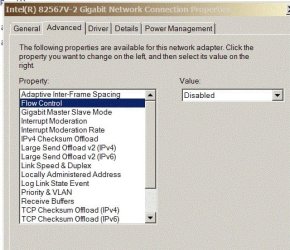
My minimum network adapter speed is 10 and max 100mbps connection.
would somebody give a detailed reply to the above
The actual dsl speed does not shown in my router .
Then there is a tab called network in the task manager, which if you select the bytespersecond received and sent as in the time gives some bytes and ever changing as we browse at the same time of downloading.
Then there is a wmi explorer software, wmi has been deprecated by microsoft now, I suppose, and by accessing classes in the root/cimv2, by clicking tc-pip network interface perfraw data on bytes sent and received per second.
May be this is the same as that of the taskmanager network . I do not know.
Then there is websites that gives the speed of download and upload, mostly correct .
If the network tab shows the correct bytes , then how do I arrive at actual speed of my download from the bytes?
mere dividing the bytes with 1024*1024 do not give the correct speed. It shows unimaginable speed .
My minimum network adapter speed is 10 and max 100mbps connection.
would somebody give a detailed reply to the above
My Computer
At a glance
Microsoft Windows 7 Ultimate 64-bit 7601 Mult...Intel(R) Core(TM)2 Duo CPU E7200 @ 2.53GHz4.00 GBNVIDIA GeForce 210
- Computer type
- PC/Desktop
- Computer Manufacturer/Model Number
- custom build
- OS
- Microsoft Windows 7 Ultimate 64-bit 7601 Multiprocessor Free Service Pack 1
- CPU
- Intel(R) Core(TM)2 Duo CPU E7200 @ 2.53GHz
- Motherboard
- To be filled by O.E.M. To be filled by O.E.M.
- Memory
- 4.00 GB
- Graphics Card(s)
- NVIDIA GeForce 210
- Sound Card
- (1) NVIDIA High Definition Audio (2) Realtek High Definiti
- Screen Resolution
- 1920 x 1080 x 32 bits (4294967296 colors) @ 60 Hz
- Hard Drives
- ST3500312CS ATA Device