Which is the best free backup program?

But, to date, which app creates good images that one can restore a w7 machine successfully. I am looking for one that can make an image, then I can just run the image and restore my machine in little time. Not one that you have to install the OS, then run a program to restore your files.
The previously mentioned Clonezilla is capable of restoring to a blank hard drive. The image to be restored needs to be on a USB drive (or something similar). Boot to the CD and restore those partitions selected. Boot into Windows (or Ubuntu 9.04, or whatever). Excellent for multi boot, multi OS scenarios.
 

My Computer

OS
...
Zay,

I think all the disk imaging apps. mentioned in this thread are capable of restoring to a blank drive.

I don't know any where you can " run the image" - you need to run the restore program in some way .

They will all have boot discs to do that.

You may like to try a few and make sure they work with your hardware, and then choose which you prefer.
 

My Computers

System One System Two

  • Computer type
    PC/Desktop
    OS
    7 X64
    CPU
    i5 8400
    Motherboard
    gigabyte b365m ds3h
    Memory
    2x8gb 3200mhz
    Hard Drives
    various
    PSU
    pure power 11 400w cm
    Case
    Coolermaster
    Cooling
    cryorig m9i
  • Computer type
    PC/Desktop
    OS
    7x64
    CPU
    g5400
    Motherboard
    ga b365m ds3h
    Memory
    8gb ddr4 2400
    PSU
    xfx pro 450w
Thanks all you folks SO MUCH for such a constructive and helpful thread on free or cheap and useful backup/restore programs for Windows 7 and previous versions.

I'm so THRILLED now with the prospect of being able to reliably back up and restore my full system disk now, I can't wait to try some of these products out. For me, I'll HAPPILY pay 50 bucks for Paragon, for example, if it will 1). work well 2). it has an easy to use interface and preferably a good user guide 3). they'll keep it maintained / support it.


(I suspect the ability of a product to just image a drive by sector and not get fouled up by trying to CHECK everything (this was the demise of Partition Magic which I used for 20 years, and had to, sadly, give up on awhile back once XP went to SP2) is the true requirement to make these products work consistently).

Cheers.
 
Last edited:

My Computer

OS
Windows 7 Home
As an old guy who has a LOT of experience fiddling with backup / restore products for about 20 years, it can't be stressed strongly enough, that UNTIL YOU THOROUGHLY TEST THE COMPLETE BACKUP, BOOT, RESTORE, BOOT AND TEST OFF OF RECOVERED PARTITION with YOUR hardware -- you can't assume you'll have squat if, for example, your hard drive crashes.

For example, I've seen positive comments on using the MS Backup product with Windows 7. After using MS Backup with Windows 98, and it wouldn't reliably backup/restore the system settings -- so I, for example, could boot up Windows 98 after a backup just fine, but couldn't do things like get on the internet due to (I presume) corrupted registry keys -- I REFUSED to trust Microsoft for this any more. (Shame on them).

And I've seen bootable recovery disks work under one version of a product, and then NOT work on the same hardware with another version of the same product. You HAVE to test the WHOLE process, end to end, on YOUR hardware to be confident you can recover your data, especially if you have a catastrophic failure.

Sorry for the rant, but this point seemed worth emphasizing, as most non technical folks tend to be lazy and/or overoptimistic about testing such things... :)
 

My Computer

OS
Windows 7 Home
+1 Always do a test backup and restore to make sure the app. works with your system.
 

My Computers

System One System Two

  • Computer type
    PC/Desktop
    OS
    7 X64
    CPU
    i5 8400
    Motherboard
    gigabyte b365m ds3h
    Memory
    2x8gb 3200mhz
    Hard Drives
    various
    PSU
    pure power 11 400w cm
    Case
    Coolermaster
    Cooling
    cryorig m9i
  • Computer type
    PC/Desktop
    OS
    7x64
    CPU
    g5400
    Motherboard
    ga b365m ds3h
    Memory
    8gb ddr4 2400
    PSU
    xfx pro 450w
I'll HAPPILY pay 50 bucks for Paragon, for example, if it will 1). work well 2). it has an easy to use interface and preferably a good user guide 3). they'll keep it maintained / support it.
Welcome OutcastSearcher.
Both Paragon Partition Manager and Paragon Hard Disk Manager contain the same core imaging/backup engine - Disk Manager gives you extended options - and in my experience they work without a hitch and are best of breed. You use a wizard interface, there is excellent built in help documentation and recent software updates suggest this company is the real deal (they offer server b/u etc).
I rely on this stuff to work and it hasn't failed me yet. Having said that this is pretty sensitive and even dicey stuff so having plan B and even plan C doesn't go astray - I've used Macrium Free successfully.
I haven't used it but really Windows backup (Backup and Restore) which will save a disk image should do it all at no cost. Shawn has a step-by-step tutorial.
Go to and duplicate!
 

My Computer

Computer Manufacturer/Model Number
AMD Athlon 64 3200+, Lenovo G560 i3
OS
Windows 7 Ultimate, Ubuntu
Motherboard
Gigabyte K8T8000
Memory
DDR 2Gb (!)
Graphics Card(s)
6600GT
Monitor(s) Displays
MultiMonitor (2) LCD
Hard Drives
Old Seagate 75
Big Western Digital
Samsung 500Gb pulled out of an external drive and installed
Ext: Maxtor (Firewire), 1Gb Lacie (Samsung)
Mouse
Logitech MX620 Cordless
Hi Charles,

I'll second that.

I always found the Paragon apps. very reliable.

I am currently testing Drive Backup 10. It has a fantastic array of features.
 

My Computers

System One System Two

  • Computer type
    PC/Desktop
    OS
    7 X64
    CPU
    i5 8400
    Motherboard
    gigabyte b365m ds3h
    Memory
    2x8gb 3200mhz
    Hard Drives
    various
    PSU
    pure power 11 400w cm
    Case
    Coolermaster
    Cooling
    cryorig m9i
  • Computer type
    PC/Desktop
    OS
    7x64
    CPU
    g5400
    Motherboard
    ga b365m ds3h
    Memory
    8gb ddr4 2400
    PSU
    xfx pro 450w
I am currently testing Drive Backup 10. It has a fantastic array of features.
Jeez - can't keep up - didn't know about a Drive Backup 10 - is it the Partition Manager 10 (Server) (which I am familiar with)?
 

My Computer

Computer Manufacturer/Model Number
AMD Athlon 64 3200+, Lenovo G560 i3
OS
Windows 7 Ultimate, Ubuntu
Motherboard
Gigabyte K8T8000
Memory
DDR 2Gb (!)
Graphics Card(s)
6600GT
Monitor(s) Displays
MultiMonitor (2) LCD
Hard Drives
Old Seagate 75
Big Western Digital
Samsung 500Gb pulled out of an external drive and installed
Ext: Maxtor (Firewire), 1Gb Lacie (Samsung)
Mouse
Logitech MX620 Cordless
It's not out just yet, Charles.

They do Partition Manager , Drive Backup, and the Hard Disk Manager combines the features of both.

I don't know how they are going to fit that all in Hard Disk Manager 10.

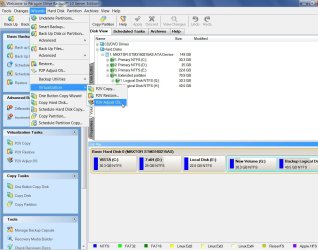
Look at all these features in Drive Backup 10:

DB10SERVER--SCREENSHOT-2009-10-17_055901.jpg
 

My Computers

System One System Two

  • Computer type
    PC/Desktop
    OS
    7 X64
    CPU
    i5 8400
    Motherboard
    gigabyte b365m ds3h
    Memory
    2x8gb 3200mhz
    Hard Drives
    various
    PSU
    pure power 11 400w cm
    Case
    Coolermaster
    Cooling
    cryorig m9i
  • Computer type
    PC/Desktop
    OS
    7x64
    CPU
    g5400
    Motherboard
    ga b365m ds3h
    Memory
    8gb ddr4 2400
    PSU
    xfx pro 450w
Whew - oh wowie - I have Paragon Hard Disk Manager 2009 and like it a lot (though the start windows are a bit 1995), and that is pretty complex and exhaustive but your screen takes it to another level.
So that makes me think you (SIW2) may be a fiend related to the software SIW? Is that possible?
 

My Computer

Computer Manufacturer/Model Number
AMD Athlon 64 3200+, Lenovo G560 i3
OS
Windows 7 Ultimate, Ubuntu
Motherboard
Gigabyte K8T8000
Memory
DDR 2Gb (!)
Graphics Card(s)
6600GT
Monitor(s) Displays
MultiMonitor (2) LCD
Hard Drives
Old Seagate 75
Big Western Digital
Samsung 500Gb pulled out of an external drive and installed
Ext: Maxtor (Firewire), 1Gb Lacie (Samsung)
Mouse
Logitech MX620 Cordless
Charles, anything's possible. I like to remain anon.

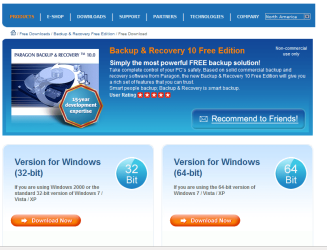
BTW - Just released the best FREE backup app. ever.

Paragon Backup & Recovery 10 Free Edition :

http://www.paragon-software.com/home/db-express/


* Support for the latest Windows 7

* Complete Backup - Create an exact copy of your PC including the operating system, applications, user settings and all data

* Differential Backup - backup only the archive changes

* Backup Scheduller - plan your regular backup

* new Support for all existing backup techniques, including disk and file level backups with differential or incremental updates

* new Any backup destination - including external storages, CD/DVD/Blu-ray discs, network as well as the secured hidden partition (Backup Capsule)

* new Automatic data exclusion - automate the process of building up contents of the future backup image, by excluding irrelevant data such as movies, music, etc.

* Support for GPT (GUID Partition Table) disks - back up and restore not only single GPT volumes but entire disks with the option of resize during the restore operation

Overview here:

http://www.sevenforums.com/software/31019-new-free-backup-app-paragon.html#post324736
 
Last edited:

My Computers

System One System Two

  • Computer type
    PC/Desktop
    OS
    7 X64
    CPU
    i5 8400
    Motherboard
    gigabyte b365m ds3h
    Memory
    2x8gb 3200mhz
    Hard Drives
    various
    PSU
    pure power 11 400w cm
    Case
    Coolermaster
    Cooling
    cryorig m9i
  • Computer type
    PC/Desktop
    OS
    7x64
    CPU
    g5400
    Motherboard
    ga b365m ds3h
    Memory
    8gb ddr4 2400
    PSU
    xfx pro 450w
Charles, anything's possible. I like to remain anon.

BTW - Just released the best FREE backup app. ever.

Paragon Backup & Recovery 10 Free Edition :


* Support for the latest Windows 7

* Complete Backup - Create an exact copy of your PC including the operating system, applications, user settings and all data

* Differential Backup - backup only the archive changes

* Backup Scheduller - plan your regular backup

* new Support for all existing backup techniques, including disk and file level backups with differential or incremental updates

* new Any backup destination - including external storages, CD/DVD/Blu-ray discs, network as well as the secured hidden partition (Backup Capsule)

* new Automatic data exclusion - automate the process of building up contents of the future backup image, by excluding irrelevant data such as movies, music, etc.

* Support for GPT (GUID Partition Table) disks - back up and restore not only single GPT volumes but entire disks with the option of resize during the restore operation

More Info Tomorrow.

Undoubtably elsewhere - but certainly available for
download here
- looks pretty awesome. I'm grabbing it as I write. Thanks for the tip SIW2.
This looks like a must have to me. And FREE - Wha!!!
 

My Computer

Computer Manufacturer/Model Number
AMD Athlon 64 3200+, Lenovo G560 i3
OS
Windows 7 Ultimate, Ubuntu
Motherboard
Gigabyte K8T8000
Memory
DDR 2Gb (!)
Graphics Card(s)
6600GT
Monitor(s) Displays
MultiMonitor (2) LCD
Hard Drives
Old Seagate 75
Big Western Digital
Samsung 500Gb pulled out of an external drive and installed
Ext: Maxtor (Firewire), 1Gb Lacie (Samsung)
Mouse
Logitech MX620 Cordless
BTW - Just released the best FREE backup app. ever.

Paragon Backup & Recovery 10 Free Edition :


* Support for the latest Windows 7

Your link is for the 32bit version. Will the 32bit version work ok on the 64bit Win7?

FyrmnJ
 

My Computer

Computer Manufacturer/Model Number
White Box
OS
Dual Booting Windows Vista32 bit And Windows 7 Home premium (x64) (build 7600)
CPU
ntel(R) Core(TM)2 Quad CPU Q6700 @ 2.66GHz (4 CPUs),
Motherboard
Board: ASUSTeK Computer INC. P5B-Premium Rev 1.xx Bus Clock:
Memory
3072MB RAM Available OS Memory: 2816MB RAM
Graphics Card(s)
MSI RX1600Pro (MS-V040);VisionTek RADEON X1300 PCI SFF
Sound Card
SoundMAX Integrated Digital HD Audio
Monitor(s) Displays
Envision SP2107W [Monitor] (22.0"vis, s/n B7976JA007061, Jun
Screen Resolution
1680x1050
Hard Drives
PLEXTOR DVDR PX-712A ATA Device [CD-ROM drive]
3.5" format removeable media [Floppy drive]

INTEL SSDSA2MH080G1GC [Hard drive] (80.03 GB) -- drive 2, s/n CVEM926000FK080DGN, rev 045C8820, SMART Status: Healthy
IOMEGA ZIP 100 SCSI Disk Device -- d
PSU
Have 2 PSU's Installed
Case
Coolmaster
Keyboard
Microsoft Internet Keyboard Pro Hot Keys
Mouse
Logitec MX500
Internet Speed
DSL
Other Info
Rollback Rx system repair software by Horizon Data Systems
Texas Instruments 1394 OHCI Compliant Host Controller
Acronis True Image Backup Archive Explorer
HID-compliant device
Microsoft PS/2 Mouse
General Purpose USB Hub
Microsoft Internet Keyboard Pro Composite Device
USB Mass Storage Device
USB Root Hub (7x)
B:\

My Computer

Computer Manufacturer/Model Number
Samsung NP530U4B-S02IN
OS
Windows® 8 Pro (64-bit)
CPU
Intel® Core™ i5 Processor 2467M (1.60GHz, 3MB L3 Cache)
Motherboard
Samsung Electronics
Memory
6GB DDR3 System Memory at 1,333MHz (on BD 4GB + 2GB x 1)
Graphics Card(s)
AMD Radeon™ HD7550M 1GB DDR3 (Ext. Graphic)
Sound Card
Realtek High Definition Audio
Monitor(s) Displays
35.56cm (14.0) SuperBright 300nit HD LED Display
Screen Resolution
1366x768
Hard Drives
1TB S-ATA II Hard Drive (5400RPM) with ExpressCache 16GB SSD
Internet Speed
sucks
Antivirus
Microsoft Security Essentials
Browser
Google Chrome (Sync enabled)
I see this thread got active again yesterday. I thought I'd relay something I tried the other day. The new Acronis True Image 2010 converts Acronis images (.tib) to Windows 7 backup images (.vhd) and vice-versa. So I made a full Acronis image on a test bench laptop and used TI2010 to convert it to .vhd format. Now that image can be mounted with TI2010 and through W7 Disk Management.

Next I created a fixed-size VHD in Disk Management and pointed it to the TIB-to-VHD file, added the file to the boot order with bcdedit and booted the VHD (created and converted by TI2010). Neat!

For my final experiment of the day, I created a Windows System Image through Backup and Restore on a separate partition, swapped out the windows VHD (with it's long name) for my True Image VHD (converted from a .tib). I didn't rename the Acronis VHD (MyBackup.vhd) to the long name given to the Windows image VHD file and I completely deleted (not just recycled) the Windows image VHD (so my next step wouldn't "accidentally locate it). Then I F8 booted into the Windows Recovery Environment, selected restore image, it located my backup (remember, this was created with Acronis, converted to VHD and swapped for the Windows image VHD file). It restored perfectly!

So there appears to be a way to restore an "Acronis image" through the WinRE without needing an Acronis Bootable Rescue Media disk/flash drive.

This begs the question...why swap a duly-created windows image (which should restore fine) with a converted Acronis image? I think the answer lies in the category my son would refer-to as DBS (dogs balls syndrome).....because I can!;)

I thought it was pretty cool, though.
Tom
 

My Computer

Computer type
PC/Desktop
Computer Manufacturer/Model Number
Dell: XPS 420 (2), XPS M1330 (several), XPS 14z, Mini 9, Mini 10v
OS
W8 Pro, W7 Ultimate, XP Pro x64, Vista x64, Ubuntu
CPU
Q6600, Q6700, T7500, T7500, N270, N270
Motherboard
Dell
Memory
8GB, 8GB, 4GB, 4GB, 2GB, 2GB
Graphics Card(s)
ATI, nVidia, nVidia, nVidia, Intel, Intel
Monitor(s) Displays
Dell 2408WFP
Hard Drives
A drawer full. OCZ Vertex's in RAID 0. Vertex 3's, Vertex 4, Samsung 830's, Samsung 840's, Intel 330. Don't use dino drives any more except for servers.
Keyboard
Logitech Wave
Internet Speed
29 Mbps DL / .95 Mbps UL
Other Info
New project(2013)...Another low power server. Zotac H67ITX, i3-2100T, Windows Server 2012 Essentials on Samsung SSD.
Previous project...Low power (38-40 watts using Kill-a-Watt) Windows Home Server. Zotac ION (Atom 330, GeForce9400), 4GB RAM, 2x2TB WD Green, IN WIM miniITX Case. Fits on a shelf in laundry closet, practically silent.
This begs the question...why swap a duly-created windows image (which should restore fine) with a converted Acronis image? I think the answer lies in the category my son would refer-to as DBS (dogs balls syndrome).....because I can!

LOL.

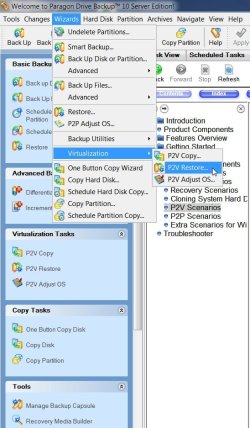
P2v, v2p and p2p are all built into the new Paragon Drive Backup 10 Server:

PAR-DB10-P2V-2009-10-23_192351.jpg
 

My Computers

System One System Two

  • Computer type
    PC/Desktop
    OS
    7 X64
    CPU
    i5 8400
    Motherboard
    gigabyte b365m ds3h
    Memory
    2x8gb 3200mhz
    Hard Drives
    various
    PSU
    pure power 11 400w cm
    Case
    Coolermaster
    Cooling
    cryorig m9i
  • Computer type
    PC/Desktop
    OS
    7x64
    CPU
    g5400
    Motherboard
    ga b365m ds3h
    Memory
    8gb ddr4 2400
    PSU
    xfx pro 450w
I downloaded and installed the 64bit version on win7 and made two full image backups and two full image restores and did a restore of 3 individual files and folders and it worked flawslessy... Good bye to Acronis....Acronis delibertly blocked acronis 10 and 11 from working with Win7.
 

My Computer

Computer Manufacturer/Model Number
White Box
OS
Dual Booting Windows Vista32 bit And Windows 7 Home premium (x64) (build 7600)
CPU
ntel(R) Core(TM)2 Quad CPU Q6700 @ 2.66GHz (4 CPUs),
Motherboard
Board: ASUSTeK Computer INC. P5B-Premium Rev 1.xx Bus Clock:
Memory
3072MB RAM Available OS Memory: 2816MB RAM
Graphics Card(s)
MSI RX1600Pro (MS-V040);VisionTek RADEON X1300 PCI SFF
Sound Card
SoundMAX Integrated Digital HD Audio
Monitor(s) Displays
Envision SP2107W [Monitor] (22.0"vis, s/n B7976JA007061, Jun
Screen Resolution
1680x1050
Hard Drives
PLEXTOR DVDR PX-712A ATA Device [CD-ROM drive]
3.5" format removeable media [Floppy drive]

INTEL SSDSA2MH080G1GC [Hard drive] (80.03 GB) -- drive 2, s/n CVEM926000FK080DGN, rev 045C8820, SMART Status: Healthy
IOMEGA ZIP 100 SCSI Disk Device -- d
PSU
Have 2 PSU's Installed
Case
Coolmaster
Keyboard
Microsoft Internet Keyboard Pro Hot Keys
Mouse
Logitec MX500
Internet Speed
DSL
Other Info
Rollback Rx system repair software by Horizon Data Systems
Texas Instruments 1394 OHCI Compliant Host Controller
Acronis True Image Backup Archive Explorer
HID-compliant device
Microsoft PS/2 Mouse
General Purpose USB Hub
Microsoft Internet Keyboard Pro Composite Device
USB Mass Storage Device
USB Root Hub (7x)
B:\

My Computers

System One System Two

  • Computer type
    PC/Desktop
    OS
    7 X64
    CPU
    i5 8400
    Motherboard
    gigabyte b365m ds3h
    Memory
    2x8gb 3200mhz
    Hard Drives
    various
    PSU
    pure power 11 400w cm
    Case
    Coolermaster
    Cooling
    cryorig m9i
  • Computer type
    PC/Desktop
    OS
    7x64
    CPU
    g5400
    Motherboard
    ga b365m ds3h
    Memory
    8gb ddr4 2400
    PSU
    xfx pro 450w
I downloaded and installed the 64bit version on win7 and made two full image backups and two full image restores and did a restore of 3 individual files and folders and it worked flawslessy... Good bye to Acronis....Acronis delibertly blocked acronis 10 and 11 from working with Win7.
:huh:

Acronis True Image Home v11 works fine with Windows 7. I have been using it since RC1 through RTM.
 

My Computer

OS
XP Pro & Vista Home Premium (x86); Windows Ultimate 7600 x64 Retail
It obviously wasn't working well for Fy.

Drive Backup and Recovery is a great app. - and you can't beat the price ;).
 

My Computers

System One System Two

  • Computer type
    PC/Desktop
    OS
    7 X64
    CPU
    i5 8400
    Motherboard
    gigabyte b365m ds3h
    Memory
    2x8gb 3200mhz
    Hard Drives
    various
    PSU
    pure power 11 400w cm
    Case
    Coolermaster
    Cooling
    cryorig m9i
  • Computer type
    PC/Desktop
    OS
    7x64
    CPU
    g5400
    Motherboard
    ga b365m ds3h
    Memory
    8gb ddr4 2400
    PSU
    xfx pro 450w
Back
Top