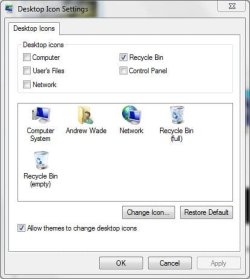
The Registry keys located on "HKEY_LOCAL_MACHINE\SOFTWARE\Microsoft\Windows\CurrentVersion\Explorer\Desktop\NameSpace"
mean that can show icon on desktop, please view the document below
Configuring Windows Explorer - Desktop Icons
Now i created a dummy class id {00000000-0000-0000-0000-000000000000} on this key, then show the desktop, press F5 and see the blank icon item shown on desktop. I want to know there are many keys on "HKEY_LOCAL_MACHINE\SOFTWARE\Microsoft\Windows\CurrentVersion\Explorer\Desktop\NameSpace", why these key will not show their icons on desktop? thank you
mean that can show icon on desktop, please view the document below
Configuring Windows Explorer - Desktop Icons
Now i created a dummy class id {00000000-0000-0000-0000-000000000000} on this key, then show the desktop, press F5 and see the blank icon item shown on desktop. I want to know there are many keys on "HKEY_LOCAL_MACHINE\SOFTWARE\Microsoft\Windows\CurrentVersion\Explorer\Desktop\NameSpace", why these key will not show their icons on desktop? thank you
My Computer
- OS
- Vista and Windows 7