v2belleville
New member
- Local time
- 4:34 PM
- Messages
- 3
when listening to music the audio level suddenly gets set to 0 or 100% both in the player and in the general windows mixer. I can slide the level controls as much I want (in app or windows mixer) , it gets set back to 0 or 100%. only reboot gives me control on audio level back ...
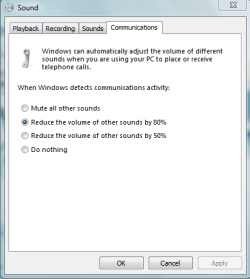
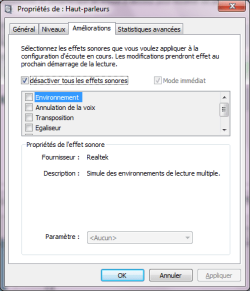
I have checked the "desactivate sound effects" for the speaker (this should desactivate loudness equalization ) and also set the action for when communication is detected to "do nothing"
but still, the d*mn wicked thing would not let me deal with the audio level myself...
if someone has any idea about how I could get it to keep it's nose out of this, it would be very helpful !
many thanks in advance!
V
I have checked the "desactivate sound effects" for the speaker (this should desactivate loudness equalization ) and also set the action for when communication is detected to "do nothing"
but still, the d*mn wicked thing would not let me deal with the audio level myself...
if someone has any idea about how I could get it to keep it's nose out of this, it would be very helpful !
many thanks in advance!
V
Attachments
Last edited:
My Computer
- OS
- Windows 7