salilsurendran
New member
- Local time
- 5:39 AM
- Messages
- 6
Hello Friends,
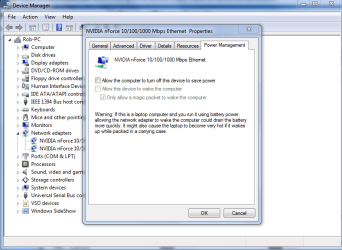
I have Windows 7 on a Dell Inspiron 1545. Most of the time when I put my laptop to sleep and restart it Wifi network connectivity is lost and I have to click the 'Wifi Signal' icon in the system taskbar and click on my network name and click connect to regain connectivity. I have gone to 'Power Management' tab and cleared 'Allow Windows to turn off this device to save power' option as suggested by most posts but it has done nothing to help me. But sometimes even after a long sleep the laptop immediately connects back to the network and sometimes even if I just close the lid and open it after a few seconds network connectivity is lost. Please help.
I have Windows 7 on a Dell Inspiron 1545. Most of the time when I put my laptop to sleep and restart it Wifi network connectivity is lost and I have to click the 'Wifi Signal' icon in the system taskbar and click on my network name and click connect to regain connectivity. I have gone to 'Power Management' tab and cleared 'Allow Windows to turn off this device to save power' option as suggested by most posts but it has done nothing to help me. But sometimes even after a long sleep the laptop immediately connects back to the network and sometimes even if I just close the lid and open it after a few seconds network connectivity is lost. Please help.
My Computer
- OS
- Windows 7 Home Premium 64 bit