Win 7 Install crashing

dandan

New member
Local time
1:47 PM
Messages
9
I know many people seem to have this same problem of the install crashing / unresponsive at the "starting windows" screen. I tried the solutions that others had, but none seem to work for me. Here's my setup

- AMD Phenom X4 955 Black edition
- MSI 890GXM-G65
- Mushkin 2GB DDR3 1333
- WD 160GB HDD (SATA3)
- Samsung DVD burner (IDE)

It's pretty minimalist, setting it up for my mom to use. Anyways... I tried both a retail Win 7 and one from my MSDN subscription, neither worked. I know the disc is good, I was able to install it in a VM.

I tried disabling USB and USB 3.0, on-board audio, and LAN but nothing seems to work. Sometimes it gets suck at "starting windows", sometimes at the region/language selection screen.

Does anyone know if maybe the board is not compatible for some reason? Maybe some other devices on the board that's not compatible? I wasn't too sure how to mess around with the on-board graphics so I left it at the default settings. I'm connecting a monitor through VGA.

Thanks! Any help will be much appreciated
 
Last edited:

My Computer

OS
Windows 7
Welcome!

Try removing any video cards, and all but 1 stick of RAM.
 

My Computer

Computer Manufacturer/Model Number
Custom
OS
Windows 7 Professional x64
CPU
Intel i7 2600K OC'd @ 4620 MHz
Motherboard
Asus P8Z68-V Pro
Memory
16GB GSkill Sniper 2133 Mhz (4x4GB)
Graphics Card(s)
EVGA GeForce GTX 480 SuperClocked+
Sound Card
Realtek High Definition Audio
Monitor(s) Displays
2x Acer S273HLbmii 27"
Screen Resolution
2 x 1920x1080
Hard Drives
64GB Crucial M4 SSD

Storage: Hitachi 1TB 5400RPM, Samsung 1.5TB 5400RPM
PSU
Corsair HW Series 750w (modular)
Case
Cooler Master HAF 932 Advanced Blue Edition
Cooling
CM Hyper 212+ CPU cooler, 3x 230mm + 1x 140mm case fans
Keyboard
Logitech MK320 (wireless)
Mouse
Logitech MK320 (wireless)
Internet Speed
30 Mb/s : 2 Mb/s
I'm actually not using a video card, using on-board graphics. Also using a single stick 2GB ram module.
 

My Computer

OS
Windows 7
Did you completly format the hd berfore installing? Old Os files can clash and screw up
 

My Computer

Computer Manufacturer/Model Number
Advent
OS
Windows 7 Ultimate,And Nearly all the |Others
CPU
Intel(R) Celeron(R) CPU 900 @ 2.20GHz, ~2.2GHz
Motherboard
3072MB RAM
Memory
4 Gb
Hard Drives
40 Gb
80gb
40gb
320gb
1tb
Case
Cool Black
Cooling
Liquid
Keyboard
shit
Mouse
Shit
Internet Speed
54 mps
What is the machine you are installing it on? Is it a new build you just put together, or did it have an OS on it previously?

You may try testing the RAM. Download a copy of Memtest86 and burn the ISO to a CD using Iso Recorder. Boot from the CD, and run at least 5 passes.
 

My Computer

Computer Manufacturer/Model Number
Custom
OS
Windows 7 Professional x64
CPU
Intel i7 2600K OC'd @ 4620 MHz
Motherboard
Asus P8Z68-V Pro
Memory
16GB GSkill Sniper 2133 Mhz (4x4GB)
Graphics Card(s)
EVGA GeForce GTX 480 SuperClocked+
Sound Card
Realtek High Definition Audio
Monitor(s) Displays
2x Acer S273HLbmii 27"
Screen Resolution
2 x 1920x1080
Hard Drives
64GB Crucial M4 SSD

Storage: Hitachi 1TB 5400RPM, Samsung 1.5TB 5400RPM
PSU
Corsair HW Series 750w (modular)
Case
Cooler Master HAF 932 Advanced Blue Edition
Cooling
CM Hyper 212+ CPU cooler, 3x 230mm + 1x 140mm case fans
Keyboard
Logitech MK320 (wireless)
Mouse
Logitech MK320 (wireless)
Internet Speed
30 Mb/s : 2 Mb/s
Did you completly format the hd berfore installing? Old Os files can clash and screw up

It's a fresh install on a new hard drive.

I actually haven't tried install in safe mode yet. I'll try that and see what happens, but I'm kind of pessimistic about it working...
 

My Computer

OS
Windows 7
What is the machine you are installing it on? Is it a new build you just put together, or did it have an OS on it previously?

You may try testing the RAM. Download a copy of Memtest86 and burn the ISO to a CD using Iso Recorder. Boot from the CD, and run at least 5 passes.

Thanks, I'll try testing the ram with Memtest86.
 

My Computer

OS
Windows 7
When you say "it doesn't work" can you be more specific? Are there any types of errors that the installer is giving? Is there a specific point in time during the installation in which it stops working?

Thanks
 

My Computer

OS
Windows 7 Ultimate 64-bit
CPU
AMD Phenom II X6 1090T 3.2GHZ
Motherboard
MSI 890FXA-GD70
Memory
G.SKILL RipJaw 3x2GB DDR3-1066
Graphics Card(s)
2x HIS Radeon HD 6850 1 GB
Sound Card
VIA 8-channel
Monitor(s) Displays
2x 20 inch Acer LCDs, 1x 32" Sony LCD TV
Screen Resolution
4480x900
Hard Drives
1x Crucial 64GB SSD
3x 1TB HDDs (WD, Seagate, Hitatchi)
1x 500GB Seagate External
PSU
Kingwin 1000W Modular
Case
Coolermaster HAF 932
Cooling
1x 120mm, 3x 200mm, CoolerMaster Hyper 212+
Keyboard
Microsoft Wireless Keyboard 1000
Mouse
Microsoft Wiresless Mouse 5000
Internet Speed
20mbps
Other Info
Samsung BD-ROM/DVD-RW
Check all of the connections, replug cables and RAM chip. Test your RAM with memtest

Try setting SATA controller in BIOS to AHCI.
 
Memtest reported back with no errors.

I tried setting SATA controller to AHCI, but no luck. I disabled every possible thing I could in the bios, but still no go. Setup still freezes at the "starting windows" or at the language selection screens.

Tried installing in safe mode, at language selection screen I was able to click the next button this time, but the second I clicked it, it became unresponsive.

Oddly enough, I can install WinXP with no problems. It's going through the install as I'm writing this right now.

What's going on?? What's wrong with Win7?
 

My Computer

OS
Windows 7
Memtest reported back with no errors.

I tried setting SATA controller to AHCI, but no luck. I disabled every possible thing I could in the bios, but still no go. Setup still freezes at the "starting windows" or at the language selection screens.

Tried installing in safe mode, at language selection screen I was able to click the next button this time, but the second I clicked it, it became unresponsive.

Oddly enough, I can install WinXP with no problems. It's going through the install as I'm writing this right now.

What's going on?? What's wrong with Win7?


It's not Win7 ;) We have a hardware Glitch here somewhere :rolleyes:

Try to give some more hardware details in addition to what you have already listed. By any chance is there a floppy drive on this box ?
 

My Computer

Computer type
PC/Desktop
Computer Manufacturer/Model Number
Built them myself, Science Experiments !
OS
Win7 Enterprise, Win7 x86 (Ult 7600), Win7 x64 Ult 7600, TechNet RTM on AMD x64 (2.8Ghz)
CPU
AMD fx8350 4ghz, AMD-32 2400mhz, AMD-64 3200mhz, AMDx64 2.8G
Motherboard
SIS 755, ECS-K8M890M-M (Ult 7600), GigaByte & others
Memory
2gb, 4gb on the Ult 7600, 4gb on Technet RTM, 32gb on FX8350
Graphics Card(s)
Draw my own Graphics, several nVidia cards
Sound Card
on motherboard
Monitor(s) Displays
19" flat scr, 28" I-Inc widescr,22" Emprex Widescr, 23" Acer
Screen Resolution
1280 x 1024, 1440 x 900, 1920 x 1080
Hard Drives
6 pata Ide HD's & 2 Sata HD's
added 80gb external on Ult 7600 computer,
numerous extra 1tb, 2TB, 3Tb SATA HD's
A collection of ext HD Docks w/ HDs
PSU
430w, 550w, 600w, 700, 800, etc
Case
All Generic Full Towers
Cooling
Open Air & a few fans, some w/ colored LEDs
Keyboard
Compaq & Dell recycled from GoodWill
Mouse
Made in China Optical Wired Mouse
Internet Speed
Fast Cable InterNet
Antivirus
AVG Free on 24 different Desktops, NO Problems!
Browser
IE 8 is preferred, but use FireFox sometimes
Other Info
Linksys Routers, switches, & Hubs
Too Many USB Flash Drives to count, Biggest is 64GB !
Eight computers in my home network.
Sixteen computers at my business network.
Linked via TeamViewer !
Lots of old used spare computer parts everywhere!
How do you install in the safe mode? If you can't boot to Win 7, that's not even possible. Matter of fact, if you can boot to W7, insert your disc, choose "Upgrade" and then reboot when prompted, the install will not complete if you "F8" into the safe mode!

After checking all connections as gregrocker suggested:

Check MSI's site for the latest bios and upgrade accordingly.

Set bios options to manufacturers default.

Boot to a known GOOD dvd and proceed with the install. If it continues to fail, your options are as follows:

Troubleshoot hardware with tools like memtest, (I know you have already been there)

Contact MSI for support.

RMA the board back to where it was purchased...

Since you state the box will properly install XP, that implies that your hardware is not an issue unless the bios and on board devices do not support Win 7. Therefore troubleshooting with the manufacturer is the most logical solution..
 

My Computer

Computer Manufacturer/Model Number
Home Grown
OS
Windows 7 Ultimate (64)
CPU
i7-2600K
Motherboard
Asus P8P67-M Pro
Memory
G.SKILL Ripjaws X Series 8GB (2 x 4GB)
Graphics Card(s)
ATI 5750
Sound Card
On-Board
Monitor(s) Displays
LG W2486L
Screen Resolution
1920X1080
Hard Drives
Intel X-25M 80 Gig SSD | Intel X-25M 160 Gig SSD | WD Black 500MB - External eSata
PSU
Zalman ZM770-XT 770 Watts
Case
Antec 180 mini
Cooling
Cooler Master V8
Internet Speed
15MB - Cable
Other Info
Sissy OC - 4.6 @ 1.3175 24/7 | 18' Idle - 55' Load
It's not Win7 ;) We have a hardware Glitch here somewhere :rolleyes:

Try to give some more hardware details in addition to what you have already listed. By any chance is there a floppy drive on this box ?

That is what's so frustrating... this is a very bare bones system, but yet it's having problems. Literally everything I listed is what's installed. This board does have a integrated graphics solution that I've never heard of, something called SidePort memory. I tried disabling that in the BIOS but it didn't help.

I actually spoke too soon about WinXP install. It's stuck... but it did get past the point of formatting the drive to the actual install portion :p

Anybody have experience with this particular MSI board (MSI 890GXM-G65)? I think it's a relatively new board that they came out with.

Every hardware component is new except for the DVD burner.

Do you think it's just a compatibility issue, or could one of the components be faulty? I would think if a component was faulty, it wouldn't even POST.
 

My Computer

OS
Windows 7
How do you install in the safe mode? If you can't boot to Win 7, that's not even possible. Matter of fact, if you can boot to W7, insert your disc, choose "Upgrade" and then reboot when prompted, the install will not complete if you "F8" into the safe mode!

After checking all connections as gregrocker suggested:

Check MSI's site for the latest bios and upgrade accordingly.

Set bios options to manufacturers default.

Boot to a known GOOD dvd and proceed with the install. If it continues to fail, your options are as follows:

Troubleshoot hardware with tools like memtest, (I know you have already been there)

Contact MSI for support.

RMA the board back to where it was purchased...

Since you state the box will properly install XP, that implies that your hardware is not an issue unless the bios and on board devices do not support Win 7. Therefore troubleshooting with the manufacturer is the most logical solution..

For safe mode install, I pressed F8 after the BIOS posted. Normally it would go to the "starting windows" screen, and then to the language selection screen, etc. But when I pressed F8, it went to the safe mode boot options screen. I guess going to safe mode doesn't work?

MSI had an updated BIOS available, I tried flashing it using their "M-flash" function, but it couldn't find the update in my USB drive. I'll take another stab at it.

Yeah... if I can't get it to work, I'm going to return it for another one...
 

My Computer

OS
Windows 7
Is your computer 32 bit or 64 bit?
 

My Computer

Computer Manufacturer/Model Number
Advent
OS
Windows 7 Ultimate,And Nearly all the |Others
CPU
Intel(R) Celeron(R) CPU 900 @ 2.20GHz, ~2.2GHz
Motherboard
3072MB RAM
Memory
4 Gb
Hard Drives
40 Gb
80gb
40gb
320gb
1tb
Case
Cool Black
Cooling
Liquid
Keyboard
shit
Mouse
Shit
Internet Speed
54 mps
Memtest reported back with no errors.

I tried setting SATA controller to AHCI, but no luck. I disabled every possible thing I could in the bios, but still no go. Setup still freezes at the "starting windows" or at the language selection screens.

Tried installing in safe mode, at language selection screen I was able to click the next button this time, but the second I clicked it, it became unresponsive.

Oddly enough, I can install WinXP with no problems. It's going through the install as I'm writing this right now.

What's going on?? What's wrong with Win7?

I can't remember which, but the WIN 7 disks are recorded on +R? (dual layer?).

I had an older ASUS 2004/5 DVD drive that couldn't read the format/dye/layers properly and failed miserably just after start-up (whilst the WIN 7 disk read fine on a more up to date blu-ray drive!)

Download Nero "INFOTOOL" - it tells you what formats of DVD disk your drive can read/write to

Can you fill out FULL system specs with serial/model numbers if you want better help
eg Wot graphic card or is it built in?
 

My Computer

Computer type
PC/Desktop
Computer Manufacturer/Model Number
D.I.Y.
OS
WIN7 Ultimate 64bit
CPU
AMD FX8150/Trinity A10-5700
Motherboard
Asus Sabertooth v.1 /Asus F2A85-M Pro
Memory
G-Skill 2400 x2 @ 1866 (both pc's)
Graphics Card(s)
Sapphire (factory OC version) AMD 7770
Sound Card
onboard
Monitor(s) Displays
T260 Samsung
Screen Resolution
1920x1080
Hard Drives
Western Digital Sata 2TB/1TB Caviar Blacks
Buffalo 1TB usb (excellent drive)
PSU
Be-Quiet 700W E-9/Be-Quiet 550W E-9(E-9 = built by FSP)
Case
Antec P183/Antec P180mini
Cooling
x2 Xigmatek SXHH7-U01 + C-Master R4-EXBB-20PK-R0 120mm Fans
Keyboard
Cherry
Mouse
MS Explorer 3.0
Other Info
LG Blu ray combo
Pioneer 207D/208 Blu ray burners
It is possible you cant rum Win7 on your machine.. If possible get hold a copy of XP and download this.. it will tell you if your computer can safely run Win7

Windows 7 upgrade advisor
Download details: Windows 7 Upgrade Advisor
 

My Computer

Computer Manufacturer/Model Number
Advent
OS
Windows 7 Ultimate,And Nearly all the |Others
CPU
Intel(R) Celeron(R) CPU 900 @ 2.20GHz, ~2.2GHz
Motherboard
3072MB RAM
Memory
4 Gb
Hard Drives
40 Gb
80gb
40gb
320gb
1tb
Case
Cool Black
Cooling
Liquid
Keyboard
shit
Mouse
Shit
Internet Speed
54 mps
Ok, I give up. I'm going to just return the motherboard and cpu and get a Core i3 combo instead. I've never had this many problems building a system. First time working with AMD - not a good experience.

Everything seems to check out fine, but it still crashes. Memory tests passed. Hard drive test passed. Tried installing Win7 from a USB stick, didn't work. Unplugged and reconnected everything, still no go. I successfully updated the BIOS, but that didn't help.

I'm thinking some how it's a bad board. I noticed that whenever the install crashes, there's either no power going to USB (mouse and keyboard lights are not on), or the USB is stuck on sending an active signal (or something) because the light on my IR mouse is bright as though it's being used, instead of a dim light like when it's inactive. I tried using a PS/2 keyboard and disabling all USB in the BIOS but that didn't help.

Well, thanks for all the help.
 

My Computer

OS
Windows 7
I build this computer 3 weeks ago. No problems with install whatsoever :D

Win7 ultimate download from my technet subscription!


Amd Phenom II x4 955
3.2 ghz
Socket AM3
Gigabyte MB GA-MA790XT-UD4P
Patriot Viper Series DDR3 Ram
PC3-12800
1600 mhz
3 x 2gb modules = 6gb
LG Lightscribe DVD IDE Drive
Hitachi 2 TB HD, 32 mb cache, 7200 RPM
Gigabyte nVidia 9600GT (1gb GDDR3)
 

Attachments

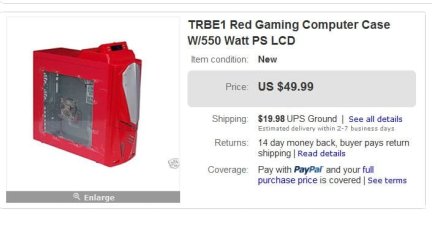
  • Red_Devil_2_case.JPG
    Red_Devil_2_case.JPG
    36.6 KB · Views: 2

My Computer

Computer type
PC/Desktop
Computer Manufacturer/Model Number
Built them myself, Science Experiments !
OS
Win7 Enterprise, Win7 x86 (Ult 7600), Win7 x64 Ult 7600, TechNet RTM on AMD x64 (2.8Ghz)
CPU
AMD fx8350 4ghz, AMD-32 2400mhz, AMD-64 3200mhz, AMDx64 2.8G
Motherboard
SIS 755, ECS-K8M890M-M (Ult 7600), GigaByte & others
Memory
2gb, 4gb on the Ult 7600, 4gb on Technet RTM, 32gb on FX8350
Graphics Card(s)
Draw my own Graphics, several nVidia cards
Sound Card
on motherboard
Monitor(s) Displays
19" flat scr, 28" I-Inc widescr,22" Emprex Widescr, 23" Acer
Screen Resolution
1280 x 1024, 1440 x 900, 1920 x 1080
Hard Drives
6 pata Ide HD's & 2 Sata HD's
added 80gb external on Ult 7600 computer,
numerous extra 1tb, 2TB, 3Tb SATA HD's
A collection of ext HD Docks w/ HDs
PSU
430w, 550w, 600w, 700, 800, etc
Case
All Generic Full Towers
Cooling
Open Air & a few fans, some w/ colored LEDs
Keyboard
Compaq & Dell recycled from GoodWill
Mouse
Made in China Optical Wired Mouse
Internet Speed
Fast Cable InterNet
Antivirus
AVG Free on 24 different Desktops, NO Problems!
Browser
IE 8 is preferred, but use FireFox sometimes
Other Info
Linksys Routers, switches, & Hubs
Too Many USB Flash Drives to count, Biggest is 64GB !
Eight computers in my home network.
Sixteen computers at my business network.
Linked via TeamViewer !
Lots of old used spare computer parts everywhere!
Back
Top