Gerry Peters
New member
- Local time
- 5:58 PM
- Messages
- 19
I have a dual boot system (XP and win 7) XP works just fine, Win 7 is slow on viewing network folder contents.
I have some network folders with 1500, 3000, and 5000 files. It's very slow opening those folders just to see the files anywhere from 15-30 sec. I'd like Win 7 to handle this the same way XP does.
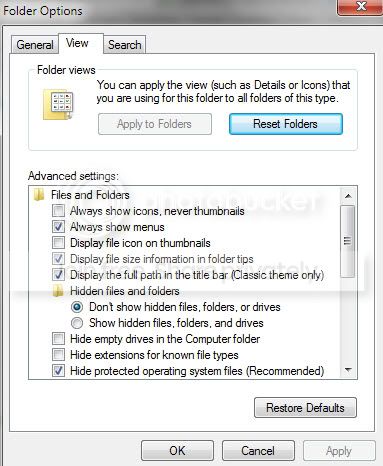
I've read lots of google articles and even several from this forum. Many articles are several years old, so I'm not sure how relevent. I've customized the folders in Win 7 for general items and checked "also apply this template to subfolders". I went to power options and chose advanced and changed the setting "turn off HD after 20 min to 1200 min (20 hours). I've disabled sleep mode.
I have indexing off for all my HD's, because this is an audio recording computer and I try to stop as many Windows background tasks from operating in the background. If turning indexing back on will solve this problem, then I'd try it.
As soon as I boot up into Windows 7 and try to access those 3 network folders I get this long delay, yet if I try to access local Windows 7 folders they open up right away and have 5000 files. So my problem is with the network. I have 2 XP network computers wired and the latest updated Win 7. Does this happen for all Win 7 users?
I have some network folders with 1500, 3000, and 5000 files. It's very slow opening those folders just to see the files anywhere from 15-30 sec. I'd like Win 7 to handle this the same way XP does.
I've read lots of google articles and even several from this forum. Many articles are several years old, so I'm not sure how relevent. I've customized the folders in Win 7 for general items and checked "also apply this template to subfolders". I went to power options and chose advanced and changed the setting "turn off HD after 20 min to 1200 min (20 hours). I've disabled sleep mode.
I have indexing off for all my HD's, because this is an audio recording computer and I try to stop as many Windows background tasks from operating in the background. If turning indexing back on will solve this problem, then I'd try it.
As soon as I boot up into Windows 7 and try to access those 3 network folders I get this long delay, yet if I try to access local Windows 7 folders they open up right away and have 5000 files. So my problem is with the network. I have 2 XP network computers wired and the latest updated Win 7. Does this happen for all Win 7 users?
My Computer
At a glance
WIN7 64Intel core 2 quad Q94504 gigNvidia 8400
- Computer Manufacturer/Model Number
- PC
- OS
- WIN7 64
- CPU
- Intel core 2 quad Q9450
- Motherboard
- Giga byte
- Memory
- 4 gig
- Graphics Card(s)
- Nvidia 8400
- Sound Card
- Layla24
- Monitor(s) Displays
- Hanns-G
- Hard Drives
- 4 internal HDs
- PSU
- xx
- Case
- PC
- Cooling
- fan