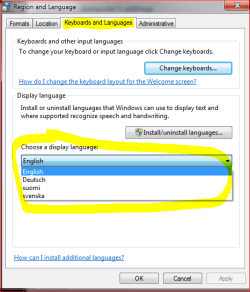
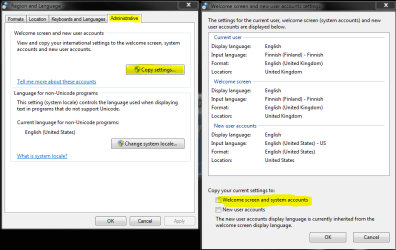
I'm in the same boat .. despite the request to get an English version because all my systems use English as the system language (and because I know it will not work to use any other install language) I got a choice between Dutch or French ...
So against better judgement I did try it ... I get the expected message "You cannot do a standard upgrade in another language than the one installed on your system" .. GAME OVER!
I'm not going to wreck a perfectly working system just to install a phony language, then switch that over to a lame display language and then run into the same problem with every system update that is not in the "correct system language" .. I've been annoyed by this far too many times in the past, in the end one needs searching for language packs for each one and everything! :devil: It is not going to happen here

OK geeks, let's calm down. Language pack causes absolutely no problems, not with updates or anything else.
I have been using multilingual Windows since it was introduced in early beta versions of Vista. At the moment I'm using language packs in four different computers both home and at work; one desktop and one laptop are running an English Ultimate with Finnish, Swedish and German language packs, one desktop German Ultimate with English, Finnish and Swedish language packs and this laptop I'm using now has a Finnish 7 Ultimate with English, German and Swedish language packs. Here's the screenshot of the logon screen of this laptop:
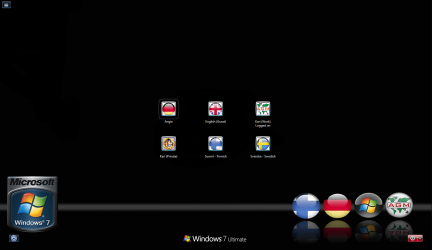
Even there are user accounts in four different languages, I've never had any problems with system locale or updates. One important thing to remember is to use system locales which correspond with the language used i.e. in my case a Finnish user account has system locale Finland, an English user account UK or USA etc.
When Windows Update has an update for IE8, it updates the necessary files and after that the Finnsh user account has an updated Finnish IE8, English account an updated English IE8 and so on.
The only annoyance is Windows Easy Transfer. Normally WET transfers not only the user files and folders but also the program settings and data. However, transferring WET data to a new computer only the user files and folders are transferred to a new computer if the original language is not the same than on the old computer; to transfer program settings and data the original installed language version must be same on both the old and the new computer.
Other than that there are absolutely no problems. Language pack converts your full system to the language you want to use.
I wholeheartedly recommend installing language packs to everybody who could benefit from them. Multilingual families or workplaces, students learning a new language etc..
Kari