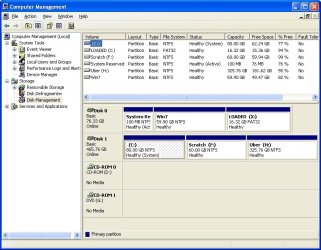
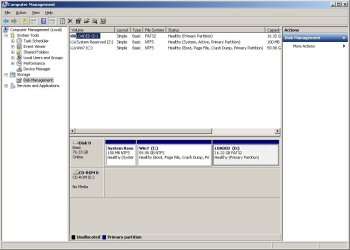
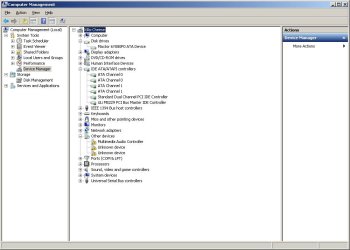
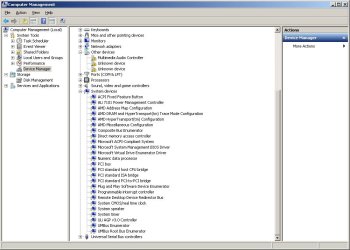
Before I made the commitment to use Windows 7 as my primary OS, I figured I'd experiment in a dual boot environment. My current setup is Windows XP (x32) installed on a 500GB SATA drive. This drive has a partition for the OS and a separate partition for all of my files and data. To install Windows 7 I removed my SATA drive and (successfully) installed Windows 7 (64-bit) onto an 80GB IDE drive (controller 0, disk 0). After the installation I shut down my system, reconnected my SATA drive, changed the BIOS boot order to look at my IDE and Windows 7 booted without a hitch. My motherboard is a Gigabyte GA-K8U-939
Now, with Windows 7 running and my SATA drive connected, W7 does *not* recognize the drive. It is completely missing from the disk manager. I loaded the drivers for my motherboard ((however since the MoBo is a couple years old, it doesn't have Vista or W7 drivers)), it loaded quasi-successfully but spat out some error about it not being totally successful. Now, after I log into Windows 7 I receive an error that goes like,
.
When I reboot my computer and switch the boot order in the BIOS to boot from my IDE drive, my system will boot into Windows XP without any problem at all. I've also switched the BIOS setting from "RAID" to "IDE" for the SATA drive and that appears to have done nothing towards W7 being able to access it.
There's gotta be some way to get W7 to see my SATA drive, doesn't there? Thanks in advance!
Now, with Windows 7 running and my SATA drive connected, W7 does *not* recognize the drive. It is completely missing from the disk manager. I loaded the drivers for my motherboard ((however since the MoBo is a couple years old, it doesn't have Vista or W7 drivers)), it loaded quasi-successfully but spat out some error about it not being totally successful. Now, after I log into Windows 7 I receive an error that goes like,
Code:
Initial ALiRAID error!!
Please Check:
1) ALiRAID driver is installed
2) ALiRAID controller is connected to disk drive(s)When I reboot my computer and switch the boot order in the BIOS to boot from my IDE drive, my system will boot into Windows XP without any problem at all. I've also switched the BIOS setting from "RAID" to "IDE" for the SATA drive and that appears to have done nothing towards W7 being able to access it.
There's gotta be some way to get W7 to see my SATA drive, doesn't there? Thanks in advance!
My Computer
- OS
- Windows 7 Ultimate x64
- CPU
- Athlon Phenom II X6
- Memory
- 8gb
- Keyboard
- None... wait. Yes!