Win 7 "Sees" Win 8 Phone on USB Port but Subsequently Ignores It
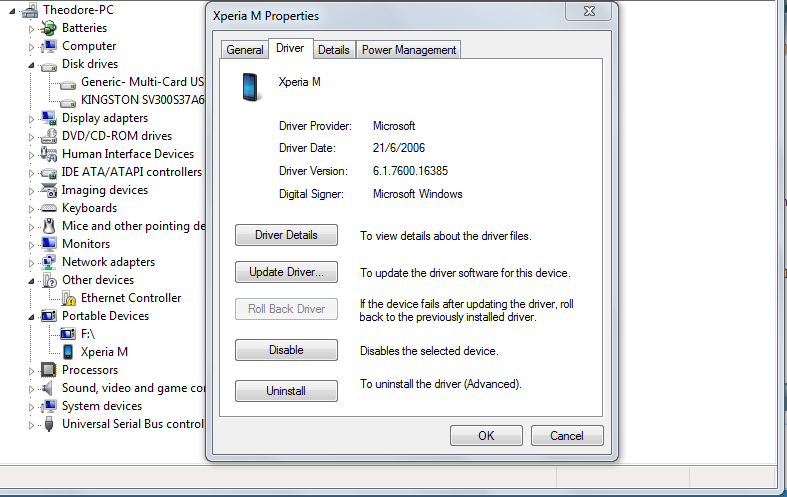
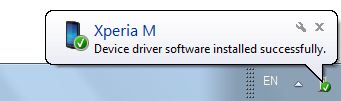
When I plugged in my Win 8 phone into my Win 7 laptop USB port the laptop used to open a dialog box offering action choices. Now it just (1) sounds the two tones and (2) lists a Windows phone in the Open Devices and Printers icon. Windows Explorer won't display it.
It performs normally on my other two Win 7 computers and my Win 8 Surface Pro2 so it's obviously a setting on my most frequently used laptop.
Any suggestions for resetting to the original default?
When I plugged in my Win 8 phone into my Win 7 laptop USB port the laptop used to open a dialog box offering action choices. Now it just (1) sounds the two tones and (2) lists a Windows phone in the Open Devices and Printers icon. Windows Explorer won't display it.
It performs normally on my other two Win 7 computers and my Win 8 Surface Pro2 so it's obviously a setting on my most frequently used laptop.
Any suggestions for resetting to the original default?
My Computer
At a glance
Windows 7 Home Premium (x64) Service Pack 1 (...2.10 gigahertz Intel Core i3-2310M4 BIntel(R) HD Graphics Family [Display adapter]
- Computer Manufacturer/Model Number
- ASUSTeK Computer Inc. K73E 1.0
- OS
- Windows 7 Home Premium (x64) Service Pack 1 (build 7601)
- CPU
- 2.10 gigahertz Intel Core i3-2310M
- Motherboard
- ASUSTeK Computer Inc. K73E 1.0 (Notebook)
- Memory
- 4 B
- Graphics Card(s)
- Intel(R) HD Graphics Family [Display adapter]
- Sound Card
- Intel(R) Display Audio & Realtek High Definition Audio
- Monitor(s) Displays
- Generic PnP Monitor (17.1"vis)
- Hard Drives
- WDC WD6400BPVT-80HXZT1 [Hard drive] (640.13 GB)