thanser
New member
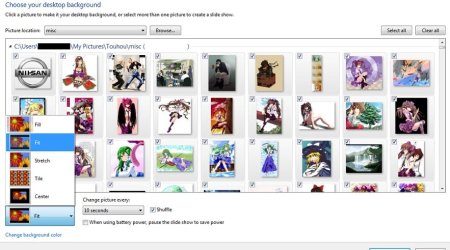
Apparently there is no way to configure Slide Show to view the selected images at 100%, and not scaled up to full screen.
Or is there?
Mac OS X gives you that option either with Preview or the OS Quick Look feature. And many of the web-res images I'm viewing are only 600px at the longest dimension. You can imagine what these look like at full screen, 1680x1050.
Anyone?
Or is there?
Mac OS X gives you that option either with Preview or the OS Quick Look feature. And many of the web-res images I'm viewing are only 600px at the longest dimension. You can imagine what these look like at full screen, 1680x1050.
Anyone?
My Computer
- Computer Manufacturer/Model Number
- Dell
- OS
- Windows 7
- CPU
- Pentium 4
- Memory
- 4 Gb