- Local time
- 8:14 AM
- Messages
- 77
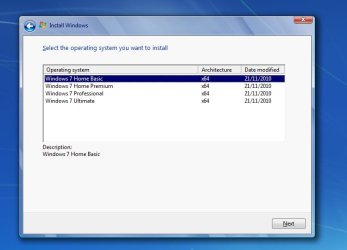
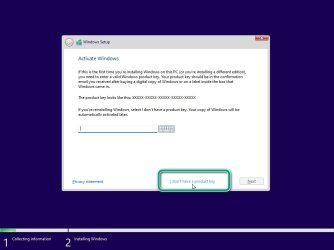
Like the title says, I took the quick and easy solution for UEFI installation of Win 7, by transferring the install.wim to the Win 10 USB.
I have licenses for both 10 & 7 on the machine, but I see the Win 7 methodology for branding is not used in the Win 10 USB.
So this easy installation gives me the base version of Win 7, even though I have Ultimate product keys.
Anyone know how to force Ultimate, so I can access my 32gb RAM, instead of being limited to 8gb ?
By the way, this 10/7 installation method appears to work around a lot of the issues in class 2 UEFI. When I turn off CSM, I can still hear it boot up (so I'm assuming that adding the GPU driver to my set-up will fix the video issue). The only shortcoming I can perceive at the moment is having to go back to CSM if I ever need to use the recovery environment.
I have licenses for both 10 & 7 on the machine, but I see the Win 7 methodology for branding is not used in the Win 10 USB.
So this easy installation gives me the base version of Win 7, even though I have Ultimate product keys.
Anyone know how to force Ultimate, so I can access my 32gb RAM, instead of being limited to 8gb ?
By the way, this 10/7 installation method appears to work around a lot of the issues in class 2 UEFI. When I turn off CSM, I can still hear it boot up (so I'm assuming that adding the GPU driver to my set-up will fix the video issue). The only shortcoming I can perceive at the moment is having to go back to CSM if I ever need to use the recovery environment.
My Computers
-
At a glance
10 trying for 7x64i7 6th gen32G- Computer type
- PC/Desktop
- Computer Manufacturer/Model Number
- Dell Opti 7050
- OS
- 10 trying for 7x64
- CPU
- i7 6th gen
- Memory
- 32G
- Hard Drives
- 1T SSD; 2T HDD
-
- Computer type
- PC/Desktop