Win 7 x64 Memory Leak(?), Computer idles with 1.5gb+ of ram use

thatsmajor

New member
Member
Local time
10:06 AM
Messages
33
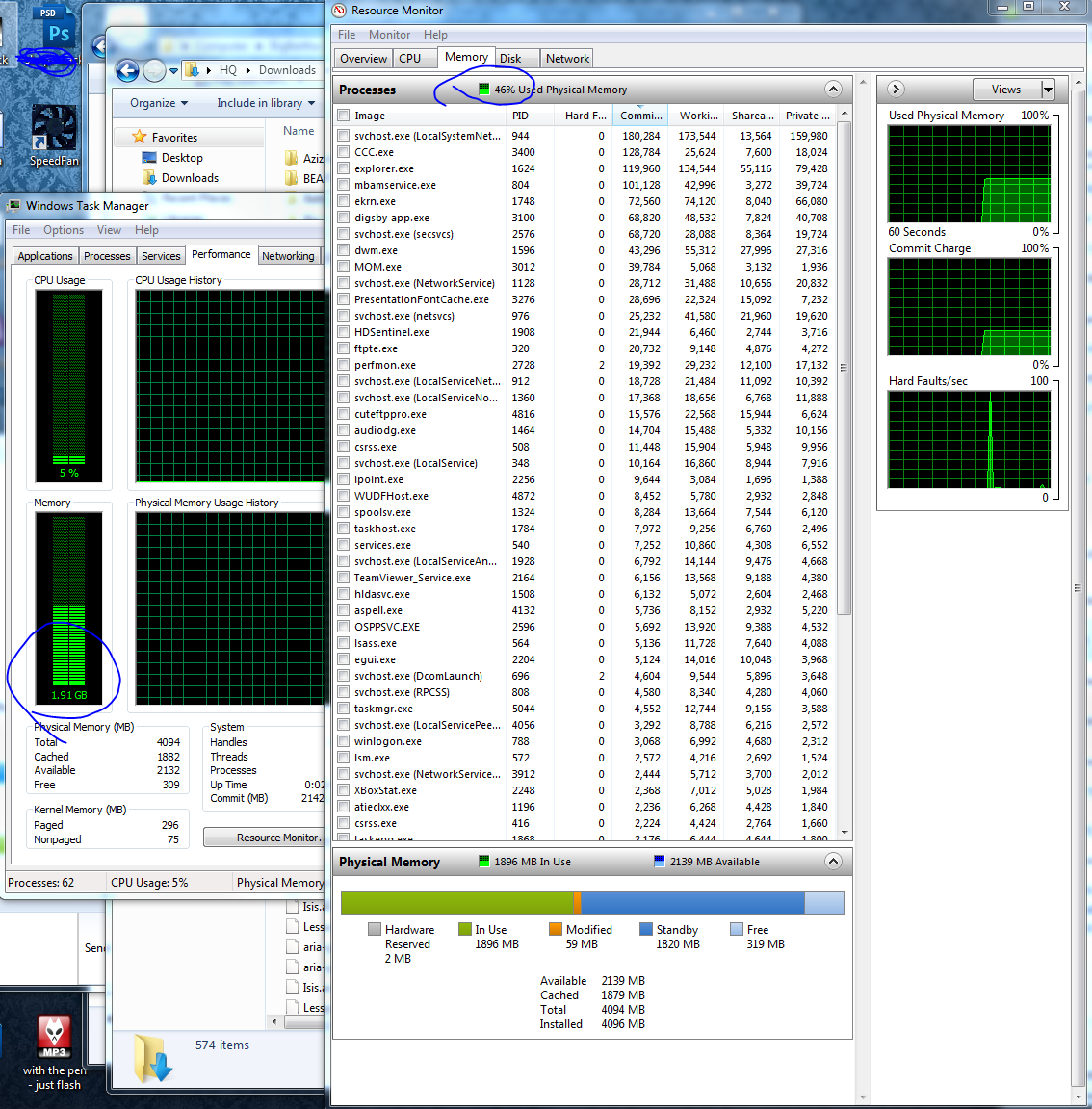
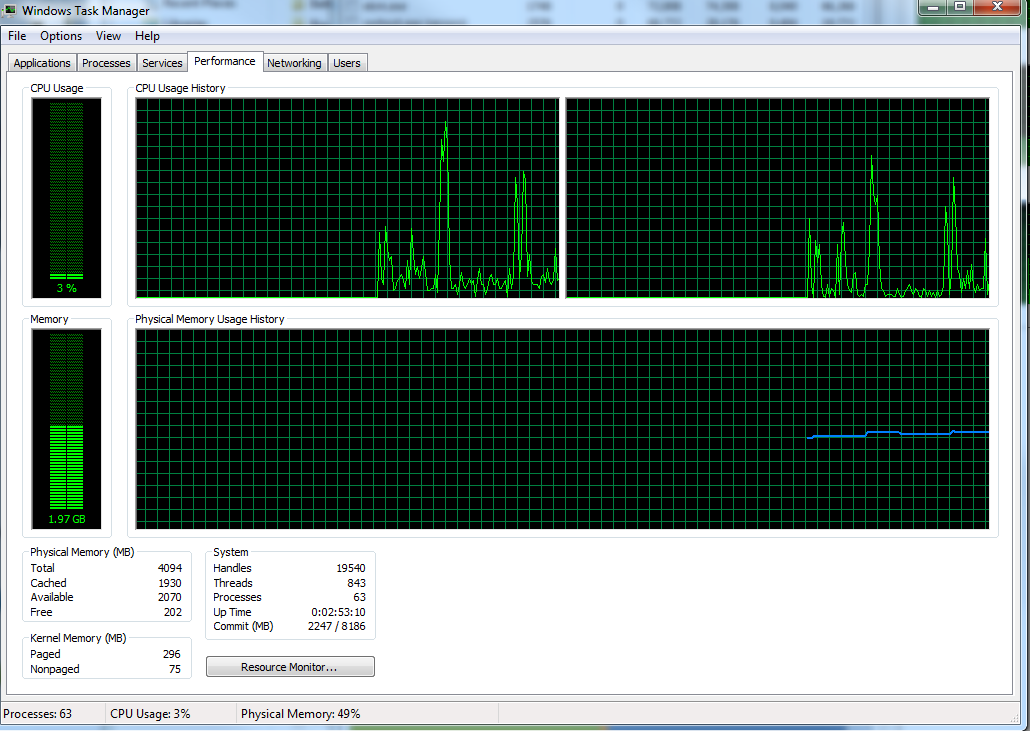
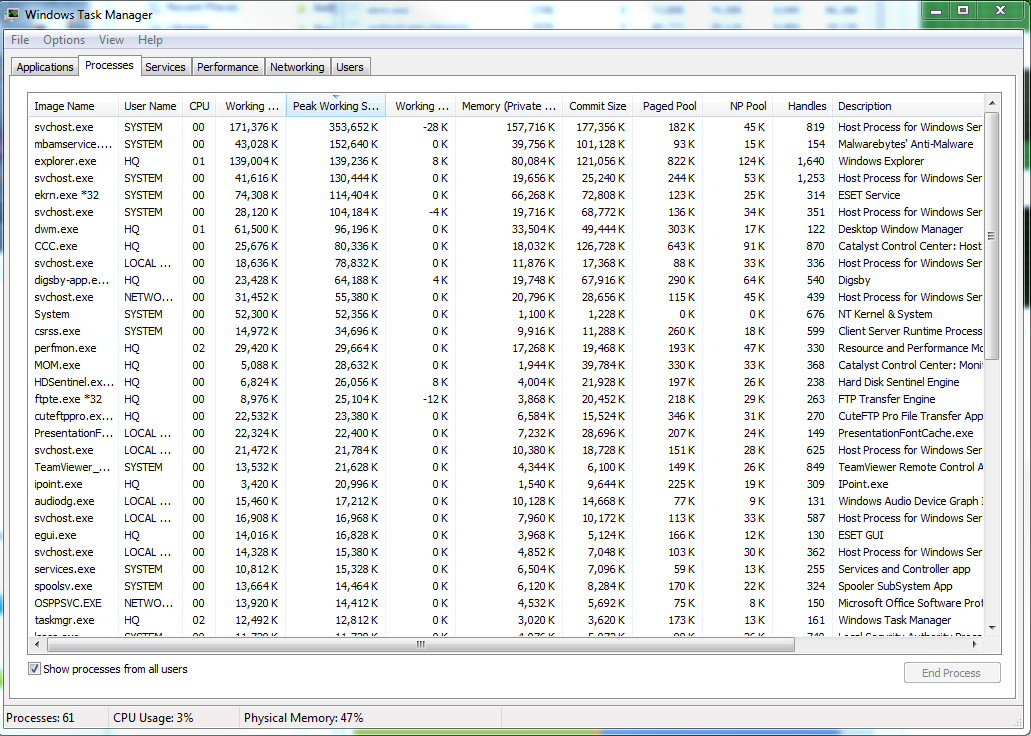
It appears as if if I have a huge memory leak as a fresh boot with minimal start-up programs idles at 1.85gb used... nothing showed in task monitor so I dug deeper with RamMap... I've included a bunch of screen shots and can't for the life of me figure out what this is...

I've uninstalled anything I didnt use + cleaned all the temp files and cache + ran Malware + did a virus scan

any help would be greatly appreciated...

8fvWe.png

yrHxb.png

Ia9hw.png

wDi3Y.png
 

My Computer My Computer

At a glance

Windows 7 Pro x64i5-24008gb (Corsair)GeForce GT430
OS
Windows 7 Pro x64
CPU
i5-2400
Motherboard
P67 Extreme4 Gen3
Memory
8gb (Corsair)
Graphics Card(s)
GeForce GT430
Sound Card
M-Audio Firewire Solo
Monitor(s) Displays
Samsung T240HD
Hard Drives
64gb M4 SSD
500gb Hitachi
3x 2tb WD External
Why do you think that you have a memory leak for, are you having problems?
I see nothing out of the ordinary in your pic.
 

My Computer My Computer

At a glance

Windows 7 Pro x64AMD FX 4100 4 Core 3.6GHz AM3+16GB G.Skill RipjawsXRadeon 6850
Computer Manufacturer/Model Number
Home build
OS
Windows 7 Pro x64
CPU
AMD FX 4100 4 Core 3.6GHz AM3+
Motherboard
ASROCK 970 Extreme3
Memory
16GB G.Skill RipjawsX
Graphics Card(s)
Radeon 6850
Sound Card
ASUS Xonar D1
Monitor(s) Displays
ASUS 23" LCD
Hard Drives
SSD 120GB
WD 750GB Black series
WD 640GB Black series
PSU
700W
Case
Antec 100
Cooling
Hyper 212 Plus
Internet Speed
50MB
It's perfectly fine, I "idle" (with 20~ tabs Chrome open) I sit around 4GB out of my 8GB, I'd say 1.5 is perfectly fine for Windows 7.
 

My Computer My Computer

At a glance

Windows 7 Ultimate x64AMD Phenom II 955 X4 @ 4.5Ghz [1.5v]8GB DDR3 Generic 1066 @ 1600 1.65V2x GTX 550 Ti SLI | GT240 PhysX
Computer Manufacturer/Model Number
Crosshair V
OS
Windows 7 Ultimate x64
CPU
AMD Phenom II 955 X4 @ 4.5Ghz [1.5v]
Motherboard
Asus Crosshair V Formula
Memory
8GB DDR3 Generic 1066 @ 1600 1.65V
Graphics Card(s)
2x GTX 550 Ti SLI | GT240 PhysX
Sound Card
SupremeFX
Monitor(s) Displays
Asus VE24" | Dell 22"
Screen Resolution
1920x1080
Hard Drives
1TB 7200 RPM Seagate
250GB WD CB 7200RPM
Cooling
CM N520
Internet Speed
6MBPS/1MBPS
... oh ok, thanks! hahah
 

My Computer My Computer

At a glance

Windows 7 Pro x64i5-24008gb (Corsair)GeForce GT430
OS
Windows 7 Pro x64
CPU
i5-2400
Motherboard
P67 Extreme4 Gen3
Memory
8gb (Corsair)
Graphics Card(s)
GeForce GT430
Sound Card
M-Audio Firewire Solo
Monitor(s) Displays
Samsung T240HD
Hard Drives
64gb M4 SSD
500gb Hitachi
3x 2tb WD External
I remember years ago looking in Linux Top and being shocked my 128 MB ram system had hardly any memory free. It was the same deal. Cache as much as possible and discard if something not in the cache needs to be loaded. Just took Windows a decade or so to cache up(pun intended.)

blagueur.gif
 

My Computer My Computer

At a glance

Windows 7 32 bitAMD 5200+ dual core2 GBNVidia GeForce 6150SE 128 MB
Computer Manufacturer/Model Number
HP Media Center
OS
Windows 7 32 bit
CPU
AMD 5200+ dual core
Memory
2 GB
Graphics Card(s)
NVidia GeForce 6150SE 128 MB
Monitor(s) Displays
CRT
Screen Resolution
1280x1024
Hard Drives
500 GB Sata internal :

SIIG USB 3.0 docking stations w/WD Caviar Black 6 Gb/s drives
Keyboard
PS/2
Mouse
PS/2 Wheel Mouse
Other Info
SIIG USB 3.0 PCIexpress card.
... oh ok, thanks! hahah

Yeah, that sounds normal. That's about where I'm at if I have nothing open and it's freshly booted. Otherwise just surfing the net and streaming video on dual monitor even then I'll typically be at 2.4-2.7 on a 4G system.
 

My Computer My Computer

At a glance

Windows 7 Pro 64bit build 7601 SP1Intel Core I5 3570K 3.4Ghz w/ Zalman CNPS9900...G.Skill F3-12800CL9D-8GbXL ; 4Gx2EVGA Geforce GTX 770 Superclocked
Computer type
PC/Desktop
Computer Manufacturer/Model Number
Custom Build
OS
Windows 7 Pro 64bit build 7601 SP1
CPU
Intel Core I5 3570K 3.4Ghz w/ Zalman CNPS9900NT RT
Motherboard
MSI Z77A-G45 Gaming
Memory
G.Skill F3-12800CL9D-8GbXL ; 4Gx2
Graphics Card(s)
EVGA Geforce GTX 770 Superclocked
Sound Card
Creative Sound Blaster Z
Monitor(s) Displays
Dual ViewSonic VX2770Smh-LED Black 27"IPS-Panel
Screen Resolution
1920x1080
Hard Drives
Kingston Hyper X 240GB SSD Win8 Pro 64bit 6GB/s Sata III
Intel 335 Series SSD 240GB Win8 Storage 6GB/s Sata III
Intel 320 Series SSD 600GB Storage 3GB/s Sata II
Western Digital Scorpio Black 1TB - Docked via Esata
PSU
Coolermaster GX 750W
Case
Corsair Vengence C70
Cooling
Coolermaster 120mm and Enermax 140mm
Keyboard
Corsair Vengence K70
Mouse
Logitech G500
Internet Speed
22mbps+
Browser
Firefox, Chrome, IE
Other Info
Swan M50W 2.1 speakers
APC UPS
Thermaltake BlacX HDD Dock
Samsung BD Optical Drive
Netgear WNDR4500
The RAMMap output would indicate the memory usage is by SuperFetch - a quick look at resmon should confirm the usage is really just SuperFetch cache usage.
 

My Computer My Computer

At a glance

Windows 10 Pro x64Intel Core i7 4790K @ 4.5GHz32GB DDR3Nvidia GeForce GTX970

Computer type
PC/Desktop
Computer Manufacturer/Model Number
Custom
OS
Windows 10 Pro x64
CPU
Intel Core i7 4790K @ 4.5GHz
Motherboard
Asus Maximus Hero VII
Memory
32GB DDR3
Graphics Card(s)
Nvidia GeForce GTX970
Sound Card
Realtek HD Audio
Screen Resolution
1920x1200
Hard Drives
1x Samsung 250GB SSD
4x WD RE 2TB (RAIDZ)
PSU
Corsair AX760i
Case
Fractal Design Define R4
Cooling
Noctua NH-D15
Back
Top