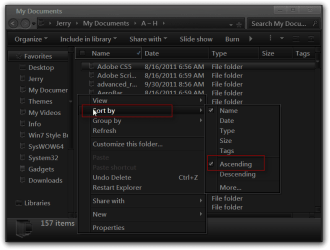
When I go into Explorer to look at or open a Document Folder, my folders appear in reverse alpha order (Z-A). Is there a way to change this so that my folders appear in alpha order (A-Z). This is extremely annoying and I really would appreciate help with this.
My Computer
- Computer Manufacturer/Model Number
- Sony Vaio
- OS
- Windows 7, Version 6.1.7601 SP 1
- CPU
- Processor Intel(R) Core(TM) i3-2310M CPU @ 2.10GHz, 2100 Mhz
- Memory
- 4GB