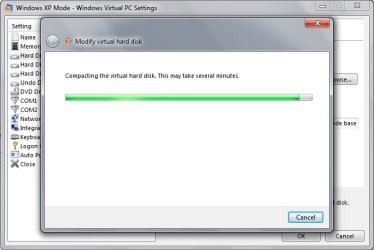
Not until today I noticed that my Windows XP Mode.vhd file is HUGE...a whooping 62.2 GBs to be precised.
This file is under C:\Users\My User\AppData\Local|Microsoft\Windows Virtual PC\Virtual Machines\Windows XP Mode.vhd
If and when I start Virtual Windows XP to use the application I run under the VM, it says that my whole C: Drive is only 17.2 GBs so why is this file so big?
Is there anyway to make it smaller, my SSD is only a 128GB and it is almost to the point where I am going to need to get a bigger drive and well, 50GBs are pretty much wasted on nothing.

This file is under C:\Users\My User\AppData\Local|Microsoft\Windows Virtual PC\Virtual Machines\Windows XP Mode.vhd
If and when I start Virtual Windows XP to use the application I run under the VM, it says that my whole C: Drive is only 17.2 GBs so why is this file so big?
Is there anyway to make it smaller, my SSD is only a 128GB and it is almost to the point where I am going to need to get a bigger drive and well, 50GBs are pretty much wasted on nothing.
My Computer
- Computer type
- PC/Desktop
- Computer Manufacturer/Model Number
- Custom Built... Intel/Nvidia/ASRock
- OS
- Windows 7 x64 (Ultimate)
- CPU
- Intel i5-4670K
- Motherboard
- ASRock Z87 Extreme 6
- Memory
- 8GBs Ripjaws 2133Mhz
- Graphics Card(s)
- Asus GTX660 (2GBs)
- Sound Card
- Onboard Realtek HD
- Monitor(s) Displays
- Acer AL2216W
- Screen Resolution
- 1680 x 1050
- Hard Drives
- Samsung 840 SSD 120GBs
Samsung 750GB 32MB cache
1.5 TB
- PSU
- PC Cooling 750w Silencer
- Case
- Thermaltake Spedo Advance
- Cooling
- Std Cooler
- Keyboard
- Logitech G15
- Mouse
- Logitech G9
- Internet Speed
- Comcast 20Mbit
- Antivirus
- Avast
- Browser
- Firefox