Win7 64-bit on Sony Vaio

albo

New member
Local time
9:53 AM
Messages
7
Hi
I do a clean install of Win Ultimate on my Sony Vaio VGN-SR19XN (after deleting the Sony recovery partition to get the full disk) but even though the system reports that it has 64-bit capability, I can only do a 32-bit install. Questions:
a) is there a way (command line?) to force Win7 to install 64-bit.
b) at what point in the installation process does Win decide it's going to install 32 or 64 bit, and can this be intercepted to force a 64-bit installation?

Thanks
 

My Computer My Computer

OS
win 7001
First of all, I hope you made recovery disks before deleting the recovery partition? If you did not, you can still do it. Recovery disks are a good safety net, in case you want to revert to the factory install.

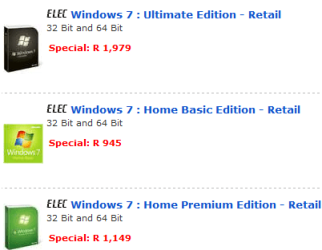
Second, what kind of disk are you trying to a clean install from? Remember 32 bit windows and 64 bit are not contained in the same disk, so its not that you need to choose at any point. A 32 bit disk will install 32 bit windows, 64 bit disk will install 64 bit windows.
 

My Computer My Computer

Computer Manufacturer/Model Number
Too many to describe...
OS
Windows 7 x64 pro/ Windows 7 x86 Pro/ XP SP3 x86
Hi Bill

Thanks for you reply.
Everything I've Googled over the past 24 hours says that the 32 and 64 bit versions are both on the Ultimate DVD? That's also what the shop said.
 

Attachments

  • snip.PNG
    snip.PNG
    10.4 KB · Views: 21

My Computer My Computer

OS
win 7001
Yes, what that means is that the retail package comes with 2 separate disks- one 32 bit, the other 64 bit. You can use the same key to install either, but not both.
 

My Computer My Computer

Computer Manufacturer/Model Number
Too many to describe...
OS
Windows 7 x64 pro/ Windows 7 x86 Pro/ XP SP3 x86
Oh I see. Thanks
 

My Computer My Computer

OS
win 7001
Hi there
just another piece of information you *might* need.

you can't run the 64 bit install from your 32 Bit current OS - even if you want to select CLEAN install rather than upgrade.

You will have to BOOT from the 64 bit disc and do your install. Same key will work but it will of course be a clean install.

If you've got any data save it first before doing your install.

Cheers
jimbo
 

My Computer My Computer

Computer type
PC/Desktop
Computer Manufacturer/Model Number
Custom built, several laptops HP/ASUS
OS
Linux CENTOS 7 / various Windows OS'es and servers
CPU
Intel i7 Intel i5
Memory
8GB, 16GB
Graphics Card(s)
On Motherboard
Sound Card
Realtek HD audio
Monitor(s) Displays
Apple Cinema display, Samsung LCD
Screen Resolution
1920 X 1080
Hard Drives
4 X 1TB SATA
Mouse
Toshiba wireless laser
Internet Speed
> 20MB up
Once you make your Recovery Disks from the Recovery utility in All Programs list, if you still want to delete your Recovery partition then I would use the opportunity to wipe the HD of all code before install to get the cleanest possible slate: http://www.sevenforums.com/tutorials/91339-ssd-hdd-optimize-windows-reinstallation.html

Then choose Custom install>Drive Options to partition and format. It will assign you a 100mb SysReserved boot partition which conveniently places the Repair console on the F8 Advanced Boot Tools menu - normally this is only on the DVD or Repair CD.

Some tips to get a purrfect reinstall based on hundreds done here: http://www.sevenforums.com/installation-setup/125874-re-install-windows-7-a.html#post1086729
 
Back
Top