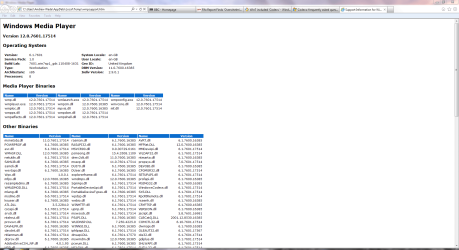
If you need to see a list of the Windows Media Player components and codecs installed on your computer, do the following:
On the Help menu, click About Windows Media Player.
If the Help menu is not visible, click Organize, point to Layout, and then select Show menu bar.
On the About Windows Media Player dialog box, click Technical Support Information.
Your web browser will open a page that includes information about the related binary files, codecs, filters, plug-ins, and services installed on your computer. A technical support person might be able to use this detailed information to help you troubleshoot problems on your computer.
In the control panel, put: Control Panel\All Control Panel Items\Performance Information and Tools\Advanced Tools, in the address bar. Select "View advanced system details in System Information. In there, hit the + by Components. Hit the + by Multimedia. There you can view your video or audio codecs.
My Computer
At a glance
Microsoft Windows 7 Home Premium x64intel core i5 M560 @2.67 GHz8192MB RAMGeForce GT 425M (1024MB DDR3 RAM)
In the control panel, put: Control Panel\All Control Panel Items\Performance Information and Tools\Advanced Tools, in the address bar. Select "View advanced system details in System Information. In there, hit the + by Components. Hit the + by Multimedia. There you can view your video or audio codecs.