Win7, Skype + multiple Firewall entries

ShaneO

New member
Local time
8:09 PM
Messages
2
I've just been alerted to an issue with a friends Win7 Pro installation which is showing a staggering 95 Skype entries in the "Allowed programs" section of the Windows Firewall.

I checked mine (Win7 Ultimate) and it has 10. I then checked a couple of others and found 32 and 15. :confused:

Does anyone know what's going on here? Have you checked your own?

Please advise if anyone knows what is the cause and how to prevent it from growing. (My friend has grown from 90 to 95 in the last hour).

Regards,
Shane.
 

My Computer

OS
Windows 7 Ultimate
It seems to be a documented bug...

   Warning
Registry Edit: Do not use unless you've backed up your registry


To delete the exception, delete all Skype entries here:
"HKEY_LOCAL_MACHINE\SYSTEM\CurrentControlSet\Services\SharedAccess\ Parameters\FirewallPolicy\FirewallRules"

Personally, I recommend switching to a third party firewall, I don't trust the Windows one, how am I to know that Windows isn't magically downloading updates to whatever. This would work along the lines of the recent self-updating WAT update.

Comodo Firewall is one of the best free options out there.
Zone Alarm isn't bad either.

If you have a good anti-virus and want to get the full internet security package that isn't bad idea either, just don't use Comodo's anti-virus. ESET isn't bad, Avast is good, Avira isn't bad, MSE is good but as I said, no Windows Firewall. AVG is junk now and a memory hog.
 

My Computer

Computer Manufacturer/Model Number
Apple Macbook Pro (April 2009)
OS
W7 Ult. x64 | OS X
CPU
Intel Mobile Core 2 Duo 2.93Ghz [T9800 Penryn]
Motherboard
NVIDIA nForce 730i Rev. B1 [Mac-F2268EC8 (U2E1)]
Memory
4096MB Samsung DDR3 Dual Channel [PC3-8500F 1066Mhz]
Graphics Card(s)
NVIDIA GeForce 9600M GT 512MB [G96M Rev. C1]
Sound Card
SB X-Fi Surround 5.1 USB | Onboard Realtek (Disabled)
Monitor(s) Displays
Acer x223wbd 22" | Apple Anti-Glare 17" (Disabled)
Screen Resolution
{Current} 1440x900 {Acer} 1680x1050 {Apple} 1920x1200
Hard Drives
{Internal}
Seagate Momentus 320GB 2.5" 7200RPM [ST9320421AS]

{Externals}
LaCie 320GB USB 2.0 HDD [301284UR]
LaCie 750GB USB 2.0 FW400 eSATA HDD [301314U]
LaCie 1TB USB 2.0 HDD [301304UR]
PSU
Magsafe
Case
Aluminum/Unibody (MBP52)
Cooling
2 x 6000 RPM Fans
Keyboard
Logitech G-15v2 [PN 920-000379]
Mouse
Logitech G-9 [PN 910-000338]
Internet Speed
12Mbps/2.5Mbps w/ 24Mbps Speed Boost [Comcast]
Other Info
Logitech X-540 Speakers [PN 970223-0122]
Sennheiser PC-151 Headset
Thank-you notsograymatter for your reply.

I must admit that I couldn't find any other references to this issue, so I'd be interested to know where the "bug" is being reported.

Your various solutions will each take some investigation, and I plan to pursue many of them.

The idea of removing duplications inside the Registry seemed good, until I had a look at all the entries in that area! There seems to be so many entries, and many of them don't appear to correlate to other programs listed in the Firewall. I've decided deleting any of these would be too dangerous.

Regards,
Shane.
 

My Computer

OS
Windows 7 Ultimate
Same issue here. I have a couple of programs that have multiple entries in the Allowed programs (such as Skype) and every time I use this program, it adds another one.

They look to be identical. They are all listed in both the "Allowed Programs" as well as the "Advanced Settings" > Inbound Rules. They have the same program path.

I know other Windows 7 pc's that I have (and use the same software) dont' have this issue, so I would assume that it's a local setting somewhere on this machine that's making that happen.

I might even call MS on this one, as the company I work for is a software development company and it appears that our software is another one that does this, so if there's something we need to change in our coding so that this doesn't happen with our customers who use Win7 (when we support our programs on Win7) then we need to know that.

I'll update here if I find anything out. Otherwise, I'll keep checking back here for updates to the issue also.

Thanks.
 

My Computer

Computer Manufacturer/Model Number
multiple
OS
Win7
I know this thread is old but I'm having the exact problem it's discussing, many entries in Windows Firewall for some programs, Skype being the most prolific.

I deleted all the entries in the registry as pointed out by notsograymatter above but the entries remain in Firewall.

Has anyone found a way to solve this issue, or at least to clear the multiple entries and start over?
 

My Computer

OS
Win 7 x64
I've had success with a Windows Repair... but I've also had it come back after a Windows Repair too.

Does that help? :confused:

EDIT: Disregard. I just talked to the user who I thought we had resolved the issue with... but apparently not. I guess we just gave up.
 

My Computer

Computer Manufacturer/Model Number
multiple
OS
Win7
Thanks for chiming in.

FWIW, I was able to clear the list (I'm guessing Skype had 50+ enteries in Firewall) by using Restore Defaults on the Windows Firewall menu. Now it remains to be seen if the list gets repopulated with multiple identical entries again.
 

My Computer

OS
Win 7 x64
Let us know. I gave up on this a long time ago, so I don't recall if I tried that or not, but I tried everything I could think of and/or find.
 

My Computer

Computer Manufacturer/Model Number
multiple
OS
Win7
Update: I just installed a Skype patch and sure enough, it added another Skype entry in to the firewall.

I'm still wondering if there isn't a way to delete an individual firewall entry rather than having to Restore Defaults each time.
 

My Computer

OS
Win 7 x64
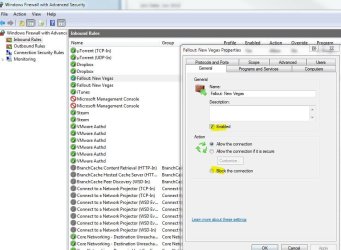
Can't you just go into Advanced Setting of the Windows firewall, right click or double click on an entry?

Control Panel-Administrative Tools-Windows Firewall with Advanced Security. Or Control Panel-Windows Firewall-Advanced Settings.

Capture1.JPG
Capture2.JPG
 

My Computer

Computer type
PC/Desktop
Computer Manufacturer/Model Number
Airbot 2.0
OS
Windows 7 Ultimate x64 SP1
CPU
Core i7 920 (D0) @ 4Ghz, *26c idle *65c full load on air
Motherboard
Asus P6X58D Premium - Sata 6Gb/s - USB 3.0
Memory
12GB DDR3 Corsair Dominator -CMD12GX3M6A1600C8 at 1600MHz
Graphics Card(s)
Zotac Geforce GTX 770
Sound Card
ASUS Xonar D2X
Monitor(s) Displays
1 LG 24" Flatron W2453V-PF 1 Samsung 24" P2450H both 2ms RT
Screen Resolution
1920x1080@60hz
Hard Drives
1 Samsung 250GB 840 Evo SSD
1 OCZ Vertex2 180GB SSD
1 TB Samsung Spinpoint F1 7200RPM 32MB cache
2 500GB WD Caviar Blacks 7200RPM 32MB cache (WD5001AALS)

Pioneer DVD Burner DVR-S18M
PSU
Corsair HX1000W
Case
Cooler Master HAF 932
Cooling
Case Fans *3 230mm, *1 140mm/CPU - *Tuniq Tower 120 Extreme
Keyboard
Logitech Wireless MK700
Mouse
Logitech Wireless MK700
Internet Speed
DL 15 Mbps UL 0.98 Mbps
Antivirus
None
Browser
Firefox Nightly
Other Info
Processor-7.7 *RAM- 7.9 *Graphics-7.9 *Gaming Graphics- 7.9 *SSD- 7.8 W.E.I final score= 7.7
*Phone- LG Nexus 5
Eureka! Your screen grab(s) showed me the way.

I was in Monitoring > Firewall rather than Inbound Rules. Going to Inbound Rules I was able to selectively delete redundant entries.

Thank you much.:D
 

My Computer

OS
Win 7 x64
Deleting them has never been the issue (for me anyway). It's that even if you delete them... they'll just come back as you use the program again.

Is that what everyone else is seeing too?
 

My Computer

Computer Manufacturer/Model Number
multiple
OS
Win7
My problem was most noticeable with Skype and it turns out that every time I installed an update it added another entry. Just using the program hasn't added any.

I think going forward though, I'll probably periodically reset the firewall just in the cause of housekeeping.
 

My Computer

OS
Win 7 x64
May have a fix

Apologies for the necro-post, but since this thread came up high in the search results while I was looking for a solution I figure this might help other people who end up here.

While searching for an answer to the "multiple rules being created" problem, I found https://wfn.codeplex.com/workitem/1794

It seems sometimes just the case or format of the program path can be the problem. In Properties > Programs and Services tab, I replaced:

C:\program files\bonjour\mDNSResponder.exe

with:

%ProgramFiles%\Bonjour\mDNSResponder.exe

So far, it seems to be working, since it's not adding new rules.

As a test, I opened Skype, and it created two outbound rules for C:\program files (x86)\skype\phone\skype.exe

I replaced one with %ProgramFiles% (x86)\Skype\Phone\Skype.exe (using the Browse button to select the file) and deleted the other, and that seems to have solved it.

Hope this helps the next person to come along! :geek:
 

My Computer

Computer type
PC/Desktop
Computer Manufacturer/Model Number
Lenovo
OS
Windows 7 Home Premium 64bit SP1
CPU
2.60 gigahertz Intel Pentium G620
Memory
6GB
Graphics Card(s)
AMD Radeon HD 6670
Antivirus
Avast Free
Browser
Firefox
Back
Top