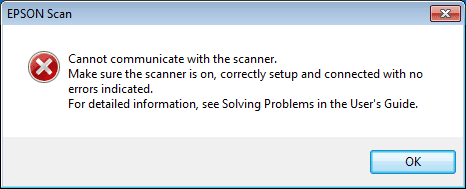
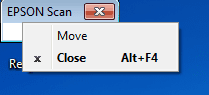
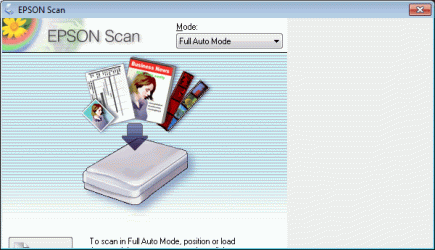
I have a window that is stuck at a certain, small size in the upper left corner of my display. It is for one application (Epson V700 scanner).
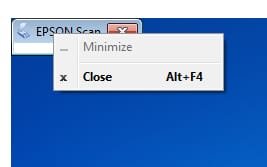
I can't use the windows key with arrows to move it. There is no option for move or maximize.
Sometimes the window is not visible when starting the application and I have to play with resolution and cascade to even see as much as described above.
The window cannot be stretched bigger.
I can close it.
I even totally uninstalled the Epson scanner software and reinstalled it. Still, at startup, the same issue. Another compute with the same software and hooked to the scanner works without issue.
I would really like to use this software on this computer, but don't know of any way to deal with this. Help is appreciated. Thank you.
I can't use the windows key with arrows to move it. There is no option for move or maximize.
Sometimes the window is not visible when starting the application and I have to play with resolution and cascade to even see as much as described above.
The window cannot be stretched bigger.
I can close it.
I even totally uninstalled the Epson scanner software and reinstalled it. Still, at startup, the same issue. Another compute with the same software and hooked to the scanner works without issue.
I would really like to use this software on this computer, but don't know of any way to deal with this. Help is appreciated. Thank you.
Attachments
My Computer
- Computer Manufacturer/Model Number
- HP Pavillion dv7t
- OS
- Windows 7 Professional 64 bit
- CPU
- Intel i7
- Monitor(s) Displays
- 2