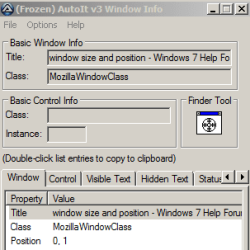
I play a game called the infinite black, it's downloaded directly to win 7, anyway I use 5 open windows for this game each time I play, i want to know if I can tell windows 7 to recall last size and position for the 5 windows for this game, so that the next time I won't need to set them up all over again, like I need to do each time I play, I am not looking to buy software, and if win 7 can't do something this simple, well then their just making ways so everyone using windows needs to buy more software, I have believed that big business is destroying the internet and that between the internet and software, they have become the largest form of rip offs to the public in the modern world. I'm really kicking myself for trying windows again, and I may just change my motherboard and cpu so I can go back to IOS. Sorry to rant its just that ive run into so many things that work strictly throw windows to get you to spend even more money and I have not been a fan of big business because its treat the public horrible, not that apple is so much better, but it did not seem to throw so many surprises at you like oh you are trying to that simple task you need to buy some other software or add-ons or whatever.
My Computer
- Computer type
- PC/Desktop
- Computer Manufacturer/Model Number
- custom
- OS
- Win 7 64 bit
- CPU
- AMD FX(tm)-6300 Six Core
- Motherboard
- 970 Gaming (MS-7693)
- Memory
- 16 GB 1600MHz DRAM
- Graphics Card(s)
- GeForceGT 730
- Sound Card
- NVDIA High Def Audio
- Monitor(s) Displays
- Acer G246HL
- Screen Resolution
- 1920x1680 60Hz
- Hard Drives
- ASUS DRW-24B1ST SATA CdRom DVD/CD
WDC WD10 EZEX-00BN5A0 SATA DISK DRIVE
Magic ISO Virtual DVD-ROM0000 DVD/CD
- Case
- Sentey
- Cooling
- water and fan cooled
- Keyboard
- CM STORM
- Mouse
- CM STORM
- Internet Speed
- 1Gbps
- Antivirus
- norton
- Browser
- Google, Yahoo, Firefox