window update problem

My Computer

Computer Manufacturer/Model Number
Custom made
OS
Windows 7 Professional x64 PL
CPU
AMD Athlon 4450e
Motherboard
Giga-Byte GA-MA69G-S3H
Memory
GoodRam DDR2 2x2048MB (FSB 800MHz)
Graphics Card(s)
nVidia GeForce 9600GT (G94-300) 1024 MB
Monitor(s) Displays
SAMSUNG SyncMaster HS2P301688
Hard Drives
Seagate ST3750330AS 750GB
PSU
Corsair 550W
Cooling
AeroCool ExtremeEngine 3T
Because you had already Readiness Tool installed maybe you have CheckSur.log in C:\Windows\Logs\CBS as well?Check it.
 

My Computer

Computer Manufacturer/Model Number
Custom made
OS
Windows 7 Professional x64 PL
CPU
AMD Athlon 4450e
Motherboard
Giga-Byte GA-MA69G-S3H
Memory
GoodRam DDR2 2x2048MB (FSB 800MHz)
Graphics Card(s)
nVidia GeForce 9600GT (G94-300) 1024 MB
Monitor(s) Displays
SAMSUNG SyncMaster HS2P301688
Hard Drives
Seagate ST3750330AS 750GB
PSU
Corsair 550W
Cooling
AeroCool ExtremeEngine 3T
nah that wasn't in there, there was only two files there, but all's well now except system restore, restored some norton files which i can't get rid of, any help there? :)
 

My Computer

OS
windows 7
how did you remove Norton?
 

My Computer

Computer Manufacturer/Model Number
MacBook Pro
OS
Lion
CPU
i5
Memory
4GB
Graphics Card(s)
Intel
Screen Resolution
1200x800
Hard Drives
Seagate FreeAgent GO 250GB Ext. HDD
well before the system restore i removed it by just going to the start menu, going to the norton 360 folder and running uninstall
 

My Computer

OS
windows 7
can u try running the norton removal tool and check.
 

My Computer

Computer Manufacturer/Model Number
MacBook Pro
OS
Lion
CPU
i5
Memory
4GB
Graphics Card(s)
Intel
Screen Resolution
1200x800
Hard Drives
Seagate FreeAgent GO 250GB Ext. HDD
About Window Updates:

Yesterday Window installed new updates. It asked me to restart the computer. When it started I had 7 windows opening up all by themselves, all kinds of stuff. I tried again and the same windows opened up again. They are doing this ever since.

I do not want these windows opening up. How can I stop that? Can someone please help me?

Inge
a new member
 

My Computer

Computer Manufacturer/Model Number
no idea
OS
Windows 7
CPU
no idea
Motherboard
no idea
Memory
no idea
Graphics Card(s)
no idea
Sound Card
no idea
Monitor(s) Displays
no idea
Hard Drives
no idea
PSU
no idea
Case
no idea
Cooling
no idea
I found something interesting in your CBS.log,some examples:

2010-01-12 15:10:24, Info CBS Failed to get session package state for package: Package_2_for_KB972270~31bf3856ad364e35~amd64~~6.1.1.0 [HRESULT = 0x80070490 - ERROR_NOT_FOUND]

2010-01-12 15:14:32, Info CBS Failed to get session package state for package: Package_2_for_KB974431~31bf3856ad364e35~amd64~~6.1.1.5 [HRESULT = 0x80070490 - ERROR_NOT_FOUND]
2010-01-12 15:14:33, Info CBS Failed to get session package state for package: Package_2_for_KB975467~31bf3856ad364e35~amd64~~6.1.1.0 [HRESULT = 0x80070490 - ERROR_NOT_FOUND]
2010-01-12 15:14:33, Info CBS Failed to get session package state for package: Package_3_for_KB975467~31bf3856ad364e35~amd64~~6.1.1.0 [HRESULT = 0x80070490 - ERROR_NOT_FOUND]
2010-01-12 15:14:33, Info CBS Failed to get session package state for package: Package_2_for_KB975467~31bf3856ad364e35~amd64~~6.1.1.0 [HRESULT = 0x80070490 - ERROR_NOT_FOUND]
2010-01-12 15:14:33, Info CBS Failed to get session package state for package: Package_3_for_KB975467~31bf3856ad364e35~amd64~~6.1.1.0 [HRESULT = 0x80070490 - ERROR_NOT_FOUND]
2010-01-12 15:14:33, Info CBS Failed to get session package state for package: Package_2_for_KB972270~31bf3856ad364e35~amd64~~6.1.1.0 [HRESULT = 0x80070490 - ERROR_NOT_FOUND]
There are more such kind of errors in your CBS.log.I found a bit similar log on mS TEchnet Server Manager Server 2008 R2 Last Refresh Failed

It's strange there is also possible to have corrupted Packages folder but Readiness Tool can't detect it :confused: But in those case there are only few errors,you have much errors.Possibly system restore or repair installation are only solution.Neverless give me time to tomorrow to think,it is worth to fill manaually corrupted files or not
 

My Computer

Computer Manufacturer/Model Number
Custom made
OS
Windows 7 Professional x64 PL
CPU
AMD Athlon 4450e
Motherboard
Giga-Byte GA-MA69G-S3H
Memory
GoodRam DDR2 2x2048MB (FSB 800MHz)
Graphics Card(s)
nVidia GeForce 9600GT (G94-300) 1024 MB
Monitor(s) Displays
SAMSUNG SyncMaster HS2P301688
Hard Drives
Seagate ST3750330AS 750GB
PSU
Corsair 550W
Cooling
AeroCool ExtremeEngine 3T
why does it say amd64? i have an intel processor
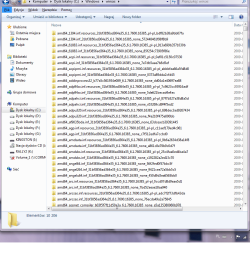
It is normal for all 64bit systems, it only means "compatible with 64 bit CPU" not only with AMD but with Intel as well.See yourself in C:\Windows\WinSxS folder

from my computer:AMD.png

As I said.I'll answer tomorrow in your case.
 

My Computer

Computer Manufacturer/Model Number
Custom made
OS
Windows 7 Professional x64 PL
CPU
AMD Athlon 4450e
Motherboard
Giga-Byte GA-MA69G-S3H
Memory
GoodRam DDR2 2x2048MB (FSB 800MHz)
Graphics Card(s)
nVidia GeForce 9600GT (G94-300) 1024 MB
Monitor(s) Displays
SAMSUNG SyncMaster HS2P301688
Hard Drives
Seagate ST3750330AS 750GB
PSU
Corsair 550W
Cooling
AeroCool ExtremeEngine 3T
Your CBS.log report you have only these components corrupted:

]
Package_2_for_KB974431~31bf3856ad364e35~amd64~~6.1.1.5 [HRESULT = 0x80070490 - ERROR_NOT_FOUND]
Package_2_for_KB975467~31bf3856ad364e35~amd64~~6.1.1.0 [HRESULT = 0x80070490 - ERROR_NOT_FOUND]
Package_2_for_KB974571~31bf3856ad364e35~amd64~~6.1.1.1 [HRESULT = 0x80070490 - ERROR_NOT_FOUND]
Package_3_for_KB975467~31bf3856ad364e35~amd64~~6.1.1.0 [HRESULT = 0x80070490 - ERROR_NOT_FOUND]
Package_3_for_KB974571~31bf3856ad364e35~amd64~~6.1.1.1 [HRESULT = 0x80070490 - ERROR_NOT_FOUND]
Package_2_for_KB972270~31bf3856ad364e35~amd64~~6.1.1.0 [HRESULT = 0x80070490 - ERROR_NOT_FOUND]
Package_4_for_KB972270~31bf3856ad364e35~amd64~~6.1.1.0 [HRESULT = 0x80070490 - ERROR_NOT_FOUND]

you have also this mysterious error

[HRESULT = 0x800f0816 - CBS_E_DPX_JOB_STATE_SAVED]
Probably any 3p cause this,hard to say what is it (you don't have Google Desktop)

Neverless try to fix it.

I attached to post required files,download them and unpack anywhere

1.Navigate to C:\Windows\Servicing\Packages,takeownership of this folder and add your account to have full control
2.Copy my files to this folder -if you have already any file then replace it.
3.Remove your account from permissions to Packages folder
4.Restore ownership of Packages folder back to "NT Service\TrustedInstaller"

Useful links :Take Ownership of file
TrustedInstaller - Restore as Owner
Folder Permissions

next restart computer,empty C:\Windows\Logs\CBS folder,again run sfc /scannow command.If you'll still have problem with updates attache new CBS.log to post
 

Attachments

My Computer

Computer Manufacturer/Model Number
Custom made
OS
Windows 7 Professional x64 PL
CPU
AMD Athlon 4450e
Motherboard
Giga-Byte GA-MA69G-S3H
Memory
GoodRam DDR2 2x2048MB (FSB 800MHz)
Graphics Card(s)
nVidia GeForce 9600GT (G94-300) 1024 MB
Monitor(s) Displays
SAMSUNG SyncMaster HS2P301688
Hard Drives
Seagate ST3750330AS 750GB
PSU
Corsair 550W
Cooling
AeroCool ExtremeEngine 3T
sorry for the long time to respond, i was away for the weekend for no internet, anyway when i tried to get control over the folder it just gave a bunch of errors on stuff and i didn't get control on the folder
 

My Computer

OS
windows 7
sorry for the long time to respond, i was away for the weekend for no internet, anyway when i tried to get control over the folder it just gave a bunch of errors on stuff and i didn't get control on the folder
That's strange.

Two methods to replace files:
-use any linux DVD (each linux is LiveCD now and you can use it to diagnose or fix your system without installing it of course),in my opinion Ubuntu is the best,burn,boot it,
-use Windows 7 DVD,boot it,WinRE and use command prompt -you can use copy command.If you don't have Windows 7 DVD you can use special recovery disk instead Download Windows 7 System Recovery Discs — The NeoSmart Files

Both methods are good,your choose..
 

My Computer

Computer Manufacturer/Model Number
Custom made
OS
Windows 7 Professional x64 PL
CPU
AMD Athlon 4450e
Motherboard
Giga-Byte GA-MA69G-S3H
Memory
GoodRam DDR2 2x2048MB (FSB 800MHz)
Graphics Card(s)
nVidia GeForce 9600GT (G94-300) 1024 MB
Monitor(s) Displays
SAMSUNG SyncMaster HS2P301688
Hard Drives
Seagate ST3750330AS 750GB
PSU
Corsair 550W
Cooling
AeroCool ExtremeEngine 3T
no that's fine, those updates went away so i
m quite satisfied, unless those errors will cause problems..i'm fine with how it is
 

My Computer

OS
windows 7
Back
Top