Windows 10. PIN is not available. Can't remember Password.

AzzaCam

New member
Local time
10:43 AM
Messages
2
I've had my laptop since 2018 and have not had problem until December 2022.

I was trying to use Bluetooth to receive a file from a tablet and it didn't work and when frustrated I closed the laptop.

Later, when I tried to sign in I got a response that "Something happened and your PIN isn't available. Click to set up your PIN again."

The only sign in option available is by Password and I don't remember it and I've never used it.

The problem I have is that the laptop was setup at the very beginning with my ex's email and it was never changed, and it would be inappropriate for me to re-establish contact.

I have my study materials on this laptop and cannot afford to lose it.

Is there a workaround procedure to this problem?
 

My Computers My Computers

  • At a glance

    Windows 10
    OS
    Windows 10
  • Computer type
    PC/Desktop
Hello AzzaCam, and welcome. :-)

You could use an available option in the tutorial below to enable the built-in "Administrator" account at boot.

Built-in Administrator - Enable from WinRE

Afterwards, you can log in to this "Administrator" account, and use it to access your study materials.

You can also use this "Administrator" account to create yourself a new administrator account on the computer, and delete the old account after making sure there's nothing else you need from it.

User Account - Create
 

My Computer My Computer

At a glance

64-bit Windows 11 Pro for WorkstationsIntel i7-8700K OC'd to 5 GHz64 GB (4x16GB) G.SKILL TridentZ RGB DDR4 3600...ASUS ROG-STRIX-GTX1080TI-O11G-GAMING
Computer type
PC/Desktop
Computer Manufacturer/Model Number
Self built custom
OS
64-bit Windows 11 Pro for Workstations
CPU
Intel i7-8700K OC'd to 5 GHz
Motherboard
ASUS ROG Maximus XI Formula Z390
Memory
64 GB (4x16GB) G.SKILL TridentZ RGB DDR4 3600 MHz
Graphics Card(s)
ASUS ROG-STRIX-GTX1080TI-O11G-GAMING
Sound Card
Integrated
Monitor(s) Displays
2 x Samsung Odyssey G7 27"
Screen Resolution
2560x1440
Hard Drives
1TB Samsung 990 PRO M.2,
4TB Samsung 990 PRO PRO M.2,
TerraMaster F8 SSD Plus NAS
PSU
Seasonic Prime Titanium 850W
Case
Thermaltake Core P3
Cooling
Corsair Hydro H115i
Keyboard
Logitech wireless K800
Mouse
Logitech MX Master 4
Internet Speed
2 Gb/s Download and 100 Mb/s Upload
Antivirus
Malwarebyte Anti-Malware Premium
Browser
Google Chrome
Other Info
Logitech Z625 speaker system,
Logitech BRIO 4K Pro webcam,
HP Color LaserJet Pro MFP M477fdn,
APC SMART-UPS RT 1000 XL - SURT1000XLI,
Galaxy S23 Plus phone
So, in order to Enable the Built-in Elevated "Administrator" Account from WinRE,

Method 1 requires at very beginning a download to desktop of file enableadmin.exe.
This is impossible because I can't access the laptop's desktop. Remember I can't sign in; the PIN is corrupt, the password I don't remember, and admin email is not accessible for me anymore.


I used Method 2
Shift + Restart.
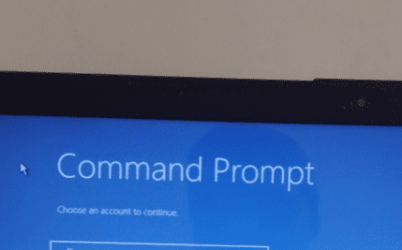
I selected Command Prompt.


Problem defaults back to asking for password for the Admin Account's email in order for Windows to give access to Command Prompt.
 

Attachments

  • Screenshot_20230101-152451-338.png
    Screenshot_20230101-152451-338.png
    23.6 KB · Views: 8
  • Screenshot_20230101-152451-338.jpg
    Screenshot_20230101-152451-338.jpg
    9.3 KB · Views: 8

My Computers My Computers

  • At a glance

    Windows 10
    OS
    Windows 10
  • Computer type
    PC/Desktop
You can also boot from your Windows installation media, open a command prompt at boot from there, and continue the steps in method two.
 

My Computer My Computer

At a glance

64-bit Windows 11 Pro for WorkstationsIntel i7-8700K OC'd to 5 GHz64 GB (4x16GB) G.SKILL TridentZ RGB DDR4 3600...ASUS ROG-STRIX-GTX1080TI-O11G-GAMING
Computer type
PC/Desktop
Computer Manufacturer/Model Number
Self built custom
OS
64-bit Windows 11 Pro for Workstations
CPU
Intel i7-8700K OC'd to 5 GHz
Motherboard
ASUS ROG Maximus XI Formula Z390
Memory
64 GB (4x16GB) G.SKILL TridentZ RGB DDR4 3600 MHz
Graphics Card(s)
ASUS ROG-STRIX-GTX1080TI-O11G-GAMING
Sound Card
Integrated
Monitor(s) Displays
2 x Samsung Odyssey G7 27"
Screen Resolution
2560x1440
Hard Drives
1TB Samsung 990 PRO M.2,
4TB Samsung 990 PRO PRO M.2,
TerraMaster F8 SSD Plus NAS
PSU
Seasonic Prime Titanium 850W
Case
Thermaltake Core P3
Cooling
Corsair Hydro H115i
Keyboard
Logitech wireless K800
Mouse
Logitech MX Master 4
Internet Speed
2 Gb/s Download and 100 Mb/s Upload
Antivirus
Malwarebyte Anti-Malware Premium
Browser
Google Chrome
Other Info
Logitech Z625 speaker system,
Logitech BRIO 4K Pro webcam,
HP Color LaserJet Pro MFP M477fdn,
APC SMART-UPS RT 1000 XL - SURT1000XLI,
Galaxy S23 Plus phone
Reset Forgotten Microsoft Account Password for Windows 10 / 8

Would a phone number work?


There's a couple ways to do this beyond the above advice. One is to reset the password with NT Password Edit found in Hiren's Boot CD or use Hiren's Boot Cd to access the hard drive and grab your stuff off the drive. You just navigate the hard drive in the Hiren's Boot CD live environment.


If this sounds like it's over your pay grade, it's not. This is simple stuff. Follow my instructions.


A) Reset the password method.

1) Download Hiren's Boot Cd Here

2) Follow the linked guide at the Hiren's Boot CD website here on USB booting.

3) To boot the USB stick you'll need to press a key on the keyboard repeatedly to get the option to boot from USB. For Dell (and a lot of other motherboards) you press the F12 key repeatedly once the PC starts to boot. Now chose boot from USB 0 the USB stick that has Hiren's Boot CD written to it.

4) Now the cool thing. Hiren's Boot CD should boot like a normal operating System. It is a Windows 10 PE (Pre-execution Environment) running from the USB drive its self. Once Hiren's loads you can either use the included tool found in the Windows 10 start menu called NT Password Edit to reset your password, or you can navigate to your files on the hard drive from "This PC" There will be several drives listed under "This PC" in Hiren's boot CD. A little intuitiveness will tell you the one with the several gigabytes in size is your internal computer's hard drive. If your files are in your user account You'd go to the internal hard drive| users | your Windows username | Documents.


This of course does not work if you used encryption. It would depend on what encryption is used and how complicated the password is. There are ways past that as well... We can get mighty nerdy. LOL


Quick Guide - How to Use Offline NT Password & Registry Editor

- - - Updated - - -

The problem I have is that the laptop was setup at the very beginning with my ex's email and it was never changed, and it would be inappropriate for me to re-establish contact.

Tip #427

Make sure you change your WiFi password if you have WiFi...
 

My Computer My Computer

At a glance

Windows 7 Ultimate x64
Computer type
PC/Desktop
OS
Windows 7 Ultimate x64
I use Windows-7.

Will / might it work with Windows-7?

Mike Lynch
 
Last edited:

My Computer My Computer

At a glance

Microsoft Windows 7 Professional 64-bit 7601 ...Intel(R) Core(TM) i7-3770 CPU @ 3.40GHz8.00 GBIntel(R) HD Graphics 4000
Computer type
PC/Desktop
Computer Manufacturer/Model Number
Two HP Desktops. One in the Laundry Room / Bed Room.
OS
Microsoft Windows 7 Professional 64-bit 7601 Multiprocessor Free Service Pack 1
CPU
Intel(R) Core(TM) i7-3770 CPU @ 3.40GHz
Motherboard
Hewlett-Packard 3396
Memory
8.00 GB
Graphics Card(s)
Intel(R) HD Graphics 4000
Sound Card
(1) Realtek High Definition Audio (2) Intel(R) Display Aud
Monitor(s) Displays
Hanns-G
Screen Resolution
1440 x 900 x 32 bits (4294967296 colors) @ 59 Hz
Hard Drives
(1) ATA WDC WD40EZRX-00S SCSI Disk Device (2) HP Officejet Pro 86 USB Device (3) WD My Book 1230 USB Device
PSU
Whatever came with the CMT.
Case
HP CMT Black.
Cooling
Whatever came with the CMT.
Keyboard
Logitech K740.
Mouse
Microsoft Optical Mouse 1000.
Internet Speed
Spectrum 25Mbs.
Antivirus
WebRoot, Microsoft Security Essentials.
Browser
EDGE
Other Info
HP Officejet Pro 8600 Plus.
WD MyBook 4TB.
NT Password Edit?

Yes, even for XP. I know because my Bro got his computer jacked by that program since he never wanted me to use his computer for gaming. I reset the password and added an invisible account that only I could access at the login screen. I don't think you can do that now in 7, 8, 10 or 11. Was a cool trick in XP though. Muhahahahaha

- - - Updated - - -

HA!
 

My Computer My Computer

At a glance

Windows 7 Ultimate x64
Computer type
PC/Desktop
OS
Windows 7 Ultimate x64
Back
Top