FatalKill
New member
- Local time
- 4:12 PM
- Messages
- 3
I am using Windows 7 Ultimate Version 6.1 Build 7600, I was Using camtasia studio to edit a video when I got the BSOD, my first bsod since I got my computer in '07. Anyways after the computer rebooted and I logged on, the background wallpaper was solid black.
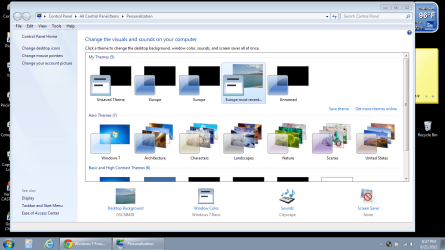
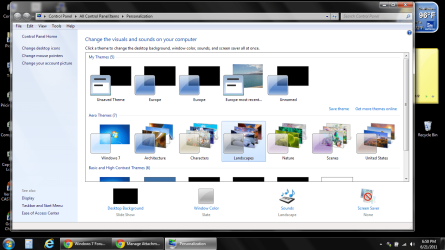
I tried to change the theme in the Personalize menu, but all the themes come up as solid black! At first I thought my display drivers got corrupted, but after uninstalling and re-installing them 4 times I found out this was not the problem.
Any other fixes you guys know of? Picture Attached
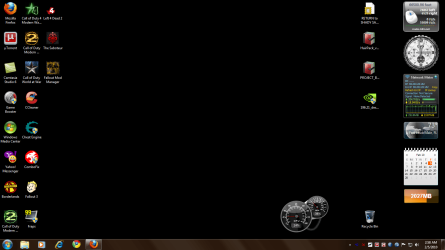
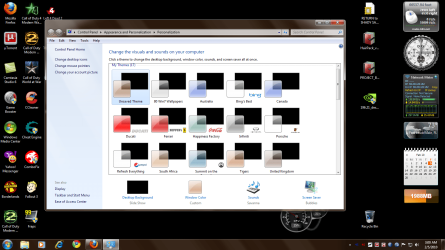
I tried to change the theme in the Personalize menu, but all the themes come up as solid black! At first I thought my display drivers got corrupted, but after uninstalling and re-installing them 4 times I found out this was not the problem.
Any other fixes you guys know of? Picture Attached
My Computer
- Computer Manufacturer/Model Number
- Custom
- OS
- Windows 8 Pro 64-Bit
- CPU
- Intel Core i5 2500K @ 4.5GHZ
- Motherboard
- ASUS P8P67 DELUXE
- Memory
- G.SKILL 8GB DDR3 1600 RAM
- Graphics Card(s)
- nVIDIA GeForce GTX 670
- Sound Card
- Integrated
- Monitor(s) Displays
- ASUS 24" + HP 20"
- Screen Resolution
- 1920 x 1080 + 1600 x 900
- Hard Drives
- Western Digital Caviar Black 1TB
Seagate Barracuda 250GB
Mushkin Enhanced Chronos 60GB SSD
- PSU
- Corsair AX580 850 Watt
- Case
- Cooler Master HAX 932
- Cooling
- Corsair A70
- Keyboard
- Razer BlackWidow Ultimate
- Mouse
- Logitech G500


 with the use of RECOVERY D ... thats my last chance of getting my laptop ok again