Solved Windows 7 boot logo not centred

Nicola90

New member
Local time
10:43 AM
Messages
3
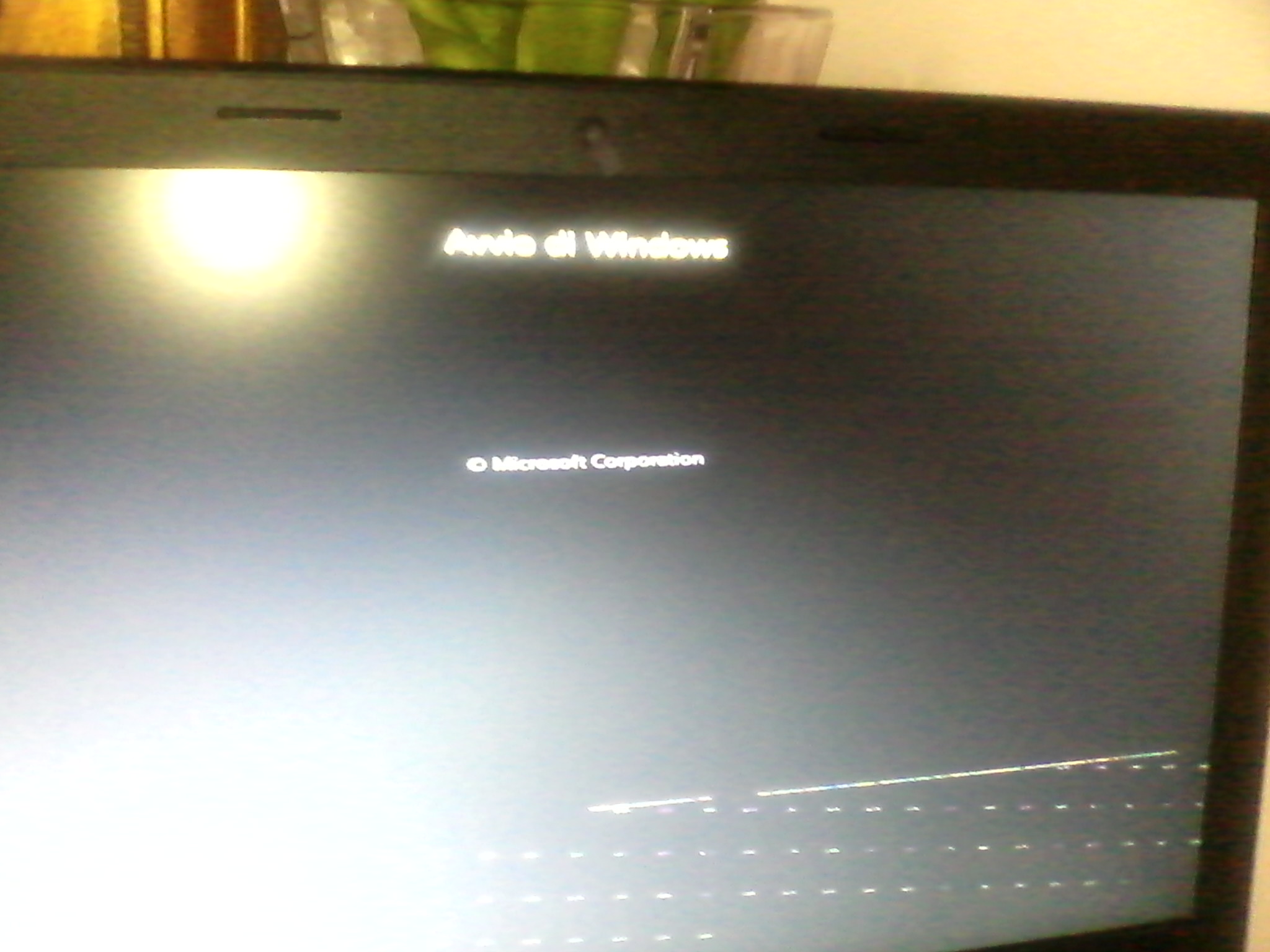
Hello Guys, I have a lenovo b50-70 and my Windows 7 boot logo is not centred if I install a Linux distro! With Debian I see Windows loading in progress on the top of the screen and this in the other sides of the screen :
LtZJZbO.jpg

Then the login page appears ok and Windows works, but I would solve that problem
 
Last edited:

My Computer

Computer type
Laptop
OS
Windows 7 pro 64bit

My Computer

Computer type
PC/Desktop
Computer Manufacturer/Model Number
Custom Build
OS
Windows 7 Ultimate x64 SP1
CPU
AMD Phenom 2 1090T
Motherboard
Gigabyte GA-890FXA-UD5
Memory
2x8GB Kingston HyperX Fury Black 1600Mhz Unganged
Graphics Card(s)
MSI GTX 970 Gaming 4G
Sound Card
Realtek On-Board HD 7.1 Audio / Logitech G35
Monitor(s) Displays
3xAcer GD245HQ
Screen Resolution
1920x1080
Hard Drives
Samsung 850 Pro 512GB SSD - OS /
WD Caviar Black SATA 3 - 1 TBx2 - Dynamic RAID 0 /
WD Caviar Green SATA 2 - 640GBx2 - Dynamic RAID 0 /
WD Caviar Green SATA 2 - 640GB - Internal Backup /
Seagate Barracude SATA 3 - 3TB - External Backup/ Sync
PSU
HighPower 1000W
Case
Cooler Master HAF 932
Cooling
Noctua NH-D14
Keyboard
Logitech G19
Mouse
Logitech G500
Internet Speed
100/4 Mbit Cable (100GB quota)
Antivirus
ZoneAlarm Extreme Security / MBAM Pro / MBAE Free / SAS Free
Browser
IE 11 - Firefox - Chrome
Other Info
Logitech F710/ G27/ G940/ Z5500 // TrackIR 5 // Nvidia 3D Surround Vision
I fixed the first post, and this is a pic of the problem, excuse me for low quality:
5SyPinN.jpg
 

My Computer

Computer type
Laptop
OS
Windows 7 pro 64bit
I've solved in that way:

Edit /etc/default/grub (as root) and uncomment

# GRUB_TERMINAL="console"
(remove the #)

after that, run sudo update-grub
 

My Computer

Computer type
Laptop
OS
Windows 7 pro 64bit
Back
Top