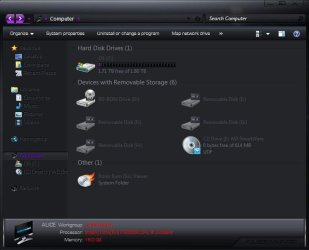
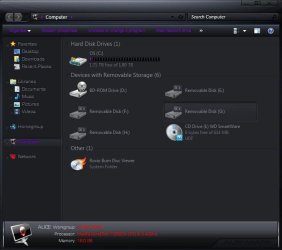
Hello. So I am very new to the customizing task and am really only attempting it for 1 reason. My brother is a pancreatic cancer survivor and I building a custom theme for him as a gift. I have modified all the images in the DeathStar.msstyle to display as "Purple" instead of "Red" (purple is the Pancreatic Cancer Awareness Color).
Everything looks awesom with the costom wallpaper I made for him and the use of rainmeter and rocketdock, but I have run into a snag and have been stuck on it for 2 days now and just cant seem to find the answer.
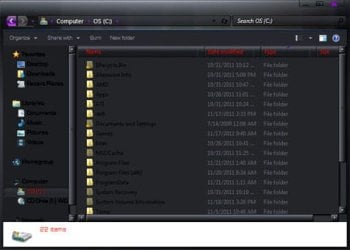
I am unable to modify the font color of the items listed in Explorer's Toolbar (left pane) and the font color in the colums of "Details View." There are also a few other places red shows up that I cannot find the codes for such as when some buttons are clicked, the text turns red.
Any assistance would be greatly appreciated. Thank you in advance.
Everything looks awesom with the costom wallpaper I made for him and the use of rainmeter and rocketdock, but I have run into a snag and have been stuck on it for 2 days now and just cant seem to find the answer.
I am unable to modify the font color of the items listed in Explorer's Toolbar (left pane) and the font color in the colums of "Details View." There are also a few other places red shows up that I cannot find the codes for such as when some buttons are clicked, the text turns red.
Any assistance would be greatly appreciated. Thank you in advance.
Attachments
My Computer
- OS
- Windows 7 Ultimate x64