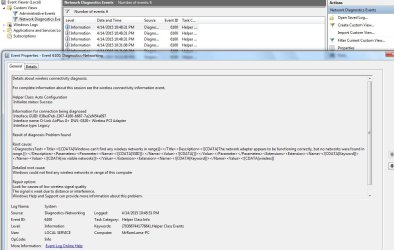
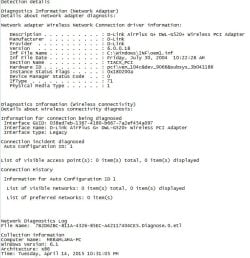
WINDOWS 7; dlink wireless driver shows no network.

Binash

New member
Local time
8:04 AM
Messages
7
Hi,
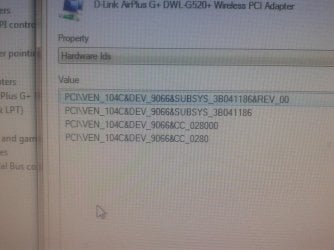
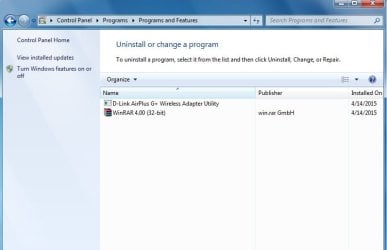
I have a D-Link Airplus G+ DWL-G520+ Wireless PCI Adapter. Previously i used it in my desktop windows 7. after that i removed it n kept for a year. now again tried to use it. The device driver is installed properly, but it shows no networks. My other devices easily show network but desktop shows no network. i have attached images of problems with this post.
Can some one please help with a solution?
 

Attachments
  • 9.jpg
    9.jpg
    30.9 KB · Views: 0
  • 11.jpg
    11.jpg
    110.5 KB · Views: 2
  • Untitled.jpg
    Untitled.jpg
    28.2 KB · Views: 10
  • Untitled1.jpg
    Untitled1.jpg
    71.3 KB · Views: 0
  • 2015-04-03 21.12.16.jpg
    2015-04-03 21.12.16.jpg
    693.6 KB · Views: 0
  • Untitled-1.jpg
    Untitled-1.jpg
    108.8 KB · Views: 0

My Computer

Computer type
PC/Desktop
OS
windows 7
I would try completely removing the adapter from the system(not physically but from the control panel) then reboot; try reinstalling it; then reboot again; and try checking for a updated driver for that adapter and see if that helps to resolve the issue.. Try this and see what happens. Post back if no result.
 

My Computer

Computer type
PC/Desktop
Computer Manufacturer/Model Number
custom built
OS
Windows 7 ultimate 64-bit
CPU
Intel I7 2600K 3.4ghz
Motherboard
Asus Evo P8P67
Memory
Corsair 16gb ddr3 1600mhz
Graphics Card(s)
Nvidia Geforce gt 430
Sound Card
Sound Blaster Titanium x-fi pci express
Monitor(s) Displays
Dell E198WFP
Hard Drives
1 western digital 2TB drive.
PSU
Antec 1200 watt
Case
Inwin Dragon Rider
Cooling
6 case supplied cooling fans
Keyboard
logitech mk700
Mouse
logitech m705
Internet Speed
25-50mbps download; 10mbps upload(i think)
Antivirus
avg free 2014
Browser
mozilla firefox
Other Info
Also have a pretty bad speaker setup which is a klipsch promedia 5.1 surround speaker setup with huge subwoofer and lg blu ray player/writer. Also a hp officejet pro 8600 plus wireless all in one and a logitech s7500 webcam.
sorry for not mentioning earlier. i did everything i could. after that i formatted and installed a new version of windows 7 32 bit. now it even doesn't shows the wired correction( nothing comes in the manage adapter settings section). though it shows the wireless adapter after i installed the driver, it shows no network.
 

My Computer

Computer type
PC/Desktop
OS
windows 7
I would try completely removing the adapter from the system(not physically but from the control panel) then reboot; try reinstalling it; then reboot again; and try checking for a updated driver for that adapter and see if that helps to resolve the issue.. Try this and see what happens. Post back if no result.

sorry for not mentioning earlier. i did everything i could. after that i formatted and installed a new version of windows 7 32 bit. now it even doesn't shows the wired correction( nothing comes in the manage adapter settings section). though it shows the wireless adapter after i installed the driver, it shows no network.
 

My Computer

Computer type
PC/Desktop
OS
windows 7
Back
Top