Solved Windows 7 install doesn't recognise my hard drive

DaveG

New member
Local time
8:00 PM
Messages
11
Location
Crawley, UK
Hi,

I'm building a second pc for my son and installing W7, i get to the point where it asks where to install and no hard drives are listed. I've looked through Google and there's loads of instances of this but i can't find anything that's helped.

The system is:

Gigabyte GA MA-770-UD3 rev 1.0
WD Caviar blue 500gb
Cooler Master 500w PSU
ATI 4870
2GB DDR2 Ram
Athlon 6000

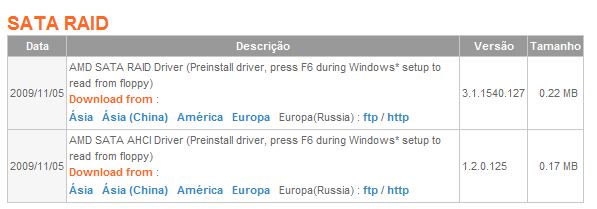
I suspect I need a driver for the SATA Controller but looking on the Gigabyte site and selecting my mobo and revision i'm not sure which file i need. I've downloaded the Chipset Driver, extracted to the desktop on my main PC and copied to a USB stick but when going to 'load drivers' when installing W7 it says there are no compatible files. I've gone through the Chipset Driver file and it have installed some files but nothing that has helped.

I've also changed the AHCI setting to enabled in the BIOS and downloaded the AHCI preinstall driver but that didn't make the hard drive visible. I've since reverted to the default settings of Native IDE in the BIOS. The BIOS recognises the hard drive but W7 installer doesn't. I emailed Gigabyte a few days ago but they've not come back to me yet, i'm starting to wonder if they ever will to be honest.

The hard drive was new and sealed, i thought the issue might have been that it needed to be formatted so i connected it to my main PC with the same cables i've been using and it was recognised straight away and was formatted so i think the cables and Hard Drive are ok. I've tried another new SATA cable and no difference.

I don't know what else to try, any ideas?
 

My Computer My Computer

OS
Windows 7 64bit
Welcome DaveG :D

Did you connect the HD to Sata port zero(0) or sata port 1 on the motherboard ?
 

My Computer My Computer

Computer type
PC/Desktop
Computer Manufacturer/Model Number
Built them myself, Science Experiments !
OS
Win7 Enterprise, Win7 x86 (Ult 7600), Win7 x64 Ult 7600, TechNet RTM on AMD x64 (2.8Ghz)
CPU
AMD fx8350 4ghz, AMD-32 2400mhz, AMD-64 3200mhz, AMDx64 2.8G
Motherboard
SIS 755, ECS-K8M890M-M (Ult 7600), GigaByte & others
Memory
2gb, 4gb on the Ult 7600, 4gb on Technet RTM, 32gb on FX8350
Graphics Card(s)
Draw my own Graphics, several nVidia cards
Sound Card
on motherboard
Monitor(s) Displays
19" flat scr, 28" I-Inc widescr,22" Emprex Widescr, 23" Acer
Screen Resolution
1280 x 1024, 1440 x 900, 1920 x 1080
Hard Drives
6 pata Ide HD's & 2 Sata HD's
added 80gb external on Ult 7600 computer,
numerous extra 1tb, 2TB, 3Tb SATA HD's
A collection of ext HD Docks w/ HDs
PSU
430w, 550w, 600w, 700, 800, etc
Case
All Generic Full Towers
Cooling
Open Air & a few fans, some w/ colored LEDs
Keyboard
Compaq & Dell recycled from GoodWill
Mouse
Made in China Optical Wired Mouse
Internet Speed
Fast Cable InterNet
Antivirus
AVG Free on 24 different Desktops, NO Problems!
Browser
IE 8 is preferred, but use FireFox sometimes
Other Info
Linksys Routers, switches, & Hubs
Too Many USB Flash Drives to count, Biggest is 64GB !
Eight computers in my home network.
Sixteen computers at my business network.
Linked via TeamViewer !
Lots of old used spare computer parts everywhere!
Hi,

Thanks but that's the driver i installed previously. I'm using W7 64bit though but i thought i'd try again and still no hard drive listed.

Just to make sure i'm not doing anything stupid.

The screen comes up saying 'where do you want to install windows'. No options are listed and at the bottom of the screen it says 'No drives were found. Click Load Driver to provide mass storage driver for installation'.

Pressing F6 or clicking the load driver option does the same thing but i've clicked both at different times.

I browse and point to Multiboot(E:) and click ok.

A message comes up saying 'No signed drivers were found. Make sure that the installation media contains the correct drivers and click ok'.

If I select the Multiboot(E:) and select the ahci bootdisc file it doesn't do anything. If i deselect the option to hide files that aren't compatible it brings up the drivers and seems to load or did the first time i selected it but still no drives listed. I've hit refresh at that point but still nothing.

I'm stumped?? Is that the right way to go about it?

Docbrown. According to my mobo manual It's Sata port 0 that the hd is connected to. If i go to standard cmos features in my bios the hard drive is listed on ide channel 2 master. I don't know if that's correct? And thanks for the welcome by the way:). Also I don't know if this will make any difference but my dvd drive is an external usb drive.
 

My Computer My Computer

OS
Windows 7 64bit

My Computer My Computer

OS
ME/XP/Vista/Win7
New years weekend I did a Newer Gigabyte MB with 2 SATA HD's. No drivers needed.

:ar: http://www.sevenforums.com/overclocking-case-mods/104136-show-us-your-rig-2-a-55.html#post1157908

When doing the win7 installation, I chose be connected to the Internet to get updates. win7 will find 98% of needed drivers if you do this ;) I had it connected with a Cat5 ethernet cable to the ethernet port on the MB. I did have the bios set to Native IDE, as that is the way it was configured right out of the box.
 

My Computer My Computer

Computer type
PC/Desktop
Computer Manufacturer/Model Number
Built them myself, Science Experiments !
OS
Win7 Enterprise, Win7 x86 (Ult 7600), Win7 x64 Ult 7600, TechNet RTM on AMD x64 (2.8Ghz)
CPU
AMD fx8350 4ghz, AMD-32 2400mhz, AMD-64 3200mhz, AMDx64 2.8G
Motherboard
SIS 755, ECS-K8M890M-M (Ult 7600), GigaByte & others
Memory
2gb, 4gb on the Ult 7600, 4gb on Technet RTM, 32gb on FX8350
Graphics Card(s)
Draw my own Graphics, several nVidia cards
Sound Card
on motherboard
Monitor(s) Displays
19" flat scr, 28" I-Inc widescr,22" Emprex Widescr, 23" Acer
Screen Resolution
1280 x 1024, 1440 x 900, 1920 x 1080
Hard Drives
6 pata Ide HD's & 2 Sata HD's
added 80gb external on Ult 7600 computer,
numerous extra 1tb, 2TB, 3Tb SATA HD's
A collection of ext HD Docks w/ HDs
PSU
430w, 550w, 600w, 700, 800, etc
Case
All Generic Full Towers
Cooling
Open Air & a few fans, some w/ colored LEDs
Keyboard
Compaq & Dell recycled from GoodWill
Mouse
Made in China Optical Wired Mouse
Internet Speed
Fast Cable InterNet
Antivirus
AVG Free on 24 different Desktops, NO Problems!
Browser
IE 8 is preferred, but use FireFox sometimes
Other Info
Linksys Routers, switches, & Hubs
Too Many USB Flash Drives to count, Biggest is 64GB !
Eight computers in my home network.
Sixteen computers at my business network.
Linked via TeamViewer !
Lots of old used spare computer parts everywhere!
Thanks Doc brown but connecting to the internet hasn't changed anything, i thought that seemed so obvious though but nothing :(

Theog, i'm just going through your suggestion. Can i just check that the clean all part should take some time, it makes sense if it should, it's been running for about 20 mins now with the cursor flashing and i can't type anything. The hard drive is 500gb and disk 0 is listed as 465gb and online so that must be the one?
 

My Computer My Computer

OS
Windows 7 64bit
465gb available is about correct for a WD 500gb HD. Was this a brand new Gigabyte MB?

WD_500gb_Blue_HD_Snip.JPG

Yes, it will take a while to do the Clean.

Since you said the HD & cables worked on another computer, possibly the the SATA port is bad on the MB :confused: How about the next available Sata port ?
 

My Computer My Computer

Computer type
PC/Desktop
Computer Manufacturer/Model Number
Built them myself, Science Experiments !
OS
Win7 Enterprise, Win7 x86 (Ult 7600), Win7 x64 Ult 7600, TechNet RTM on AMD x64 (2.8Ghz)
CPU
AMD fx8350 4ghz, AMD-32 2400mhz, AMD-64 3200mhz, AMDx64 2.8G
Motherboard
SIS 755, ECS-K8M890M-M (Ult 7600), GigaByte & others
Memory
2gb, 4gb on the Ult 7600, 4gb on Technet RTM, 32gb on FX8350
Graphics Card(s)
Draw my own Graphics, several nVidia cards
Sound Card
on motherboard
Monitor(s) Displays
19" flat scr, 28" I-Inc widescr,22" Emprex Widescr, 23" Acer
Screen Resolution
1280 x 1024, 1440 x 900, 1920 x 1080
Hard Drives
6 pata Ide HD's & 2 Sata HD's
added 80gb external on Ult 7600 computer,
numerous extra 1tb, 2TB, 3Tb SATA HD's
A collection of ext HD Docks w/ HDs
PSU
430w, 550w, 600w, 700, 800, etc
Case
All Generic Full Towers
Cooling
Open Air & a few fans, some w/ colored LEDs
Keyboard
Compaq & Dell recycled from GoodWill
Mouse
Made in China Optical Wired Mouse
Internet Speed
Fast Cable InterNet
Antivirus
AVG Free on 24 different Desktops, NO Problems!
Browser
IE 8 is preferred, but use FireFox sometimes
Other Info
Linksys Routers, switches, & Hubs
Too Many USB Flash Drives to count, Biggest is 64GB !
Eight computers in my home network.
Sixteen computers at my business network.
Linked via TeamViewer !
Lots of old used spare computer parts everywhere!
To answer your question about the clean all command, it will take quite some time. A 500gb HDD should take about two hours. I know it seems like a long time, but to increase your chances of getting everything to work, just let it finish and follow the other instructions theog provided.
 

My Computer My Computer

Computer type
Laptop
Computer Manufacturer/Model Number
Toshiba P775-S7100
OS
Windows 7 Professional SP1 64-bit
CPU
Intel Core i5-2450M @2.5 GHz
Memory
6 GB DDR3 1333MHz
Graphics Card(s)
Intel HD 3000
Monitor(s) Displays
Built-in 17.3" LED; 22" Insignia NS-L22Q-10A
Screen Resolution
1600x900; 1360x768
Hard Drives
750 GB Hitachi
1TB Seagate FreeAgent External
Internet Speed
Verizon DSL Speed(Down/Up): 3360 Kbps / 800 Kbps
Antivirus
MSE and MBAM Pro
Browser
IE10
Now you have set the HD up, should show in setup.

Best to make sure new HD are set up, first.
 

My Computer My Computer

OS
ME/XP/Vista/Win7
Ok i'll let it run then, just wanted to check i wasn't waiting for no reason, thanks.

DocBrown, it's not a new board, it's left over from when i upgraded, i'm using some new and some old bits so i suppose i can't rule out the port being bad. It does show the hd in the bios though so maybe it's ok? I've also tried the drive in all but one or two ports and same thing. Frustrating huh? This is what i've been thinking for days, it's driving me mad!!

My son's only four so it's not too much of a stress but every time i let him on the main PC something gets deleted or moved. There were all these left over parts and i thought i know i'll make him his own PC and he can go mad. I'm starting to wish i'd not bothered but don't want it to beat me now lol. :D
 

My Computer My Computer

OS
Windows 7 64bit
It is showing now but a message on the bottom of the screen says@

Windows can't be installed to this disk. This computers hardware may not support booting to this disk. Ensure the disk's controller is enabled in the computer's BIOS menu.

I guess it's because i have the USB dvd drive listed as the primary boot option, hard drive is the second option though, will this be ok once the clean up is finished?
 

My Computer My Computer

OS
Windows 7 64bit
There is a group of Guru's here that won't give up helping until we get 99.997% success ;)

We call it Trial & Error science experiments ;) So here's to another wild ride!
 

My Computer My Computer

Computer type
PC/Desktop
Computer Manufacturer/Model Number
Built them myself, Science Experiments !
OS
Win7 Enterprise, Win7 x86 (Ult 7600), Win7 x64 Ult 7600, TechNet RTM on AMD x64 (2.8Ghz)
CPU
AMD fx8350 4ghz, AMD-32 2400mhz, AMD-64 3200mhz, AMDx64 2.8G
Motherboard
SIS 755, ECS-K8M890M-M (Ult 7600), GigaByte & others
Memory
2gb, 4gb on the Ult 7600, 4gb on Technet RTM, 32gb on FX8350
Graphics Card(s)
Draw my own Graphics, several nVidia cards
Sound Card
on motherboard
Monitor(s) Displays
19" flat scr, 28" I-Inc widescr,22" Emprex Widescr, 23" Acer
Screen Resolution
1280 x 1024, 1440 x 900, 1920 x 1080
Hard Drives
6 pata Ide HD's & 2 Sata HD's
added 80gb external on Ult 7600 computer,
numerous extra 1tb, 2TB, 3Tb SATA HD's
A collection of ext HD Docks w/ HDs
PSU
430w, 550w, 600w, 700, 800, etc
Case
All Generic Full Towers
Cooling
Open Air & a few fans, some w/ colored LEDs
Keyboard
Compaq & Dell recycled from GoodWill
Mouse
Made in China Optical Wired Mouse
Internet Speed
Fast Cable InterNet
Antivirus
AVG Free on 24 different Desktops, NO Problems!
Browser
IE 8 is preferred, but use FireFox sometimes
Other Info
Linksys Routers, switches, & Hubs
Too Many USB Flash Drives to count, Biggest is 64GB !
Eight computers in my home network.
Sixteen computers at my business network.
Linked via TeamViewer !
Lots of old used spare computer parts everywhere!
It is showing now but a message on the bottom of the screen says@

Windows can't be installed to this disk. This computers hardware may not support booting to this disk. Ensure the disk's controller is enabled in the computer's BIOS menu.

I guess it's because i have the USB dvd drive listed as the primary boot option, hard drive is the second option though, will this be ok once the clean up is finished?

Do you format the Hd NTFS?
 

My Computer My Computer

OS
ME/XP/Vista/Win7
originally yeah i did, when it was connected to my main PC. It was the default option.
 

My Computer My Computer

OS
Windows 7 64bit
I hope DaveG is not going to be in the 0.003% of our unsolved experiments :o
 

My Computer My Computer

Computer type
PC/Desktop
Computer Manufacturer/Model Number
Built them myself, Science Experiments !
OS
Win7 Enterprise, Win7 x86 (Ult 7600), Win7 x64 Ult 7600, TechNet RTM on AMD x64 (2.8Ghz)
CPU
AMD fx8350 4ghz, AMD-32 2400mhz, AMD-64 3200mhz, AMDx64 2.8G
Motherboard
SIS 755, ECS-K8M890M-M (Ult 7600), GigaByte & others
Memory
2gb, 4gb on the Ult 7600, 4gb on Technet RTM, 32gb on FX8350
Graphics Card(s)
Draw my own Graphics, several nVidia cards
Sound Card
on motherboard
Monitor(s) Displays
19" flat scr, 28" I-Inc widescr,22" Emprex Widescr, 23" Acer
Screen Resolution
1280 x 1024, 1440 x 900, 1920 x 1080
Hard Drives
6 pata Ide HD's & 2 Sata HD's
added 80gb external on Ult 7600 computer,
numerous extra 1tb, 2TB, 3Tb SATA HD's
A collection of ext HD Docks w/ HDs
PSU
430w, 550w, 600w, 700, 800, etc
Case
All Generic Full Towers
Cooling
Open Air & a few fans, some w/ colored LEDs
Keyboard
Compaq & Dell recycled from GoodWill
Mouse
Made in China Optical Wired Mouse
Internet Speed
Fast Cable InterNet
Antivirus
AVG Free on 24 different Desktops, NO Problems!
Browser
IE 8 is preferred, but use FireFox sometimes
Other Info
Linksys Routers, switches, & Hubs
Too Many USB Flash Drives to count, Biggest is 64GB !
Eight computers in my home network.
Sixteen computers at my business network.
Linked via TeamViewer !
Lots of old used spare computer parts everywhere!
Me too!!

The clean up is complete and i'm just formatting the partition, 12% at the moment.

I thought i'd refresh on the install windows screen while I was waiting and the hard drive isn't listed anymore? I'm still hopeful, I don't think i've said it but I appreciate the help, thank you :)
 

My Computer My Computer

OS
Windows 7 64bit
Where did you get Win7? Have you used this DVD to successfully install before?

Did you burn the DVD yourself? Try burning another using ImgBurn at 4x speed.

Try setting HD as first device to boot in BIOS setup. Then boot the DVD drive using one-time BIOS boot menu key.

Use Step 2.2 in tutorial posted in theog's post #5 to format after running Diskpart Clean again. Marking partition Active gives it an edge at being detected.

Your external DVD drive is suspect until another method is attempted. If you have a USB flash stick: extract DVD ISO with ImgBurn, install UltraISO trial version, on File tab Open ISO, on Bootable tab Write Disk Image, Format, Write. Boot via BIOS Boot Menu under USB or HD.
 
It's a retail upgrade copy of W7, i used it on my main PC with no issues. I've been told elsewhere that there was no need to install my original copy of Vista first as I was having the same issue with that, I don't know if that was good advice or not?

I'm going to finish the steps that Theog listed and then call it a night, i've got work tomorrow and it's getting late but thanks and i'll try your advice tomorrow if it's still not working.

My USB flash drive is 4gb is that enough storage?
 

My Computer My Computer

OS
Windows 7 64bit
Back
Top