Windows 7 installation standardization need help

Win7Maniac

New member
Local time
4:45 PM
Messages
12
Hello, I'm Tom from Singapore
normally if you press start> right click the computer > properties, then you can see the windows edition, system, online support, and the computer details right?

Now I got the all boot-able data to upgrade the system to windows 7, I put it as ISO file, then I can put into DVD ROM, so its easy to deploy it to many computer in my small office, but I don't know which file should I change to edit the system information, so I can add the company online support in it and add more information in the windows edition and system information about my company, I know that I can edit it manually after I install it, but I want it to be inside the ISO file, so when I deploy the new OS, all of the computer will got the same windows edition detail, system detail and online support detail. I'm so confuse about this, I will really appreciate for any advice in advance
 

My Computer

OS
windows 7 ultimate
look for the $oem$ file on the iso and edit accordingly ,you will have to copy the iso to your harddrive to do this
sorry should have said folder not file
 
Last edited:

My Computer

Computer type
PC/Desktop
Computer Manufacturer/Model Number
self build
OS
win 7 ultimate32bit, Win8.1pro wmc 32bit
CPU
amd phenom x4 9600
Motherboard
asus m2n32-sli deluxe
Memory
corsair twinxs 2x2gb
Graphics Card(s)
2x nvidia 1gb 8500gt
Sound Card
onboard
Monitor(s) Displays
23" PB Viseo 233d
Screen Resolution
1920x1080
Hard Drives
maxtor sata 500gb
maxtor sata 320gb
fujitsu sata200gb
PSU
oryxx tornado 750w
Case
thermaltake xaser lll
Cooling
artic freezer64 pro + 7 case fans
Thank you, I will try it tomorrow, because now I cannot access the data from home, My manager block me from accessing it, I will tell if it works, thank you very much
 

My Computer

OS
windows 7 ultimate
you're welcome, please post back if you have any problems
 

My Computer

Computer type
PC/Desktop
Computer Manufacturer/Model Number
self build
OS
win 7 ultimate32bit, Win8.1pro wmc 32bit
CPU
amd phenom x4 9600
Motherboard
asus m2n32-sli deluxe
Memory
corsair twinxs 2x2gb
Graphics Card(s)
2x nvidia 1gb 8500gt
Sound Card
onboard
Monitor(s) Displays
23" PB Viseo 233d
Screen Resolution
1920x1080
Hard Drives
maxtor sata 500gb
maxtor sata 320gb
fujitsu sata200gb
PSU
oryxx tornado 750w
Case
thermaltake xaser lll
Cooling
artic freezer64 pro + 7 case fans
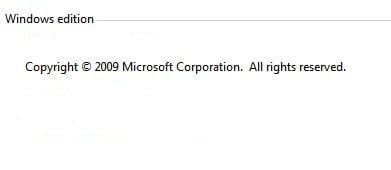
Hello, just now I retrieve an ISO file from my partner who live near to me, he allowed to keep the ISO file for the new operating system, so I borrow him for this purpose, when i try to open the file, I can configure only for the system detail, there is some data above it, it written " windows edition", that part I'm still cannot edit, but other than that I can edit, is there any other folder contain this data? thank you in advance
 

My Computer

OS
windows 7 ultimate

My Computer

Computer type
PC/Desktop
Computer Manufacturer/Model Number
Self Built
OS
Win 10 Pro x64
CPU
Intel I5-2500K @3.3GHz
Motherboard
Asrock P67 Extreme4
Memory
16GB G.Skill Ripjaws X (4x4GB)
Graphics Card(s)
EVGA GeForce 750 Ti SC 2GB
Sound Card
ASUS Xonar DG 5.1 Channels 24-bit 96KHz PCI Interface Sound
Monitor(s) Displays
auria eq2367
Screen Resolution
1920 x 1080
Hard Drives
250GB Samsung 850 EVO SSD
1TB WD Blue
1TB Hitachi
PSU
SeaSonic X 650W 80 Plus Gold
Case
Corsair Obsidian 750D
Cooling
Corsair H60, Three 140mm case fans
Keyboard
Logitech Wireless Keyboard K520
Mouse
Logitech Wireless Mouse M310
Internet Speed
Wave Broadband ~ 100 dn 5 up
Antivirus
Windows Defender, Malwarebytes Premium
Browser
Edge, IE11, Chrome
Other Info
Laptop specs: HP g7-1365dx /
CPU: AMD A6-3420M APU with Radeon(tm) HD Graphics /
RAM: Crucial 8Gb (2x4Gb) /
SSD: Crucial M4-CT128M4SSD2 ATA Device/ FW 000F /
GFX: AMD Radeon HD 6520G /
OS: Windows 10 Pro x64
you will need to use ultraiso or magiciso and extract the oem.xrm-ms file, edit as you wish,you may also want to add an "autounattend .xml" file to assist if you have many pc's to load
 

My Computer

Computer type
PC/Desktop
Computer Manufacturer/Model Number
self build
OS
win 7 ultimate32bit, Win8.1pro wmc 32bit
CPU
amd phenom x4 9600
Motherboard
asus m2n32-sli deluxe
Memory
corsair twinxs 2x2gb
Graphics Card(s)
2x nvidia 1gb 8500gt
Sound Card
onboard
Monitor(s) Displays
23" PB Viseo 233d
Screen Resolution
1920x1080
Hard Drives
maxtor sata 500gb
maxtor sata 320gb
fujitsu sata200gb
PSU
oryxx tornado 750w
Case
thermaltake xaser lll
Cooling
artic freezer64 pro + 7 case fans
thanks derekimo, should have pointed to that myself
 

My Computer

Computer type
PC/Desktop
Computer Manufacturer/Model Number
self build
OS
win 7 ultimate32bit, Win8.1pro wmc 32bit
CPU
amd phenom x4 9600
Motherboard
asus m2n32-sli deluxe
Memory
corsair twinxs 2x2gb
Graphics Card(s)
2x nvidia 1gb 8500gt
Sound Card
onboard
Monitor(s) Displays
23" PB Viseo 233d
Screen Resolution
1920x1080
Hard Drives
maxtor sata 500gb
maxtor sata 320gb
fujitsu sata200gb
PSU
oryxx tornado 750w
Case
thermaltake xaser lll
Cooling
artic freezer64 pro + 7 case fans
thanks derekimo, should have pointed to that myself

No Problem, I knew it was there somewhere but my search terms weren't making it easy to find.:)
 

My Computer

Computer type
PC/Desktop
Computer Manufacturer/Model Number
Self Built
OS
Win 10 Pro x64
CPU
Intel I5-2500K @3.3GHz
Motherboard
Asrock P67 Extreme4
Memory
16GB G.Skill Ripjaws X (4x4GB)
Graphics Card(s)
EVGA GeForce 750 Ti SC 2GB
Sound Card
ASUS Xonar DG 5.1 Channels 24-bit 96KHz PCI Interface Sound
Monitor(s) Displays
auria eq2367
Screen Resolution
1920 x 1080
Hard Drives
250GB Samsung 850 EVO SSD
1TB WD Blue
1TB Hitachi
PSU
SeaSonic X 650W 80 Plus Gold
Case
Corsair Obsidian 750D
Cooling
Corsair H60, Three 140mm case fans
Keyboard
Logitech Wireless Keyboard K520
Mouse
Logitech Wireless Mouse M310
Internet Speed
Wave Broadband ~ 100 dn 5 up
Antivirus
Windows Defender, Malwarebytes Premium
Browser
Edge, IE11, Chrome
Other Info
Laptop specs: HP g7-1365dx /
CPU: AMD A6-3420M APU with Radeon(tm) HD Graphics /
RAM: Crucial 8Gb (2x4Gb) /
SSD: Crucial M4-CT128M4SSD2 ATA Device/ FW 000F /
GFX: AMD Radeon HD 6520G /
OS: Windows 10 Pro x64
Hello, Derekimo, first of all, thank you for your advice, but I'm going to deploy it to many computer, so I think its a bad idea to manually do all this step, because I think its like 50 of them(computer) need to be configured, I'm afraid I would make a mistake, so I've got the ISO, maybe I can edit it from there and deploy it, so all the thing will done automatically and reduce error or mistype, and I'm also want to add data in the Windows Edition part ( the first part of the Computer System Page ), thank you, I think I will work the whole night now to finish this task
 

My Computer

OS
windows 7 ultimate
win7maniac just add an autounattend.xml file to the iso, i will try to find a sample file for you
 

My Computer

Computer type
PC/Desktop
Computer Manufacturer/Model Number
self build
OS
win 7 ultimate32bit, Win8.1pro wmc 32bit
CPU
amd phenom x4 9600
Motherboard
asus m2n32-sli deluxe
Memory
corsair twinxs 2x2gb
Graphics Card(s)
2x nvidia 1gb 8500gt
Sound Card
onboard
Monitor(s) Displays
23" PB Viseo 233d
Screen Resolution
1920x1080
Hard Drives
maxtor sata 500gb
maxtor sata 320gb
fujitsu sata200gb
PSU
oryxx tornado 750w
Case
thermaltake xaser lll
Cooling
artic freezer64 pro + 7 case fans
Hello, Derekimo, first of all, thank you for your advice, but I'm going to deploy it to many computer, so I think its a bad idea to manually do all this step, because I think its like 50 of them(computer) need to be configured, I'm afraid I would make a mistake, so I've got the ISO, maybe I can edit it from there and deploy it, so all the thing will done automatically and reduce error or mistype, and I'm also want to add data in the Windows Edition part ( the first part of the Computer System Page ), thank you, I think I will work the whole night now to finish this task

No problem, whatever works for you, it sounds like pebbly had some good advice if you are going to be doing several computers,
you will need to use ultraiso or magiciso and extract the oem.xrm-ms file, edit as you wish,you may also want to add an "autounattend .xml" file to assist if you have many pc's to load
Good luck to you.:)
 

My Computer

Computer type
PC/Desktop
Computer Manufacturer/Model Number
Self Built
OS
Win 10 Pro x64
CPU
Intel I5-2500K @3.3GHz
Motherboard
Asrock P67 Extreme4
Memory
16GB G.Skill Ripjaws X (4x4GB)
Graphics Card(s)
EVGA GeForce 750 Ti SC 2GB
Sound Card
ASUS Xonar DG 5.1 Channels 24-bit 96KHz PCI Interface Sound
Monitor(s) Displays
auria eq2367
Screen Resolution
1920 x 1080
Hard Drives
250GB Samsung 850 EVO SSD
1TB WD Blue
1TB Hitachi
PSU
SeaSonic X 650W 80 Plus Gold
Case
Corsair Obsidian 750D
Cooling
Corsair H60, Three 140mm case fans
Keyboard
Logitech Wireless Keyboard K520
Mouse
Logitech Wireless Mouse M310
Internet Speed
Wave Broadband ~ 100 dn 5 up
Antivirus
Windows Defender, Malwarebytes Premium
Browser
Edge, IE11, Chrome
Other Info
Laptop specs: HP g7-1365dx /
CPU: AMD A6-3420M APU with Radeon(tm) HD Graphics /
RAM: Crucial 8Gb (2x4Gb) /
SSD: Crucial M4-CT128M4SSD2 ATA Device/ FW 000F /
GFX: AMD Radeon HD 6520G /
OS: Windows 10 Pro x64
<?xml version="1.0" encoding="utf-8" ?>
- <unattend xmlns="urn:schemas-microsoft-com:unattend">
- <settings pass="windowsPE">
- <component name="Microsoft-Windows-Setup" processorArchitecture="x86" publicKeyToken="31bf3856ad364e35" language="neutral" versionScope="nonSxS" xmlns:wcm="http://schemas.microsoft.com/WMIConfig/2002/State" xmlns:xsi="http://www.w3.org/2001/XMLSchema-instance">
- <UserData>
<AcceptEula>true</AcceptEula>

- <ProductKey>
<Key></Key> place key here

<WillShowUI>OnError</WillShowUI>

</ProductKey>


</UserData>


- <ImageInstall>
- <OSImage>
- <InstallFrom>
- <MetaData wcm:action="add">
<Key>/IMAGE/INDEX</Key>

<Value>5</Value>

</MetaData>


</InstallFrom>


</OSImage>


</ImageInstall>


</component>


</settings>


<cpi:offlineImage cpi:source="wim:/sources/install.wim#Windows 7 ULTIMATE" xmlns:cpi="urn:schemas-microsoft-com:cpi" />

</unattend>


edit this to suit your needs
 

My Computer

Computer type
PC/Desktop
Computer Manufacturer/Model Number
self build
OS
win 7 ultimate32bit, Win8.1pro wmc 32bit
CPU
amd phenom x4 9600
Motherboard
asus m2n32-sli deluxe
Memory
corsair twinxs 2x2gb
Graphics Card(s)
2x nvidia 1gb 8500gt
Sound Card
onboard
Monitor(s) Displays
23" PB Viseo 233d
Screen Resolution
1920x1080
Hard Drives
maxtor sata 500gb
maxtor sata 320gb
fujitsu sata200gb
PSU
oryxx tornado 750w
Case
thermaltake xaser lll
Cooling
artic freezer64 pro + 7 case fans
oh god, i forgot the xml coding, LOL, btw thankz for the advices. I'm really appreciate it. thank you very much, now I'm trying to reload my brain memory about xml again, haha, thanks

PS: haha I never see your post, LOL, thankz
 

My Computer

OS
windows 7 ultimate
hope all goes well for you:D
nearly forgot, place the .xml file in the root of the iso
 
Last edited:

My Computer

Computer type
PC/Desktop
Computer Manufacturer/Model Number
self build
OS
win 7 ultimate32bit, Win8.1pro wmc 32bit
CPU
amd phenom x4 9600
Motherboard
asus m2n32-sli deluxe
Memory
corsair twinxs 2x2gb
Graphics Card(s)
2x nvidia 1gb 8500gt
Sound Card
onboard
Monitor(s) Displays
23" PB Viseo 233d
Screen Resolution
1920x1080
Hard Drives
maxtor sata 500gb
maxtor sata 320gb
fujitsu sata200gb
PSU
oryxx tornado 750w
Case
thermaltake xaser lll
Cooling
artic freezer64 pro + 7 case fans
I think I've forgotten everything about xml, I'm really confused right now, I'm now only want to add the data in the image there, I know I'm really disturb you much, I'm really sorry about that, but could you help me to produce the xml to add info for that part? I'm really thank you for that. I think next time I need to retake the course for that xml, I'm really sorry about this, thank you very much
 

Attachments

  • Capture1.JPG
    Capture1.JPG
    10.6 KB · Views: 4

My Computer

OS
windows 7 ultimate
place the image in the </userdata>< your image here> part of the above file, i think thats the right place for it not to well up on xml coding myself
 

My Computer

Computer type
PC/Desktop
Computer Manufacturer/Model Number
self build
OS
win 7 ultimate32bit, Win8.1pro wmc 32bit
CPU
amd phenom x4 9600
Motherboard
asus m2n32-sli deluxe
Memory
corsair twinxs 2x2gb
Graphics Card(s)
2x nvidia 1gb 8500gt
Sound Card
onboard
Monitor(s) Displays
23" PB Viseo 233d
Screen Resolution
1920x1080
Hard Drives
maxtor sata 500gb
maxtor sata 320gb
fujitsu sata200gb
PSU
oryxx tornado 750w
Case
thermaltake xaser lll
Cooling
artic freezer64 pro + 7 case fans
Thank you, I will tell my partner about the XML thing tmr, what a very tiring day, haha,it's like 24 hour non-stop working, if got any chance, I think I should decide to move, but anyway, thank you very much about this
 

My Computer

OS
windows 7 ultimate
Back
Top