
- Local time
- 5:17 PM
- Messages
- 170
I am repairing an old Lenovo G575 laptop for a friend and its running painfully slow.
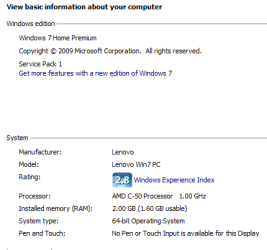
Lenovo G575 64 bit Windows 7 SP1, 2 Gbt ram (1.6 usable). HDD 500 Gbt (300 Gbt free)
I remember working on this machine in the past and although slow, it ran better than it does now. The wifi had stopped working and windows installed an updated driver. I am sure though that is not the problem. Now just opening some folders takes a long time with a spinning cursor. Launching chrome takes about 1 minute to open the first time its launched after booting.
Here is what I have done so far.
Ran CCleaner to delete unecessary files
Defragmented the HD
Set windows to manage the scratch disk.
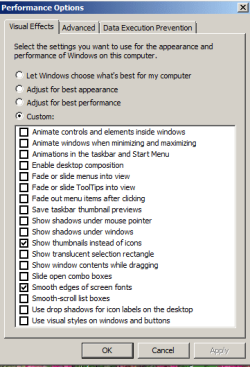
Disabled unecessary visual effects in performance options
Set programmes priority in performance options
Power plan is balanced
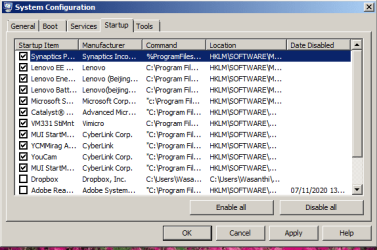
I have disabled some non essential processes at startup but that only helps marginally.
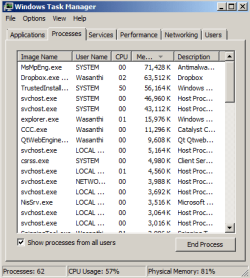
I have checked task manager and can't see any unusual activity.
I have cleaned the fan to prevent overheating
I suspect that the Hard disk which hasn't been used for a long time may be running slow. You can see the scan from Crystal Disk below.
Your thoughts and advice would be appreciated.
Kind regards
Chris
Lenovo G575 64 bit Windows 7 SP1, 2 Gbt ram (1.6 usable). HDD 500 Gbt (300 Gbt free)
I remember working on this machine in the past and although slow, it ran better than it does now. The wifi had stopped working and windows installed an updated driver. I am sure though that is not the problem. Now just opening some folders takes a long time with a spinning cursor. Launching chrome takes about 1 minute to open the first time its launched after booting.
Here is what I have done so far.
Ran CCleaner to delete unecessary files
Defragmented the HD
Set windows to manage the scratch disk.
Disabled unecessary visual effects in performance options
Set programmes priority in performance options
Power plan is balanced
I have disabled some non essential processes at startup but that only helps marginally.
I have checked task manager and can't see any unusual activity.
I have cleaned the fan to prevent overheating
I suspect that the Hard disk which hasn't been used for a long time may be running slow. You can see the scan from Crystal Disk below.
Your thoughts and advice would be appreciated.
Kind regards
Chris
Attachments


My Computer
At a glance
Desktop Win 10 Pro 64 bit, Laptop Win 7 Home ...Desktop Intel i7 4790 CPU 3.6 GHz, Laptop AMD...Desktop 16 Gbt, Laptop 4 GbtDesktop nvidea GeForce NTX960, Laptop AMD Rae...
- Computer type
- PC/Desktop
- Computer Manufacturer/Model Number
- Desktop Custom built, Laptop Lenovo G575 Model 20081
- OS
- Desktop Win 10 Pro 64 bit, Laptop Win 7 Home 64 bit
- CPU
- Desktop Intel i7 4790 CPU 3.6 GHz, Laptop AMD C-50 1GHz
- Motherboard
- ASUS H81 Gamer
- Memory
- Desktop 16 Gbt, Laptop 4 Gbt
- Graphics Card(s)
- Desktop nvidea GeForce NTX960, Laptop AMD Raedon HD 6250M
- Sound Card
- Desktop onboard Realtec high definition audio nvidea HD aud
- Monitor(s) Displays
- BENQ G900 Digital 19 inch
- Screen Resolution
- 1024 x 768
- Hard Drives
- Silicon Power SSD SATA 3.0 450b Gbt
Seagate 4 Tbt SSHD
- PSU
- Thermaltake 1000W
- Case
- Thermaltake
- Cooling
- Onboard case fans
- Keyboard
- Standard PS/2
- Mouse
- A4 Tech optical wireless PS/2
- Internet Speed
- 10 Mbps
- Antivirus
- Microsoft Security Essentials
- Other Info
- DVD Samsung TSST corp CDDVDW - SATA


