Windows 7-load driver a required dvd drive device is missing

b87k

New member
Local time
10:00 AM
Messages
2
Location
Bradford , UK
Hello,
I have a Dell XPS , bought it 2 weeks ago , all good , but when I tried to re-install the nvidia graphics driver the windows crashed, and the boot system was down.Tried to fix it , couldnt , and I didnt make a backup either so I went for the format. At the moment the HDD is clean and when I try to install windows7 i get the following error:"Load Driver:a required dvd drive device is missing". I tried everything that I found on this forum/google related to this problem but with no success.

Any ideas are welcomed , thank you.
 

My Computer My Computer

Computer Manufacturer/Model Number
dell xps
OS
Windows 7 Home Premium 64bit.
CPU
Intel Core i7-2630QM
Memory
6 gb ddr3
Graphics Card(s)
NVIDIA GeForce GT 540M
Thank you for your quick reply . I made a usb flashdrive and tried to install it didnt work. Changed Asci to Ata in Bios - nothing . Tested the ram memory, hdd , ran a chkdsk -all good.
 

My Computer My Computer

Computer Manufacturer/Model Number
dell xps
OS
Windows 7 Home Premium 64bit.
CPU
Intel Core i7-2630QM
Memory
6 gb ddr3
Graphics Card(s)
NVIDIA GeForce GT 540M
Hello,
I have a Dell XPS , bought it 2 weeks ago , all good , but when I tried to re-install the nvidia graphics driver the windows crashed, and the boot system was down.Tried to fix it , couldnt , and I didnt make a backup either so I went for the format. At the moment the HDD is clean and when I try to install windows7 i get the following error:"Load Driver:a required dvd drive device is missing". I tried everything that I found on this forum/google related to this problem but with no success.

Any ideas are welcomed , thank you.

As your computer is only two weeks old, you'd be as well to contact Dell Support and get it checked over, as it's quite possible you may have a problem with it that requires a repair or replacement.

http://support.euro.dell.com/support/DPP/Index.aspx?c=uk&cs=ukdhs1&l=en&s=dhs
 

My Computer My Computer

Computer Manufacturer/Model Number
HP Pavilion Elite 495UK
OS
Windows 7 Ultimate SP1 64-Bit
CPU
Intel Core i7 870 @ 2.93GHz
Motherboard
MSI 2A9C (CPU1)
Memory
8Gb Dual-Channel DDR3 @ 664MHz
Graphics Card(s)
nVidia GeForce GTX 460 1024MB dedicated RAM
Sound Card
Realtek HD Audio
Monitor(s) Displays
HP2310i
Screen Resolution
1920 x 1080
Hard Drives
1x1954GB Hitachi HDS22020ALA 330 (RAID), 1x1954GB Hitachi External for backup and storage
PSU
460W
Case
HP Elite
Cooling
Air cooled
Keyboard
Logitech K750 solar-powered keyboard
Mouse
Logitech Wireless M180 mouse
Internet Speed
2Mb
Other Info
Pure Avanti Flow Internet Radio with iPod Dock, 64Gb iPod, HP USB Speakers, Sony MDR-V500 Headphones, Sony Vaio F-Series Laptop
I would have run Dell Factory Recovery, after backing up the Recovery Disks to use in case it failed running from its partition: Dell Restoring Your Computer´s Software to the Factory Settings

You can order the Recovery Disks now, which is what Dell Tech Support will likely do if they're not put off by your formatting the HD.

Or if it is your intention anyway to get a cleaner reinstall you can follow these steps to clean reinstall with the Product Key on COA sticker: Reinstalling Windows 7

First I would confirm the integrity of the Win7 installation ISO and then burn another copy to DVD using ImgBurn at 4x speed, or write to flash stick using this tool: Universal USB Installer – Easy as 1 2 3

If this fails, reset the CMOS: Clear CMOS - 3 Ways to Clear the CMOS - Reset BIOS
While I BIOS setup set SATA controller to AHCI to tryin install.

Unplug all other HD's and peripherals.
 
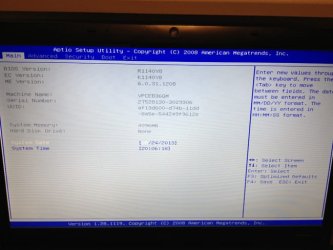
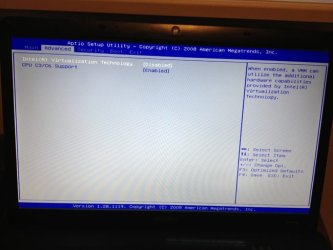
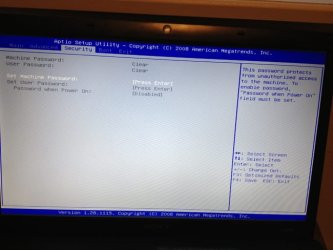
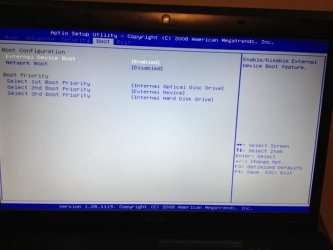
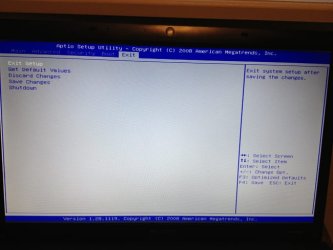
I have run into a very similar problem as b87k. My friends Sony Vaio VPCEB36GM hard drive failed and he failed to burn off the Sony recovery disks. So I am attempting to install Windows 7 Pro 64 bit on a brand new 500 gb HDD. I couldnt get the 64bit version to recognize on the install so I thought, not knowing, that maybe it was a 32bit version. I installed the 32bit version but couldnt get any of the hardware like the networking devices (ie. wireless or LAN) to work because they didnt have any drivers. I went to the Sony site and downloaded several and then recieved an error saying the drivers were for the 64bit version. So I downloaded the ISO for the 64 bit version, put it on a thumb drive and got it to start the installation but then I recieved the same error as b87k "Load Driver:a required dvd drive device is missing". So I tried doing all the things listed in this post but BIOS on this laptop is very limited on what changes I can make. Like the clock and boot order and that is about it. Here is what it looks like. There are 4 screens. So I cant change the bios to ATA or ICE etc. Any help would be greatly appreciated
 

Attachments

  • IMG_3846.JPG
    IMG_3846.JPG
    57.2 KB · Views: 8
  • IMG_3847.JPG
    IMG_3847.JPG
    54 KB · Views: 7
  • IMG_3848.JPG
    IMG_3848.JPG
    56.6 KB · Views: 7
  • IMG_3849.JPG
    IMG_3849.JPG
    49.4 KB · Views: 7
  • IMG_3850.JPG
    IMG_3850.JPG
    50.3 KB · Views: 7

My Computer My Computer

Computer type
Laptop
Computer Manufacturer/Model Number
Sony Vaio VPCEB36GM
OS
windows 7 professional 64 bit
Hard Drives
New 500gb
Your first screenie says

Hard disk Drive ..... None.
 

My Computers My Computers

System One System Two

  • Computer type
    PC/Desktop
    OS
    7 X64
    CPU
    i5 8400
    Motherboard
    gigabyte b365m ds3h
    Memory
    2x8gb 3200mhz
    Hard Drives
    various
    PSU
    pure power 11 400w cm
    Case
    Coolermaster
    Cooling
    cryorig m9i
  • Computer type
    PC/Desktop
    OS
    7x64
    CPU
    g5400
    Motherboard
    ga b365m ds3h
    Memory
    8gb ddr4 2400
    PSU
    xfx pro 450w
Check the connection or cable for the HD to make it register in BIOS.

If it still prompts for drivers then you have a bad installer. Start over with the one provided for your licensed ersion of Win7 in Steps 1 and 2 of Clean Reinstall - Factory OEM Windows 7 then follow those same steps to get a perfect install.

For less than 4gb RAM I like to use 32 bit, and I've never found hardware for which drivers weren't available . You should plug in by ethernet cable during install which has a greater chance of providing its driver so you start up connected. If not import the network driver from the PC or device's Support downloads webpage. If you have to trace the exact make/model of the device use Hardware Identification

Once you get online, enable Automatically deliver drivers via Windows Update (Step 3) and run all rounds of Important and Optional Windows Updates which wllll provide most drivers. Any missing afterwards can be trace or searched to find the correct bit version driver, likely on the maker's Support Downloads webpage. Like I said, I've never not found one. We can help you if you need it.
 
Thank you for your responses. The HDD was not installed when I took those pictures. I was trying some different things from different posts about the BIOS. It ended up being a bad installer I downloaded. I took the DVD version of windows 7 pro x64 and created and .iso then mounted it to a flash drive and hooked the laptop up using the Ethernet cable and it started working immediately. I have spent so many stupid hours on this thing. I really appreciate all the help you provided.
 

My Computer My Computer

Computer type
Laptop
Computer Manufacturer/Model Number
Sony Vaio VPCEB36GM
OS
windows 7 professional 64 bit
Hard Drives
New 500gb
Back
Top