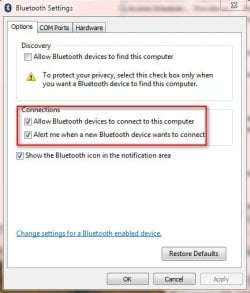
I have searched dozens of forums post even remotely pertaining to this issue but the solutions posted never fix my issue.
So here is the story and I will be honest cause I'm pretty sure my problem is of my own making. Bought sony DRBTN200 bluetooth headphones for my sony xperia V ultra and decided they would work great with my pc too. Bought an IOgear gbu521w6 usb bluetooth dongal. Installed dongal with newest drivers from IOgear website. Everything installed properly but was not able to add my headphones in Hardware and Sound> Devices and Printers> add device, or add bluetooth device. "Add Device" window opens but just sits at "Searching for Devices.... Make sure your device is discoverable". It is at this point that I make my mistake but we will come back to that. So I try the usual fixes. Uninstall/reinstall everything and try again. Still same thing. So it try a different tack.
My phone has bluetooth lets try it. Windows and my phone do their thing. Check the PIN numbers everythings good all that stuff and they connect. So figure it an issue between the headphones and dongal and pc communicating. Dig dig dig. Update this. Try that. Make sure Bluetooth services are started. Post says change this setting to that. Other says change this one. Hours go by. Neither phone or headset are seen by Windows 7. Headset and phone working great together. Phone still sees PC bluetooth. Try to pair. No PIN comes up on Windows 7 machine.
Go buy brand new dongal. Rockfish RFMRBTAD model. Do all step to install. Same thing. Since Windows is not seeing either Sony product phone or headset contact sony and here is where we get back to my mistake. While troubleshooting with Sony. Learn proper way to make headphones discoverable to non-sony devices. So I am pretty sure I messed up some part of the Bluetooth services after I was able to connect my phone that is preventing Windows from properly looking for and seeing Bluetooth devices.
I did do a system restore if you were asking but it was after my mistake. My install cd and everything are with my soon to be ex-wife. So I kind of need a way to reset windows 7 bluetooth services back to what they were before I started all this. Both Bluetooth service and Bluetooth Support service are running but I seem to have corrupted or broken them. So if anyone knows how to fix this props ahead of time. Thanks
So here is the story and I will be honest cause I'm pretty sure my problem is of my own making. Bought sony DRBTN200 bluetooth headphones for my sony xperia V ultra and decided they would work great with my pc too. Bought an IOgear gbu521w6 usb bluetooth dongal. Installed dongal with newest drivers from IOgear website. Everything installed properly but was not able to add my headphones in Hardware and Sound> Devices and Printers> add device, or add bluetooth device. "Add Device" window opens but just sits at "Searching for Devices.... Make sure your device is discoverable". It is at this point that I make my mistake but we will come back to that. So I try the usual fixes. Uninstall/reinstall everything and try again. Still same thing. So it try a different tack.
My phone has bluetooth lets try it. Windows and my phone do their thing. Check the PIN numbers everythings good all that stuff and they connect. So figure it an issue between the headphones and dongal and pc communicating. Dig dig dig. Update this. Try that. Make sure Bluetooth services are started. Post says change this setting to that. Other says change this one. Hours go by. Neither phone or headset are seen by Windows 7. Headset and phone working great together. Phone still sees PC bluetooth. Try to pair. No PIN comes up on Windows 7 machine.
Go buy brand new dongal. Rockfish RFMRBTAD model. Do all step to install. Same thing. Since Windows is not seeing either Sony product phone or headset contact sony and here is where we get back to my mistake. While troubleshooting with Sony. Learn proper way to make headphones discoverable to non-sony devices. So I am pretty sure I messed up some part of the Bluetooth services after I was able to connect my phone that is preventing Windows from properly looking for and seeing Bluetooth devices.
I did do a system restore if you were asking but it was after my mistake. My install cd and everything are with my soon to be ex-wife. So I kind of need a way to reset windows 7 bluetooth services back to what they were before I started all this. Both Bluetooth service and Bluetooth Support service are running but I seem to have corrupted or broken them. So if anyone knows how to fix this props ahead of time. Thanks
My Computer
- Computer type
- PC/Desktop
- Computer Manufacturer/Model Number
- Asus motherboard
- OS
- Windows 7 ultimute x32
- CPU
- intel quad 2.66
- Memory
- 4 gigs crucial
- Graphics Card(s)
- ATI