
whirlwind8
New member
- Local time
- 2:15 PM
- Messages
- 12
Why does my update screen show like it does in the picture? It happened after i update to SP1. Any help would be appreciated.
Thank You
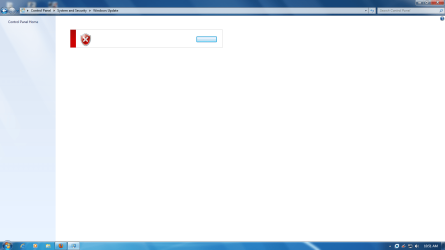
Thank You
My Computer
- Computer type
- PC/Desktop
- Computer Manufacturer/Model Number
- Desktop
- OS
- Windows 7 Professional SP 1 x64
- CPU
- Core i5 4670k
- Motherboard
- Gigabyte H85
- Memory
- 16gb Corsair Vengeance
- Graphics Card(s)
- MSI GTX 770 Gaming Edition
- Sound Card
- AMD High Definition Audio Device
- Monitor(s) Displays
- SyncMaster (1600x900@60Hz)
- Screen Resolution
- 1600*900
- Hard Drives
- 977GB Seagate ST31000333AS ATA Device (SATA)
- PSU
- 600W Coolermaster 90+
- Case
- Coolermaster Storm
- Cooling
- Fan
- Keyboard
- Device Kind Keyboard Device Name Standard PS/2 Keyboard Loca
- Mouse
- Device Kind Mouse Device Name HID-compliant mouse Vendor Log
- Internet Speed
- 25mbps
