
levitronix
New member
- Local time
- 7:07 AM
- Messages
- 2
just put a brand new hard drive in the laptop, I have no recovery cd or usb
I used a copy of win 7 from digital river and used my code on the back of computer to activate windows no problems yet. Everything looked and felt fine,
I started doing updates for windows, a total of 170 required, downloaded them all.
downloaded the drivers I needed from sony website
half through the updates the screen went funny and never recovered .
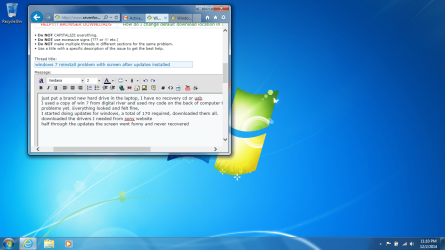
attached is a screen shot of how my screen looks any help would be great
This will sound weird but the jpeg looks fine but that's not the way I see my screen, below my task bar is the top of the screen and I cant see anything on the right portion of the screen and my colours are out but on the screen shot they look fine
I used a copy of win 7 from digital river and used my code on the back of computer to activate windows no problems yet. Everything looked and felt fine,
I started doing updates for windows, a total of 170 required, downloaded them all.
downloaded the drivers I needed from sony website
half through the updates the screen went funny and never recovered .
attached is a screen shot of how my screen looks any help would be great
This will sound weird but the jpeg looks fine but that's not the way I see my screen, below my task bar is the top of the screen and I cant see anything on the right portion of the screen and my colours are out but on the screen shot they look fine
Attachments
My Computer
- Computer type
- Laptop
- Computer Manufacturer/Model Number
- sony vaio
- OS
- windows 7 home premium
- CPU
- m330 2.13ghz
- Memory
- 4gb
- Graphics Card(s)
- ati
- Hard Drives
- Toshiba 1tb


