- Local time
- 8:38 AM
- Messages
- 76
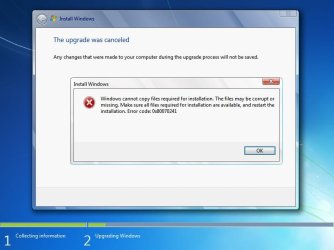
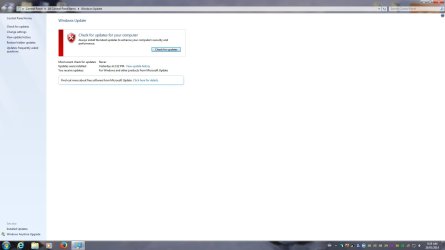
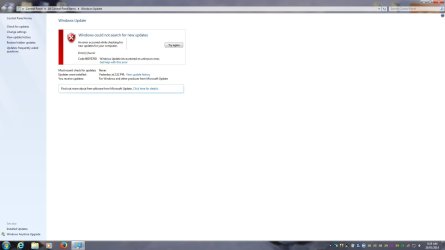
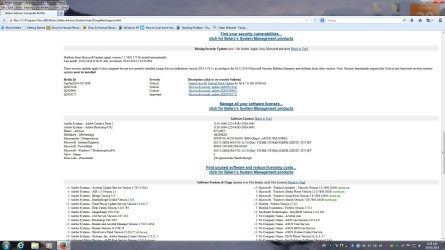
I am trying to do a Windows 7 Repair Install to repair some USB driver issues I am having.
I did a Clean Boot and un-installed my AMD display drivers first using DDU.
I started the Repair Install using the instructions on this forum in the Tutorials.
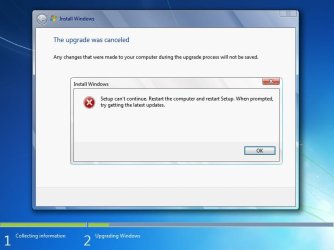
Everything proceeded as per the tutorial and then during the "Gathering files, settings and programs" step
it suddenly failed and stopped.
I would appreciate any help you can give me.
Thanks.
Doug
I did a Clean Boot and un-installed my AMD display drivers first using DDU.
I started the Repair Install using the instructions on this forum in the Tutorials.
Everything proceeded as per the tutorial and then during the "Gathering files, settings and programs" step
it suddenly failed and stopped.
I would appreciate any help you can give me.
Thanks.
Doug
Attachments
Last edited:
My Computer
- Computer type
- PC/Desktop
- Computer Manufacturer/Model Number
- Custom
- OS
- Windows 7 Pro 64-bit SP1/Windows 10 Dual Boot
- CPU
- AMD FX-8350
- Motherboard
- ASUS 970 Pro Gaming Aura
- Memory
- Corsair Vengeance 8GBx2 1866
- Graphics Card(s)
- Sapphire RX-580 Nitro + 4GB
- Sound Card
- On-board HD Audio
- Monitor(s) Displays
- Acer P236H
- Screen Resolution
- 1920x1080
- Hard Drives
- WD 500GB Blue x 2
WD 500GB Green
Samsung 850 EVO 500 GB
- PSU
- Corsair RM750
- Case
- Antec 1100
- Keyboard
- Kensington Washable
- Mouse
- Logitech M510
- Internet Speed
- LTE 30Mbps down/10Mbps up
- Antivirus
- BitDefender Anti Virus Plus 2019 Paid version
- Browser
- Firefox, Chrome