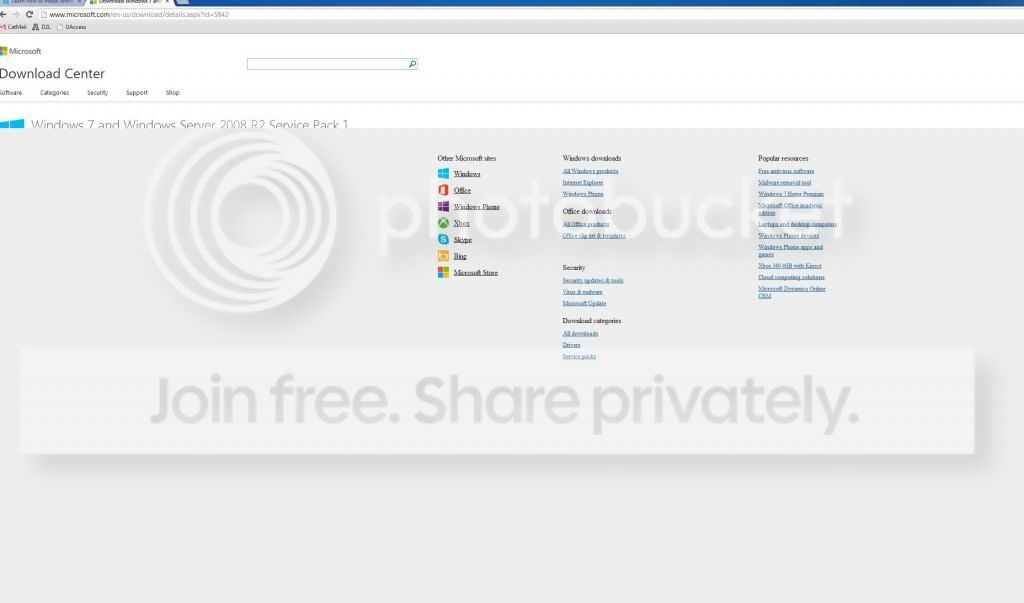
I had to format and reinstall Windows 7 a few days ago. Now I can not get it to install SP1. I have gone through countless threads and how to's... nothing is working. I tried the Windows Fix It feature in the Windows Update program. I downloaded the Windows Update repair program. I tried disabling my antivirus, which is AVG free 2013. I also tried going to the MS download center to get the manual update file, but the page is just all gray. (see image) I don't know where to go from here.
The SP1 stand-alone download is generally used for a multi-PC deployment. Have you done the standard run of w7 updates which are prerequisite for SP1?
Another, better option is this: http://www.sevenforums.com/tutorials/1649-clean-install-windows-7-a.html#post16008
There are link and instructions for getting a SP1 installer and putting it on a USB stick or DVD.
My Computer
Computer type
PC/Desktop
Computer Manufacturer/Model Number
Home Built Desktop By DataTech
OS
Windows 7 Ultimate X64 SP1
CPU
Intel i5-2550K, Differing ~4.4-4.8GHz No built in GPU
Motherboard
ASUS P8Z68-V PRO/GEN3
Memory
16GB G.Skill Sniper 1866MHz @ 2133MHz 2x8GB
Graphics Card(s)
ASUS GTX650TIB-DC2OC-2GD5, (650TI Boost)
Sound Card
Onboard Realtek 5-1
Monitor(s) Displays
Samsung P2570HD
Screen Resolution
1920x1080
Hard Drives
Samsung 840 Pro 256GB SSD for OS, 500GB Seagate Constellation (Enterprise drive) for Data
PSU
Corsair HX650W
Case
Inwin Dragon Rider
Cooling
Hyper 212 EVO w/two Noctua fans, push-pull, @1300 RPM
Keyboard
E-Z Eyes, bright yellow keys with large characters
Mouse
steelseries SENSEI Laser Pro Gaming
Internet Speed
48-51Mbs Mbs down, 11 Mbs up Xfinity Cable
Antivirus
Norton Internet Security 2013
Browser
IE 10, Opera, Pale Moon if needed
Other Info
4 case fans, LG BluRay-RE, ASUS DVD-RW, Mr. Fusion power supply, 1.21 gigawatts.
yes i have done all of the other updates it gave me, and saved the SP1 for last. I am going through that other thread right now. might I ask where the link you are referring to is loacated? i am not seeing it.
Probably nothing to do with your case but did you try unplugging the second drive? I could not get mine to install until I did that. I was using the MS DVD SP1.
I just got so frustrated right now and wiped my drive again. Unplugged my second drive and am doing a slow incremental update to ensure everything installs correctly. If this doesn't work, I might just shoot it...
It was around 108, I think, the last time I used a pre-SP1 installer.
If you'll try my previous suggestion SP1 will install with w7, then there's still about 100 more updates after that.
My Computer
Computer type
PC/Desktop
Computer Manufacturer/Model Number
Home Built Desktop By DataTech
OS
Windows 7 Ultimate X64 SP1
CPU
Intel i5-2550K, Differing ~4.4-4.8GHz No built in GPU
Motherboard
ASUS P8Z68-V PRO/GEN3
Memory
16GB G.Skill Sniper 1866MHz @ 2133MHz 2x8GB
Graphics Card(s)
ASUS GTX650TIB-DC2OC-2GD5, (650TI Boost)
Sound Card
Onboard Realtek 5-1
Monitor(s) Displays
Samsung P2570HD
Screen Resolution
1920x1080
Hard Drives
Samsung 840 Pro 256GB SSD for OS, 500GB Seagate Constellation (Enterprise drive) for Data
PSU
Corsair HX650W
Case
Inwin Dragon Rider
Cooling
Hyper 212 EVO w/two Noctua fans, push-pull, @1300 RPM
Keyboard
E-Z Eyes, bright yellow keys with large characters
Mouse
steelseries SENSEI Laser Pro Gaming
Internet Speed
48-51Mbs Mbs down, 11 Mbs up Xfinity Cable
Antivirus
Norton Internet Security 2013
Browser
IE 10, Opera, Pale Moon if needed
Other Info
4 case fans, LG BluRay-RE, ASUS DVD-RW, Mr. Fusion power supply, 1.21 gigawatts.