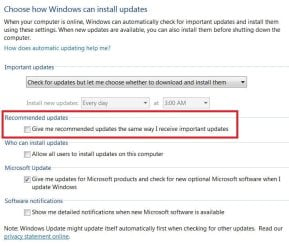
If you have old/slow notebook, remove these updates, or the "Searching for updates..." procedure will take hours and hours...
Mine helps, i've got old netbook on Atom N270. If one of the following update is installed, Windows Update stucks on "Seaching..." for many hours.
Or if you don't want to remove these updates, disable any sleep/hibernation and arm yourself with patience.
-KB2973201 + Elevation of privileges through on-screen keyboard
-KB2993651 + Elevation of privileges, but requires valid local logon
-KB3078601 + Remote code execution risk because of malicious OpenType fonts on webpages or in documents
-KB3087039 + Remote code execution risk because of malicious OpenType fonts on webpages or in documents
-KB3109094 + Remote code execution risk because of malicious fonts on webpages or in documents; also, elevation of privileges (run code in kernal mode), but requires valid local logon
-KB3145739 + Remote code execution if a user opens a specially crafted document or visits a webpage that contains specially crafted embedded fonts
How to remove: execute from cmd: wusa /uninstall /kb:xxxxxxxx /norestart
Then restart your PC and run Windows Update again.
Don't forget to install latest Windows Update Client (KB3138612).