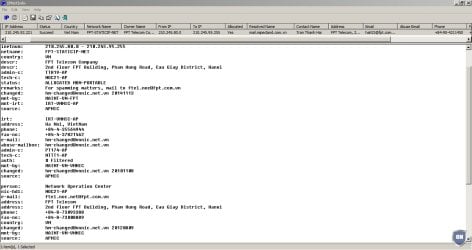
OK so it has been a while now on this and since setting it to Not allow remote connection I have been unable to see any more erratic activity as before. So what now? Re-enable it and if it has erratic activity like that again does that mean someone is trying to access my machine? Someone trying to access my my machine would be an INCOMING connection and show as yellow on the network meter would it not?
My Computer
At a glance
Windows 7 Ultimate 64Bit (SP1)Intel® Core™ i3-6100 Processor (3M Cache, 3.7...Kingston 16GB Hyper X Fury Blue DDR3 1600Mhz ...On board (Asus B150M-C D3) VGA and DVI on Ext...
If it was my computer I would not activate it. You found the problem and then fixed the problem. I would leave it fixed. I would NOT allow AVG to have remote access to my computers.
Last edited:
My Computer
At a glance
Windows 10 Pro. 64/ version 1709 Windows 7 Pr...Intel i7-6800K @ 4.3Corsair Platinum 16 gig @2400EVGA GTX 1070 OC
Computer type
PC/Desktop
Computer Manufacturer/Model Number
Home made Desktop
OS
Windows 10 Pro. 64/ version 1709 Windows 7 Pro/64
CPU
Intel i7-6800K @ 4.3
Motherboard
ASUS X-99 Deluxe II
Memory
Corsair Platinum 16 gig @2400
Graphics Card(s)
EVGA GTX 1070 OC
Monitor(s) Displays
Asus 27" LED LCD/VE278Q
Screen Resolution
1920-1080 or 1280-720 HDMI
Hard Drives
INTEL SSD 730-240 Gb Sata 3.0/
PSU
EVGA Platium 1200W
Case
Phanteks Luxe Tempered Glass 8 fans/ one radiator
Cooling
XSPC/ Water Cooled CPU
Keyboard
Das 4 Professional
Mouse
Logitech M705/MX Anywhere 2-S
Internet Speed
100 mbits
Antivirus
Microsoft Security Essentials/ Malwarebytes Premium 3.0/ SAS
Browser
I.E. 11 default/Firefox/ ISP Time Warner Cable/Spectrum
Other Info
LG BluRay Burner/
Sound system-KLipsch-THX/
Icy Dock ssd Hot Swap bays.
If it was my computer I would not activate it. You found the problem and then fixed the problem. I would leave it fixed. I would NOT allow AVG to have remove access to my computers.
Windows 7 Ultimate 64Bit (SP1)Intel® Core™ i3-6100 Processor (3M Cache, 3.7...Kingston 16GB Hyper X Fury Blue DDR3 1600Mhz ...On board (Asus B150M-C D3) VGA and DVI on Ext...
Good find Chris. Hanoi is scary.
It's hard for me to believe that AVG is using Hanoi.
Their must be some other bad thing in this system.
The thing I would do if found something in my computer from Hanoi.
I would suggest with a clean computer changing ALL passwords for everything. I would also suggest to notify all banks and credit card companies that your computer has been compromised.
At that point I wouldn't take any chances. I would do a Clean Install.
My Computer
At a glance
Windows 10 Pro. 64/ version 1709 Windows 7 Pr...Intel i7-6800K @ 4.3Corsair Platinum 16 gig @2400EVGA GTX 1070 OC
Computer type
PC/Desktop
Computer Manufacturer/Model Number
Home made Desktop
OS
Windows 10 Pro. 64/ version 1709 Windows 7 Pro/64
CPU
Intel i7-6800K @ 4.3
Motherboard
ASUS X-99 Deluxe II
Memory
Corsair Platinum 16 gig @2400
Graphics Card(s)
EVGA GTX 1070 OC
Monitor(s) Displays
Asus 27" LED LCD/VE278Q
Screen Resolution
1920-1080 or 1280-720 HDMI
Hard Drives
INTEL SSD 730-240 Gb Sata 3.0/
PSU
EVGA Platium 1200W
Case
Phanteks Luxe Tempered Glass 8 fans/ one radiator
Cooling
XSPC/ Water Cooled CPU
Keyboard
Das 4 Professional
Mouse
Logitech M705/MX Anywhere 2-S
Internet Speed
100 mbits
Antivirus
Microsoft Security Essentials/ Malwarebytes Premium 3.0/ SAS
Browser
I.E. 11 default/Firefox/ ISP Time Warner Cable/Spectrum
Other Info
LG BluRay Burner/
Sound system-KLipsch-THX/
Icy Dock ssd Hot Swap bays.
Windows 7 Ultimate 64Bit (SP1)Intel® Core™ i3-6100 Processor (3M Cache, 3.7...Kingston 16GB Hyper X Fury Blue DDR3 1600Mhz ...On board (Asus B150M-C D3) VGA and DVI on Ext...
Okay so I know you deleted your post but what would be really interesting is to get the process name from the process PID you gave. The ip address from your deleted post resolves to an OVH server and OVH have faced criticism for allowing malware and hackers to use their servers. Personally I run Peerblock and all OVH server ip address ranges are blocked. There's no good reason for your machine to be connecting to any OVH server.
My Computer
At a glance
Microsoft Windows 7 Home Premium 64-bit 7601 ...AMD C-60 APU with Radeon(tm) HD Graphics4.00 GBAMD Radeon HD 6290 Graphics
Computer type
Laptop
Computer Manufacturer/Model Number
ASUS
OS
Microsoft Windows 7 Home Premium 64-bit 7601 Multiprocessor Free Service Pack 1
CPU
AMD C-60 APU with Radeon(tm) HD Graphics
Motherboard
ASUSTeK COMPUTER INC. X501U
Memory
4.00 GB
Graphics Card(s)
AMD Radeon HD 6290 Graphics
Sound Card
(1) AMD High Definition Audio Device (2) Realtek High Defi
Did you get my entire post in a reply email? It had the netstat -ano results in it. I thought I had RDP disabled but I must have renabled it to see if it would happen again after a long time of no activity. I guess I forgot to disable it again. Once I had RDP disabled again I deleted that post.
If you got my full reply in an email is the IP you are talking about now the one I said was in Quebec Canada? If so The process associated with 4488 PID was svchost and the crptsvc process was under that host.
Definitely RDP related.
My Computer
At a glance
Windows 7 Ultimate 64Bit (SP1)Intel® Core™ i3-6100 Processor (3M Cache, 3.7...Kingston 16GB Hyper X Fury Blue DDR3 1600Mhz ...On board (Asus B150M-C D3) VGA and DVI on Ext...
Seems like you've nailed it. If disabling RDP does the trick then I wouldn't worry about it. As far as disabling cryptsvc sevice is concerned - it's not a good idea if you need to keep windows updates working.
Also I got the email notification and details you posted were contained in the email.
My Computer
At a glance
Microsoft Windows 7 Home Premium 64-bit 7601 ...AMD C-60 APU with Radeon(tm) HD Graphics4.00 GBAMD Radeon HD 6290 Graphics
Computer type
Laptop
Computer Manufacturer/Model Number
ASUS
OS
Microsoft Windows 7 Home Premium 64-bit 7601 Multiprocessor Free Service Pack 1
CPU
AMD C-60 APU with Radeon(tm) HD Graphics
Motherboard
ASUSTeK COMPUTER INC. X501U
Memory
4.00 GB
Graphics Card(s)
AMD Radeon HD 6290 Graphics
Sound Card
(1) AMD High Definition Audio Device (2) Realtek High Defi
Well after some more thought I have some suggestions. I know nothing about AVG Firewall though. I've use most free Firewall's but AVG's isn't one of them!
Check that your router firewall is enabled. I cannot give specific instuctions but if you log into your router you might well find a setting to enable/ disable it. This is an entirely different firewall than the one you use on your computer.
When you've done that run the tests here and report any problems: