
Hi, I am new. Happy to be here.
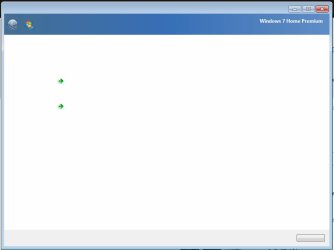
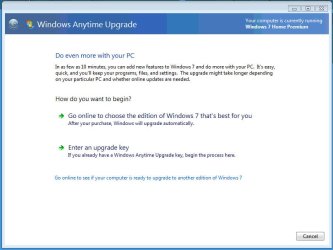
My buddy has a Windows 7 Home Premium system that started popping up the Windows Anytime Upgrade window, but it's odd in that it is missing text in the window but still shows the arrows and button, just no text in the button. The arrows and button are active and work as they should. Interestingly, if I run the Windows Anytime Upgrade manually everything looks fine.
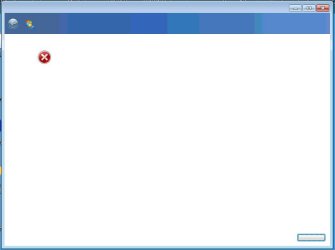
I thought maybe I was being shown a bogus window from malware but when I disable Windows Anytime Upgrade I still get the popup, but the window changes to the one saying Windows Anytime Upgrade is disabled, but it is missing the text as well. So the window keeps popping whether it's enabled or not. If I close it it will pop up again. If I leave it then there are no more popups.
Before this he did have a virus of some sort that I cleaned. I also had a Sophos standalone antivirus tool I had to manually uninstall which require some registry deletions that were only Sophos related, and this specifically I think may be the issue, but not sure why. I've done those kinds of edits for 20+ years with no issues.
So I just want to stop these popups. Not sure about the text missing.
Attached are a couple screen shots. Any help is appreciated.
My buddy has a Windows 7 Home Premium system that started popping up the Windows Anytime Upgrade window, but it's odd in that it is missing text in the window but still shows the arrows and button, just no text in the button. The arrows and button are active and work as they should. Interestingly, if I run the Windows Anytime Upgrade manually everything looks fine.
I thought maybe I was being shown a bogus window from malware but when I disable Windows Anytime Upgrade I still get the popup, but the window changes to the one saying Windows Anytime Upgrade is disabled, but it is missing the text as well. So the window keeps popping whether it's enabled or not. If I close it it will pop up again. If I leave it then there are no more popups.
Before this he did have a virus of some sort that I cleaned. I also had a Sophos standalone antivirus tool I had to manually uninstall which require some registry deletions that were only Sophos related, and this specifically I think may be the issue, but not sure why. I've done those kinds of edits for 20+ years with no issues.
So I just want to stop these popups. Not sure about the text missing.
Attached are a couple screen shots. Any help is appreciated.
Attachments
Last edited:
My Computer
At a glance
Windows 7 Home Premium and Ultimate - both 64...
- Computer type
- PC/Desktop
- OS
- Windows 7 Home Premium and Ultimate - both 64 bit


